

You opened the Shopify App Store and immediately felt overwhelmed. There are over 8,000 apps. Reviews are all over the place. Everyone’s recommending something different. And installing the wrong ones can slow your store down, cost you money, and create more headaches than they solve.
This guide cuts through all of it.
We’ve done the research, tested the options, and organized everything by category, so whether you run a clothing store, a jewelry brand, a dropshipping operation, or a small business just getting started, you’ll find exactly what you need right here.
Quick tip: Don’t install every app on this list. Find your stage (new store vs. growing store) and your niche, then install selectively. Every extra app can add to page load time.
Why the Right Shopify Apps Can Make or Break Your Store
Apps are Shopify’s superpower, and also its biggest trap. The right stack can automate your marketing, recover abandoned carts, boost SEO, translate your store into 20 languages, and turn one-time buyers into subscribers. The wrong stack quietly kills your store’s speed, bleeds your budget, and creates a mess of conflicting features you never use.
How to Evaluate Apps Before Installing
Before you install anything, run through this quick checklist:
- Check the review count AND the recency. An app with 4.8 stars, but all reviews from 2021 are a red flag.
- Read the 3-star reviews. That’s where honest, nuanced feedback lives, not the 5s and the 1s.
- Check if the developer is active. Have they responded to reviews in the last 30 days?
- Look for a free trial. Never pay upfront for an app you haven’t tested with your actual store.
- Test page speed before and after. Use Google PageSpeed Insights or GTmetrix to measure impact.
- Check for feature overlap. If two apps do the same thing, pick one and remove the other.
Free vs. Paid Apps: What’s Worth It in 2026?
The free vs. paid question comes up constantly, and the honest answer is: it depends on where you are in your growth journey.
If your store is brand new and doing fewer than 50 orders a month, lean heavily on free apps and Shopify’s built-in features. Most paid apps justify their cost through volume; if you’re not generating enough revenue, the ROI just isn’t there yet.
Once you’re seeing consistent sales, paid apps in the $10–$30/month range for email, reviews, and SEO can deliver clear returns. Apps above $50/month are usually enterprise-grade tools, worth it for high-volume stores, overkill for most.
How Many Apps Does the Average High-Performing Shopify Store Use?
Successful Shopify stores typically run 8-15 apps. Here’s a rough breakdown of what that looks like:
- 2–3 marketing apps (email, SMS, or push)
- 1–2 SEO apps
- 1 review app
- 1 loyalty or retention app
- 1–2 operational apps (inventory, shipping, etc.)
- 1–2 design or UX apps
- 1 analytics app
If you’re running 25+ apps, it’s time for an audit. Speed is conversions.
Best Free Shopify Apps for Store Design & Growth
Great news: you don’t need to spend a dollar to build a professional, high-converting Shopify store. The free tiers on these apps are genuinely useful, especially for stores with revenue under $10k/month.
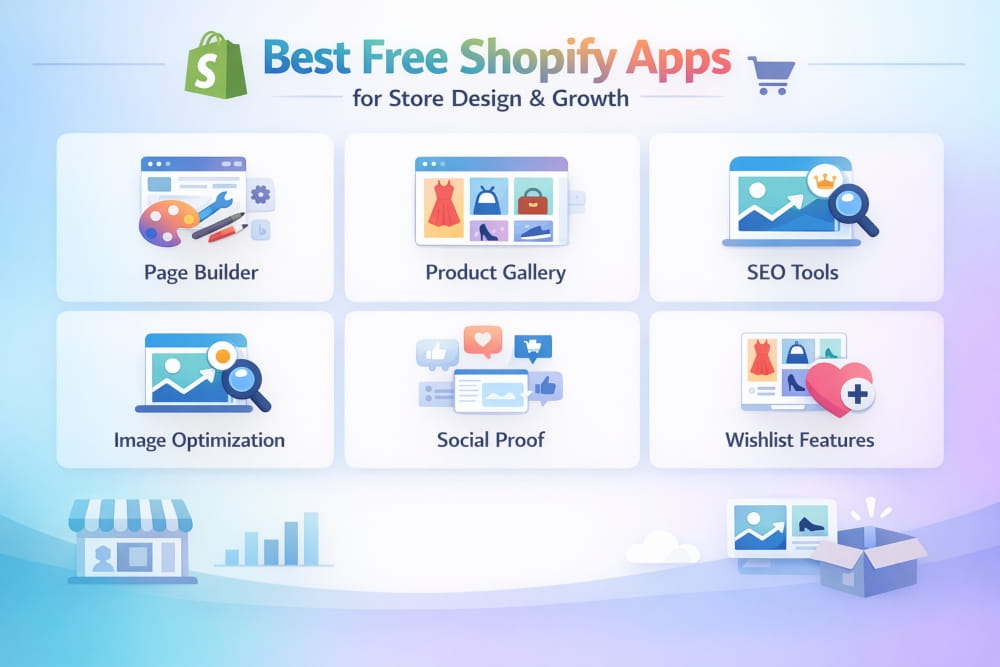
When launching or scaling an online store, the design and functionality of your store play a major role in how customers perceive your brand. Even small improvements in layout, visuals, and usability can dramatically increase trust and conversion rates. The good news is that you don’t need a huge budget to achieve a professional look. Many free Shopify apps and tools allow small businesses to create polished storefronts, streamline customer experience, and grow sales without additional costs.
Top Free Apps for Store Design and Layout
A well-designed storefront makes customers feel confident about purchasing from you. These free tools help merchants improve their store’s visual presentation while keeping things simple and beginner-friendly. Below are some of the top free apps for store design and layout that help Shopify merchants build visually appealing and high-performing stores.
Canva for Shopify
Canva integrates directly with Shopify and lets you create professional-quality graphics without design experience. Store owners can easily design banners, product images, promotional visuals, and social media graphics directly from their Shopify dashboard.
The free version of Canva provides enough tools for most small businesses, including templates, fonts, and drag-and-drop editing. For stores that want to maintain consistent branding across product pages, email campaigns, and social platforms, Canva is one of the most accessible free design tools for Shopify stores.
EComposer Page Builder (Free Plan)
EComposer is a drag-and-drop landing page builder that allows merchants to create custom layouts without writing code. It is particularly useful for designing homepage sections, promotional pages, and high-converting product pages.
The free plan includes essential page-building features, making it ideal for beginners who want more flexibility than the default theme editor offers. With its visual editor and pre-built templates, EComposer helps Shopify stores achieve a more professional layout while maintaining fast site performance.
Shopify’s Built-in Theme Editor
Many merchants overlook Shopify’s native theme customizer, but it has become significantly more powerful over time. Before installing additional design apps, it’s worth exploring what your current theme can already do.
Shopify’s built-in editor allows you to customize colors, sections, typography, homepage layouts, and product pages directly from the admin dashboard. Since it’s integrated into the platform, it also ensures optimal performance and compatibility with your store.
For merchants looking to keep their tech stack minimal, Shopify’s theme editor can often handle most basic store design and layout customization needs.
Instafeed (Free Plan)
Social proof plays a powerful role in eCommerce conversions. Instafeed automatically pulls your Instagram content into your Shopify storefront, showcasing real product photos and lifestyle content.
By displaying an Instagram feed directly on your homepage or product pages, visitors can see how real customers interact with your products. This adds authenticity to your brand while keeping the store visually dynamic without requiring manual updates.
Best Free Apps for Clothing Stores
Fashion and apparel stores require a slightly different approach to design and customer experience. Features like size guidance, visual browsing, and curated product inspiration are essential. These free Shopify apps for clothing stores help solve some of the most common challenges.
Kiwi Size Chart & Recommender (Free Plan)
Size-related uncertainty is one of the main reasons customers abandon clothing purchases. Kiwi Size Chart helps reduce this problem by providing customizable size guides and fit recommendations directly on product pages.
Customers can easily compare their measurements and select the correct size, helping reduce returns and improve buyer confidence. For apparel brands, this tool significantly enhances the shopping experience and builds customer trust.
Lookbook, Lifestyle (Free Plan)
Lookbooks are a powerful marketing tool for fashion brands. This app allows merchants to create shoppable photo galleries where customers can click on products within editorial-style images.
Instead of browsing items individually, shoppers can explore entire outfits or collections in a more natural and inspiring way. This approach not only enhances the store’s visual appeal but also increases average order value by promoting multiple products at once.
Wishlist Plus (Free Plan)
Wishlist Plus enables customers to save products they like and return to them later. This feature is especially valuable for clothing stores where customers often compare styles before making a purchase.
By allowing visitors to create wishlists, stores can reduce bounce rates and encourage repeat visits. Over time, this leads to higher engagement and increased conversions from returning customers.
Free Tools Small Businesses Can Rely on Long-Term
While many apps target quick wins, some tools remain valuable even as a store grows. These long-term free Shopify tools help merchants manage marketing, traffic, and lead generation without additional expenses.
Shopify Email
Shopify Email is a built-in email marketing tool that allows merchants to send up to 10,000 emails per month for free. It includes ready-made templates, product integration, and automation options.
For early-stage stores, this provides a simple way to build email campaigns, promote new products, and nurture customer relationships without relying on third-party software.
Google & YouTube by Shopify
This free app allows merchants to sync their products directly with Google Shopping and YouTube ads. It helps stores appear in Google search results and shopping listings, driving highly targeted traffic.
For many small businesses, this integration becomes one of the highest-ROI tools available because it expands product visibility beyond the Shopify storefront.
Shopify Forms
Capturing leads is essential for long-term customer growth. Shopify Forms lets merchants create customizable forms that collect email addresses and customer information directly on their websites.
Since the tool integrates natively with Shopify’s customer database, it simplifies lead management and helps build a strong email marketing list for future promotions.
Building a professional online store doesn’t require expensive tools. With the right combination of free Shopify apps for store design, clothing stores, and small business growth, merchants can create visually appealing storefronts and deliver a seamless shopping experience.
From design tools like Canva and EComposer to functional solutions like size charts, lookbooks, and email marketing, these apps help small businesses compete with larger brands while keeping costs under control. By choosing tools that improve both store design and user experience, merchants can increase trust, encourage engagement, and ultimately drive more conversions.
Best Shopify SEO Apps
SEO is the highest-leverage long-term investment a Shopify store owner can make. Unlike paid ads, organic traffic compounds over time; a well-optimized store can generate revenue on autopilot. But Shopify’s native SEO features are limited, and that’s where apps come in.
What to Look for in a Shopify SEO App
Not all SEO apps are equal. The best ones address Shopify’s structural weaknesses, duplicate content, poor control over meta tags, slow image loading, and broken internal linking. Look for apps that offer:
- Automated meta title and description optimization
- Image alt text automation (critical for product-heavy stores)
- JSON-LD structured data/schema markup
- Broken link detection and redirect management
- Sitemap generation and submission
- Page speed optimization tools
Top-Rated SEO Apps Compared Side by Side
| App | Best For | Pricing |
|---|---|---|
| Plug In SEO | Beginners, quick audits | Free / $29.99/mo |
| SEO King | Bulk image & meta optimization | Free / $7.99/mo |
| Booster SEO & Image Optimizer | All-in-one SEO + speed | Free / $34/mo |
| Smart SEO | Structured data & automation | Free / $9.99/mo |
| TinyIMG | Image compression + SEO | Free / $9.99/mo |
Best SEO Apps for Small Businesses on Shopify
For small businesses with limited budgets, the combination of Plug In SEO (for auditing and guidance) and TinyIMG (for image optimization) covers about 80% of what most stores need. Both have genuinely useful free tiers and are beginner-friendly.
If you’re ready to invest, Booster SEO is the most comprehensive single app; it handles image optimization, meta tags, structured data, and speed improvements in one dashboard.
Pro tip: SEO is a 3–6 month game. Install your SEO app, do the initial setup, and then check back monthly rather than obsessing daily. Consistency beats intensity in SEO.
Best Shopify Review Apps to Build Trust & Social Proof
Reviews are not optional. Studies consistently show that products with reviews convert at 3–4x the rate of products without them. On Shopify, a great review app can be the difference between a 1% and a 3% conversion rate, which means 3x the revenue from the same traffic.
Why Reviews Are Critical for Shopify Conversions
When a new visitor lands on your product page, they have one central question: ‘Can I trust this?’ They don’t know you. They haven’t heard of your brand. And they’ve been burned by online stores before.
Reviews answer that question faster than any copy you can write. Authentic photos from real customers, honest feedback about sizing, shipping times, and product quality, this is what converts browsers into buyers.
Top Review Apps Ranked and Reviewed in 2026
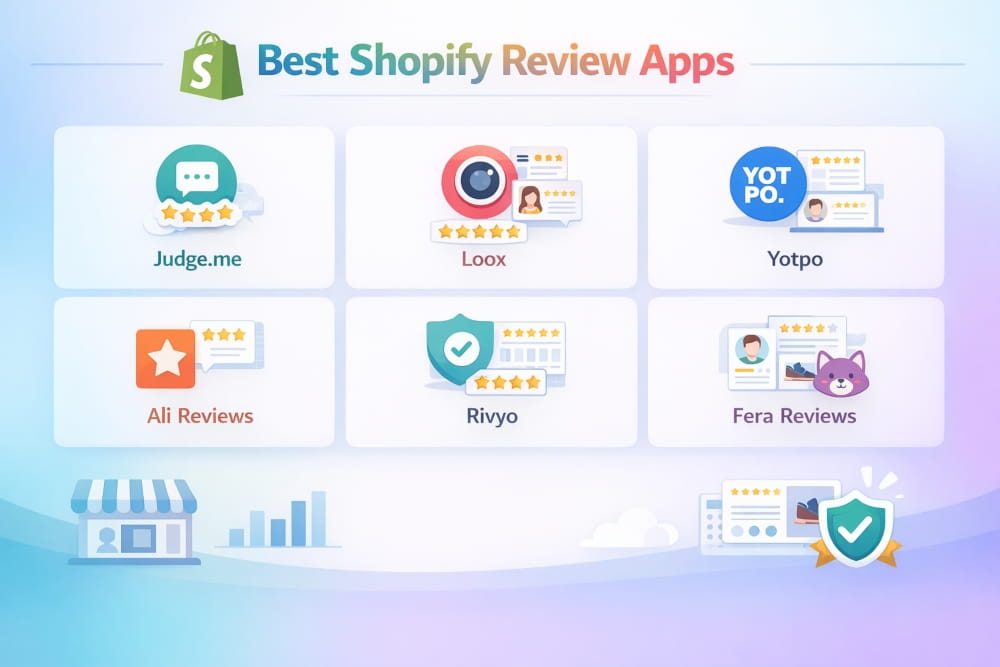
- Judge.me, the gold standard for most Shopify stores. Automatic review request emails, photo and video reviews, SEO-friendly schema, and a genuinely generous free plan. For most stores, this is the one.
- Loox is a photo-first review platform. Exceptional for visually driven brands (fashion, beauty, home decor). Review carousels and popups look stunning. Paid only, starting at $9.99/month.
- Yotpo (Reviews) is an enterprise-grade platform with loyalty integrations, Google Shopping review syndication, and powerful analytics. Best for high-volume stores. Higher price point.
- Okendo is known for exceptional customer survey features alongside reviews. Great for brands that want deep customer insight, not just star ratings.
- Rivyo Product Reviews: Solid budget-friendly option. Import reviews from AliExpress, Amazon, and other platforms. Good for dropshipping stores looking to build social proof quickly.
Best Review App for Clothing and Niche Stores
For clothing stores specifically, Loox wins on aesthetics. The photo review carousels are visually powerful and work especially well for fashion products, where seeing the item on a real person dramatically increases purchase confidence.
For general small businesses, Judge.me offers the best combination of features, ease of use, and a generous free tier. It’s the first app we’d recommend to any new store owner.
Best Mobile App Builders for Shopify Stores
Do you actually need a mobile app for your Shopify store? In 2025, the honest answer is: probably not at first, but it becomes a powerful retention tool once you have a loyal customer base.
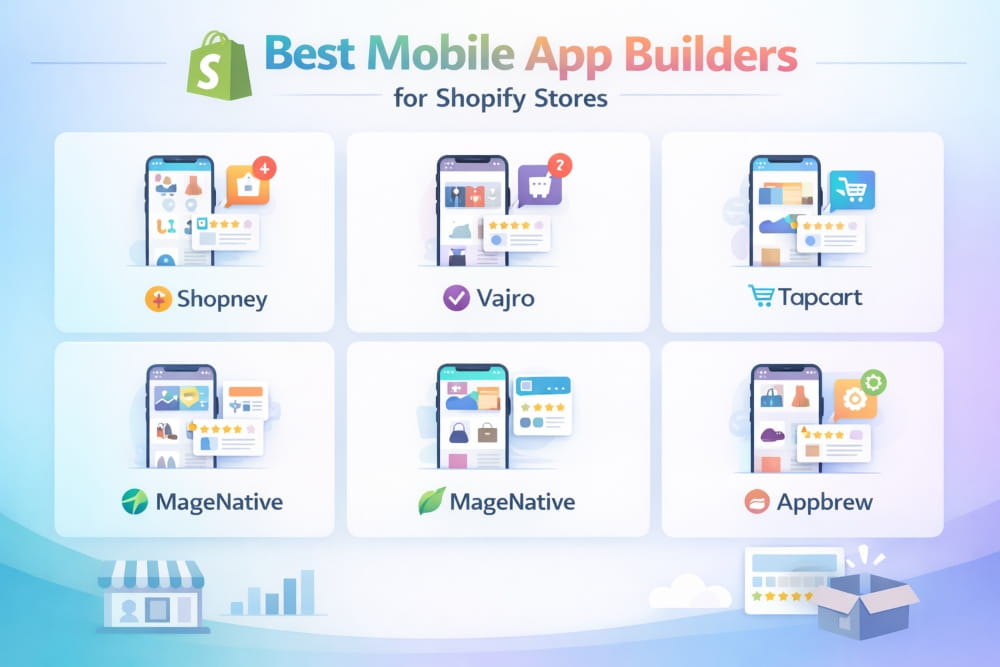
Shopify’s mobile web experience is already excellent for most customers. But a dedicated mobile app gives you push notifications (which dramatically outperform email open rates), a faster browsing experience, and a branded home screen icon that keeps your store top-of-mind.
Do You Need a Mobile App for Your Shopify Store?
Consider a mobile app when:
- You have 1,000+ repeat customers.
- Your customers make frequent, repeat purchases (fashion, consumables, subscriptions)
- Your email open rates have plateaued, and you want a new engagement channel.
- You sell to a mobile-first demographic (Gen Z, younger millennials)
Skip the mobile app for now if:
- You’re under 6 months old and still finding product-market fit.
- Your AOV is high, and customers buy once or twice a year.
- Your current conversion rate is below 1.5%; fix the website first.
Best App Builders for General Shopify Stores
As mobile commerce continues to grow, many Shopify merchants are turning their stores into dedicated mobile apps. A Shopify mobile app builder allows you to convert your existing store into a fully functional app without complex coding. These platforms sync directly with Shopify, keeping products, inventory, and customer data up to date automatically.
Choosing the right app builder for Shopify stores depends on your business size, design requirements, and marketing goals. Below are some of the most reliable options used by growing Shopify brands.
- Vajro is one of the most popular Shopify mobile app builders. Real-time sync with your store, live selling features, and push notifications. Plans start at $99/month. Best for stores doing $20k+/month.
- Tapcart is known for exceptional design quality and Instagram-style browsing. Great for fashion and lifestyle brands. Starts at $99/month. Push notifications are a standout feature.
- Plobal Apps, Strong automation and marketing features built into the app. Includes abandoned cart push notifications and personalization. More feature-rich than Tapcart at a similar price.
- Shopney is a budget-friendly option starting at $79/month. Less polished than Vajro or Tapcart, but solid for stores testing the mobile app channel.
The best Shopify mobile app builder depends largely on your store’s growth stage. Platforms like Vajro and Tapcart are ideal for established brands focusing on design and engagement, while Plobal Apps offers stronger marketing automation. For stores looking to experiment with mobile apps at a lower cost, Shopney offers a practical starting point.
Best Mobile App Builders for Jewelry Stores
Jewelry is a high-consideration and visually driven purchase, which means the mobile shopping experience must focus heavily on product presentation. Customers often spend time examining details such as stone clarity, metal finish, and craftsmanship before making a purchase. Because of this, the best mobile app builder for jewelry stores must prioritize high-quality visuals, smooth browsing, and features that support longer buying journeys.
Jewelry is a high-consideration, visually driven purchase. The best mobile app builder for jewelry stores needs:
- High-resolution product image support (no compression)
- Zoom functionality for detail shots
- Wishlist features (customers browse over weeks before buying)
- Clean, elegant UI that matches luxury brand aesthetics
For jewelry brands looking to extend their Shopify store into a mobile app, both Tapcart and Vajro provide the image quality, browsing experience, and design flexibility required to showcase premium products effectively. Choosing between them typically depends on whether the brand prioritizes visual design (Tapcart) or interactive selling and engagement features (Vajro).
Top App Builder Platforms Compared
| App Builder | Best For | Starting Price |
|---|---|---|
| Tapcart | Fashion, jewelry, lifestyle | $99/month |
| Vajro | General stores, live selling | $99/month |
| Plobal Apps | Marketing-heavy stores | $99/month |
| Shopney | Budget-conscious stores | $79/month |
| BuildFire | Custom enterprise builds | Custom pricing |
Best Shopify Apps for Clothing Stores
Clothing stores face unique challenges on Shopify: size confusion leads to returns, fashion customers are visually demanding, and competition is fierce. The right apps can give your store a premium feel and significantly reduce the friction between browsing and buying.
Must-Have Apps for Fashion and Apparel Brands
- Kiwi Size Chart & Recommender reduces return rates by helping customers choose the right size. Supports custom size charts per product and even uses body measurements to recommend sizes. Essential for any clothing store.
- Lookbook: Create shoppable, editorial-style images that let customers click directly on items. Perfect for campaign launches and seasonal collections.
- Instafeed: Display your Instagram content as a shoppable feed. Critical for fashion brands whose social presence is part of the brand identity.
- ReConvert Upsell & Cross Sell, Clothing customers frequently buy complementary items. This app adds smart upsells to thank-you pages and post-purchase flows without interrupting the checkout process.
- Back In Stock, Send automatic restock alerts to customers who wanted a sold-out item. Recovers sales that would otherwise be permanently lost.
Size Guides, Lookbooks, and Styling Tools
The single biggest conversion killer for clothing stores is size uncertainty. A customer who isn’t sure if the medium will fit won’t buy; they’ll leave and order from a competitor who gave them more confidence.
Beyond Kiwi, consider adding a ‘How to Measure’ guide directly to your product pages using a metafield or a simple app like Tabs by Station. Customers who know how to measure themselves and can compare to your size chart convert at dramatically higher rates.
Free Clothing Store Apps Worth Installing First
- Kiwi Size Chart (free plan), Start here.
- Wishlist Plus (free plan), Fashion customers browse before buying.
- Tidio Live Chat (free plan), Answer size and fit questions in real time. Reduces bounce rate.
- Google & YouTube (free), Get your clothing products into Google Shopping immediately.
Best Shopify Translation Apps for Global Stores
If any portion of your traffic comes from non-English speaking countries, you’re leaving money on the table without a translation app. Customers are significantly more likely to purchase in their native language, and since 2023, multilingual stores have also seen meaningful SEO benefits from Google’s improved handling of hreflang tags.
Why Translation Apps Matter for International SEO
A translation app does two things at once: it improves user experience for non-English visitors. It creates new indexable pages in different languages that can rank in local Google searches. This is one of the few app categories where you get both a conversion benefit and an SEO benefit simultaneously.
For example, a store that translates into French, Spanish, and German essentially triples its potential search audience without creating any new products.
Best-Rated Translation Apps in 2025
- Langify, the original Shopify translation app. Rock-solid, well-supported, and highly flexible. Supports SEO-friendly URL structures by language. Starting at $17.50/month.
- Weglot, Cloud-based translation with automatic machine translation plus professional human translation options. Very fast to set up. Strong SEO features. Starts at $15/month for one language.
- Transcy, a newer app with an excellent free tier (one language). Combining currency conversion with translation is a major convenience. Best value for stores just entering international markets.
- GTranslate uses the Google Translate engine. Free plan available with subdirectory URL structure. Not as clean as Weglot or Langify, but the free plan is hard to beat for testing.
- Bablic is a Good middle-ground option with a visual editor that lets you see and edit translations in context on your actual storefront.
| App | Best For | Transaction Fee |
|---|---|---|
| Recharge | All-around, enterprise-ready | 1% + $0.05/txn |
| Bold Subscriptions | Flexibility & custom rules | 1% per txn |
| Seal Subscriptions | Budget-friendly, small stores | Free / 0% fee |
| Skio | Reducing churn & cancellations | 1% per txn |
| Loop Subscriptions | Bundles + subscriptions | Free / 0.75% |
Best Shopify Apps for Search, Discovery & Store Locator
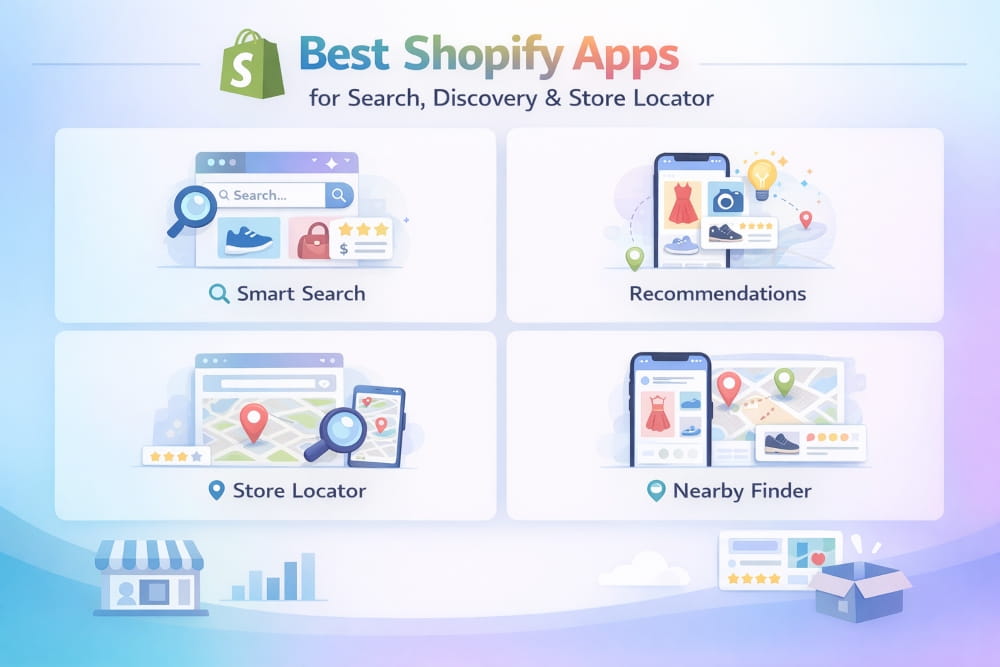
Poor search is one of the most underestimated conversion killers in e-commerce. Studies suggest that customers who use site search convert at 2–3x the rate of those who don’t, but only if the search actually works. Shopify’s built-in search is basic, and for stores with large catalogs, it frequently fails to surface the right products.
Best Smart Search Apps for Shopify in 2025
- Searchie (by Fast Simon), AI-powered search with typo tolerance, synonym handling, and personalized results. Shows instant results as customers type—one of the most impressive search experiences available for Shopify.
- Boost Commerce Product Filter & Search: Best-in-class filtering combined with solid search. Essential for stores with large catalogs where customers need to narrow by size, color, price, and material simultaneously.
- Searchanise is a solid mid-market option with predictive search, product recommendations in the search bar, and a reasonable free tier for smaller stores.
- Doofinder is a strong enterprise-grade option with excellent analytics on customer search behavior. The search analytics alone can inform your product development.
Best Store Locator Apps for Multi-Location Brands
If you sell through physical retail locations in addition to your online store, a store locator is essential. Customers frequently use ‘buy online, pick up in store’ or want to try products locally before purchasing online.
- Store Locator by Storemapper, Clean, simple, and reliable. Google Maps integration, customizable search radius, and Bulk location import. Free plan available.
- Amasty Store Locator is a more feature-rich option with custom location attributes, filtering, and multilingual support.
How Better Search Improves Conversion Rate
When you install a smart search app, pay close attention to the ‘no results’ queries in your search analytics. These are searches where customers found nothing and almost certainly left your store empty-handed. Often, these queries reveal either product gaps or tagging issues (e.g., customers searching ‘navy blue dress’ when you’ve tagged yours as ‘dark blue’).
Fixing no-results queries is one of the fastest ways to recover lost revenue without spending a dollar on additional traffic
How to Set Up Multilingual Shopify Stores Correctly
Before installing a translation app, go to Settings → Languages in your Shopify admin and add your target languages. This enables Shopify’s native multilingual infrastructure, which translation apps build on top of.
For SEO, prioritize apps that use subdomains or subdirectories (e.g., fr.yourstore.com or yourstore.com/fr/) rather than URL parameters. Google handles subdirectories and subdomains much better for international SEO.
Best Shopify Landing Page Apps
Shopify’s default page editor is functional, but it has real limitations for high-converting landing pages. If you’re running paid ads, launching new products, or running promotions, a dedicated landing page builder gives you the flexibility to create pages that are optimized for conversion, not just content display.
When to Use a Landing Page App vs. Native Shopify Pages
Use native Shopify pages for: About Us, Contact, Policies, FAQ, and evergreen content pages.
Use a landing page builder for: Ad landing pages, product launch pages, promotional campaign pages, and any page where conversion rate optimization matters.
Top Landing Page Builders Ranked for 2025
- Shogun Page Builder is the most mature and feature-complete Shopify landing page builder. Drag-and-drop editor, A/B testing, analytics, and a library of conversion-optimized templates. Starts at $39/month—best overall choice.
- PageFly Landing Page Builder, Strong free tier (3 pages free). More accessible price point than Shogun. Good balance of features and ease of use—a solid choice for small businesses not ready to commit to Shogun’s price.
- GemPages: Good visual editor with a strong template library. Competitive pricing. Some users find it slightly less polished than Shogun, but it’s a legitimate alternative.
- Replo is a newer entrant with excellent performance scores and modern design tools. Built specifically for Shopify, so native integration is seamless. Growing quickly.
Best Landing Page Apps for Small Businesses
Start with PageFly’s free plan. Three free pages are enough to build a homepage, a hero product page, and one campaign page, which covers most small business needs. Once you’re running consistent paid traffic and want to A/B test pages, upgrade to Shogun for its testing capabilities.
Best Shopify Subscription Apps
Subscriptions are the most powerful revenue model available to Shopify store owners. A subscriber is worth 3–5x a one-time buyer over 12 months. If your products are consumable (coffee, skincare, supplements, pet food) or if you offer curated boxes or memberships, a subscription app is not optional; it’s a growth lever.
Which Subscription Model Fits Your Store?
- Subscribe & Save: Customers subscribe to a recurring product at a discount. Ideal for consumables. Example: ‘Subscribe and save 15% on your monthly coffee order.’
- Curated Subscription Box: You curate a selection of products that ship monthly: higher perceived value, more complex logistics.
- Membership / Access, Customers pay a monthly fee for exclusive access, discounts, or content. Great for community-driven brands.
- Prepaid Subscriptions: Customers pay for multiple deliveries upfront. Lower churn, higher upfront commitment.
Top Subscription Apps Compared by Features and Fees
How to Choose the Best Subscription App for Your Niche
For most stores just starting with subscriptions, Seal Subscriptions is the clear winner. Zero transaction fees, a generous free plan, and a clean setup process. It handles subscribe-and-save and prepaid options without complexity.
For stores with high subscription volume (500+ active subscribers): Recharge is the industry standard. It has the deepest Shopify integration, the most robust analytics, and the widest ecosystem of integrations with other marketing tools.
If churn is your main problem, Skio is worth serious consideration. Its cancellation flow is specifically designed to present retention offers before a subscriber cancels, addressing the #1 problem that kills subscription businesses.
Best Shopify Dropshipping Apps
Dropshipping remains one of the most popular ways to start a Shopify store, and for good reason: zero upfront inventory, infinite product selection, and the ability to test niches without financial risk. The right dropshipping app is the engine that powers this model.
How Dropshipping Apps Work with Shopify
A dropshipping app connects your Shopify store to a supplier network. When a customer places an order, the app automatically routes it to the supplier, which ships directly to the customer. You never touch the product. Your margin is the difference between what the customer pays you and what you pay the supplier.
The key things a dropshipping app must do well: product import (fast and clean), automated order forwarding, shipping tracking sync, and inventory management (automatically hide out-of-stock items).
Best Dropshipping Apps Ranked by Reliability and Product Range
- DSers (AliExpress Official Partner) is the official AliExpress dropshipping partner for Shopify. Replaced Oberlo as the go-to AliExpress solution. Free plan available. Handles bulk order processing efficiently.
- Spocket focuses on US and EU suppliers for faster shipping times (2–7 days vs. 2–4 weeks from China). This is the biggest differentiator if shipping speed is a concern. Starts at $39.99/month.
- Zendrop is gaining fast popularity for its US-based fulfillment options and private label capabilities. Strong for brand-building dropshippers who want to evolve past generic products.
- AutoDS is an automation-first platform that handles price monitoring, auto-ordering, and tracking updates. Best for dropshippers running high order volumes who need maximum automation.
- Modalyst has a strong selection of independent and trendy brands. Good for fashion and lifestyle niches where brand association matters.
Dropshipping Apps for Clothing and Niche Stores
For clothing dropshippers specifically, Spocket and Modalyst are the standouts. Both have strong fashion supplier networks with better quality control than generic AliExpress products, which matters enormously when customers can see and feel what they ordered.
If you’re dropshipping jewelry, look at Spocket’s jewelry category specifically. Many suppliers offer white-label packaging, which helps you build a brand rather than just a store.
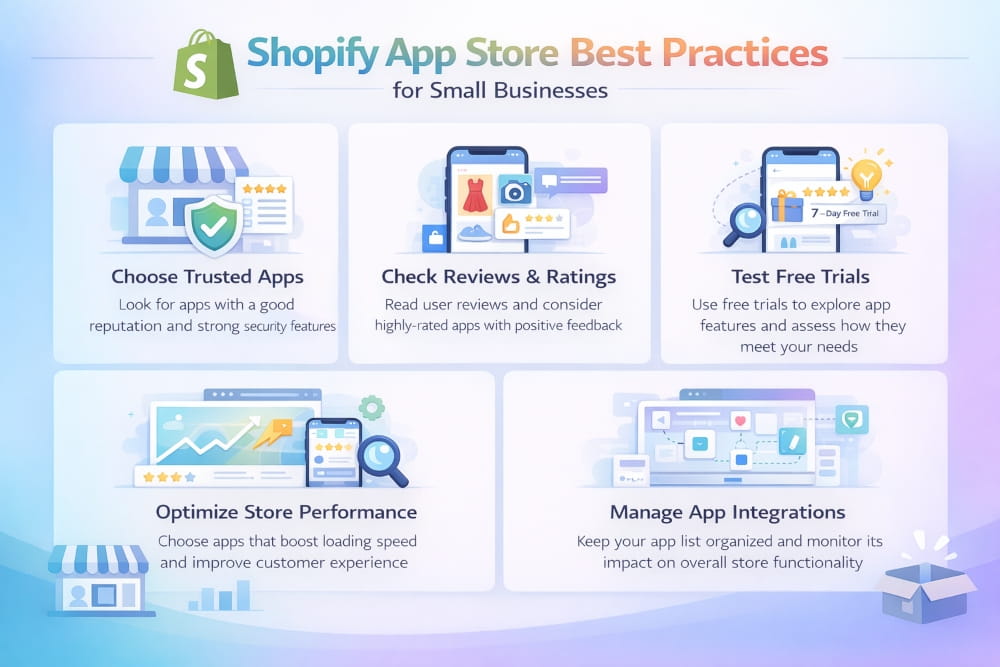
Shopify App Store Best Practices for Small Businesses
Even the best individual apps can hurt your store if you use them incorrectly. Here’s how to run a tight, high-performance Shopify app stack.
How to Avoid App Bloat and Speed Issues
App bloat is real. Every app you install adds JavaScript and CSS to your storefront. That adds load time. And load time kills conversions. Google research has consistently shown that even a one-second delay in page load time reduces conversions.
Best practices to stay lean:
- Audit your apps quarterly. Open your app list and ask: ‘When did I last actually use this?’ Delete anything you haven’t used in 30 days.
- Uninstall, don’t just disable. Some apps leave code behind even when turned off. Uninstalling removes them from your theme files.
- Use Shopify’s Speed Report. In your admin, go to Online Store → Themes → Speed to see your current score and which apps are affecting it.
- Prefer apps that load asynchronously. When evaluating new apps, check whether their code loads asynchronously (i.e., doesn’t block the rest of your page from rendering).
Shopify App Store Icon and Listing Best Practices
If you’re a developer listing an app on the Shopify App Store, your icon and listing quality directly affect your app’s click-through rate. Key guidelines:
- Icon: Use a simple, single-concept icon on a solid or very simple background. Avoid text in icons; it’s unreadable at small sizes. Use your brand color prominently.
- App name: Lead with the primary use case, not your brand name. ‘SEO Booster by Acme’ outperforms ‘Acme Pro’ because users are searching for functions, not brands.
- Screenshots: Show the actual UI, not marketing mockups. Merchants want to see what they’re installing.
- Pricing clarity: Confusing pricing is the #1 reason merchants abandon an app before installing. Be crystal clear about what’s included at each tier.
How to Audit and Clean Up Your App Stack
Once a quarter, run this simple app audit:
- List every installed app and its monthly cost.
- Note the last time you actively used each app’s features.
- Check if any two apps have overlapping functionality.
- Review your store speed score and identify top offenders.
- Uninstall anything that fails two or more of these checks.
A lean app stack of 8–12 well-chosen apps will almost always outperform a bloated stack of 25+. Quality beats quantity.
Final Thoughts
The right Shopify app stack is like a well-tuned engine, each component doing its job without wasted energy. The goal isn’t to have the most apps. It’s to have the right apps for where your business is right now, with room to add capability as you grow.
If you’re just starting, here’s a practical first stack:
- Judge.me (reviews, free)
- Plug In SEO + TinyIMG (SEO, free)
- Google & YouTube (shopping, free)
- Shopify Email (email, free)
- Kiwi Size Chart if you sell clothing (free)
- Tidio live chat (free)
If you’re an established store ready to scale:
- Recharge (subscriptions)
- Klaviyo (email + SMS)
- Loox or Yotpo (reviews)
- Booster SEO (comprehensive SEO)
- Shogun (landing pages + A/B testing)
- Fast Simon (smart search)
- Tapcart or Vajro (mobile app)
Remember: Install apps intentionally, audit regularly, and always measure the impact on your store speed and conversion rate. A lean, well-chosen stack beats a bloated one every time.
Bookmark this guide and come back to it as your store grows. We update it regularly as new apps emerge and existing ones evolve. The Shopify ecosystem moves fast, and so should you.
Frequently Asked Questions (FAQ’s)
What are the best free Shopify apps for a new store?
For a brand-new store, start with: Google & YouTube (free, gets products into Google Shopping immediately), Shopify Email (free email marketing), Judge.me free plan (reviews), Plug In SEO free plan (SEO audit), and Tidio free plan (live chat). These five cover the essentials without costing a dime.
Which Shopify SEO app is best in 2025?
For most stores: Booster SEO offers the most complete solution in a single app. For budget-conscious stores, the combination of Plug In SEO (auditing) and TinyIMG (image optimization) covers the most important bases for free or at a near-free cost.
What’s the best app builder for Shopify stores?
Tapcart and Vajro are the two leading options. Tapcart excels for visually driven brands (fashion, jewelry, lifestyle). Vajro is stronger for stores with live selling or large general catalogs. Both start at $99/month, both offer free trials, test both with your actual products before committing.
Which review app do top Shopify stores use?
Judge.me is the most widely used review app among successful mid-market Shopify stores, primarily because of its generous free plan and reliable performance. Loox is preferred by fashion and lifestyle brands that want photo-first, visually stunning review displays. Yotpo is the choice for enterprise stores with $1M+ annual revenue that need deep integrations and loyalty features.
What translation app works best for Shopify?
Weglot is the most popular choice for its speed, quality, and SEO features. Transcy is the best value if you only need one language and want to combine translation with currency conversion. For completely free translation testing, GTranslate’s free plan is a viable starting point.
Which subscription app is best for my Shopify store?
It depends on your stage. Starting: Seal Subscriptions are free, have no transaction fees, and are simple to set up. Growing (100+ subscribers): Recharge, the industry standard with deep integrations. Churn is your main problem: Skio, built specifically to reduce cancellations and retain subscribers.
Do I need a mobile app for my Shopify store?
Not immediately. Focus on your mobile web experience first; most customers will never download your app. Once you have a loyal customer base of 1,000+ repeat buyers and your conversion rate is strong, a mobile app becomes a powerful tool for retention and engagement through push notifications. Until then, the investment is premature.
How do I improve Shopify store speed while using apps?
Audit quarterly, uninstall anything unused, choose apps that load asynchronously, and use Shopify’s built-in Speed Report to identify problem apps. The goal is 8–12 tightly chosen apps. If you have more than 20 apps, you almost certainly have performance issues dragging down conversions.


