A calm, practical breakdown of the compatibility conflict, what the error actually means, and the exact steps to restore your slider without data loss. You didn’t touch anything: no design changes, no new plugins, no experimental features, just a routine WordPress update. And then your homepage slider vanished, your site threw a white screen, or visitors started reporting a broken layout that you couldn’t reproduce in edit mode. If that sounds familiar, you’ve run into one of the more disruptive compatibility incidents that followed the release of WordPress 6.9.
The conflict between WordPress 6.9 and Slider Revolution affected a wide range of sites, from small business homepages to agency-built client builds. This guide explains what actually changed under the hood, why Slider Revolution was caught in the crossfire, and how to recover cleanly, whether you can still log in or not.
What changed in WordPress 6.9
WordPress 6.9 was not a cosmetic release. It included meaningful architectural updates to two core systems that many plugin developers rely on: the Interactivity API and a revised Capabilities/Abilities API. Both of these changes affected how JavaScript assets are loaded and how dynamic elements are rendered on the front end.
The Interactivity API, introduced in WordPress 6.5 and expanded in subsequent versions, dictates how interactive blocks communicate with the page. In 6.9, the handling of directives and store registration changed in a way that was not fully backward compatible with plugins that had hooked into earlier implementations. Additionally, WordPress 6.9 introduced a CSS scoping mechanism that affects how plugin styles are applied in certain page contexts, specifically when classic (non-block) shortcodes are rendered alongside newer block-based content.
Why this matters
Slider Revolution is a classic shortcode-based plugin at its core. It outputs its canvas and scripts through a PHP shortcode and relies on its own JavaScript initialization sequence. When WordPress 6.9 changed how front-end script dependencies are resolved, the initialization order shifted, and Slider Revolution’s rendering engine was left waiting for a DOM element that loaded too late, or not at all.
Save yourself in the next emergency.
Plugin conflicts like this are predictable with the right maintenance setup. Our managed WordPress service handles updates safely, starting with staging first, so your live site stays clean.
Why Slider Revolution broke specifically
There are actually two distinct problems happening here, and it matters to understand which one you’re dealing with because the fixes are different.
Problem 1: The WordPress 6.9 rendering conflict
On sites where Slider Revolution was embedded via its standard shortcode in a classic block, WordPress 6.9’s updated script-loading behavior interfered with the plugin’s initialization. The result on the front end is typically a blank space where the slider used to appear, a partially loaded slider stuck on the first slide, or a JavaScript console error referencing undefined functions within the Slider Revolution library.
Problem 2: The SR version 7 migration gap
Slider Revolution recently released version 7, which introduced a completely new rendering engine. Sliders built in version 6 do not automatically carry over; they require a deliberate migration step inside the plugin interface before the upgrade is applied. Users who updated to SR 7 without completing that migration found their sliders flagged as “not migrated,” meaning they would no longer display on the front end until the conversion process was run. Many users received no visible warning about this because the update notification came through their theme or hosting environment rather than directly from ThemePunch.
Important distinction
If your sliders disappeared after a WordPress core update only (you did not update Slider Revolution), you’re dealing with Problem 1. If you updated Slider Revolution itself and your sliders now show a “not migrated” error or simply refuse to render, you’re dealing with Problem 2, or possibly both at once.
Fix #1: You can still access your dashboard
If WordPress is still loading and you can log in, the recovery process is straightforward. Work through these steps in order before trying anything more disruptive.
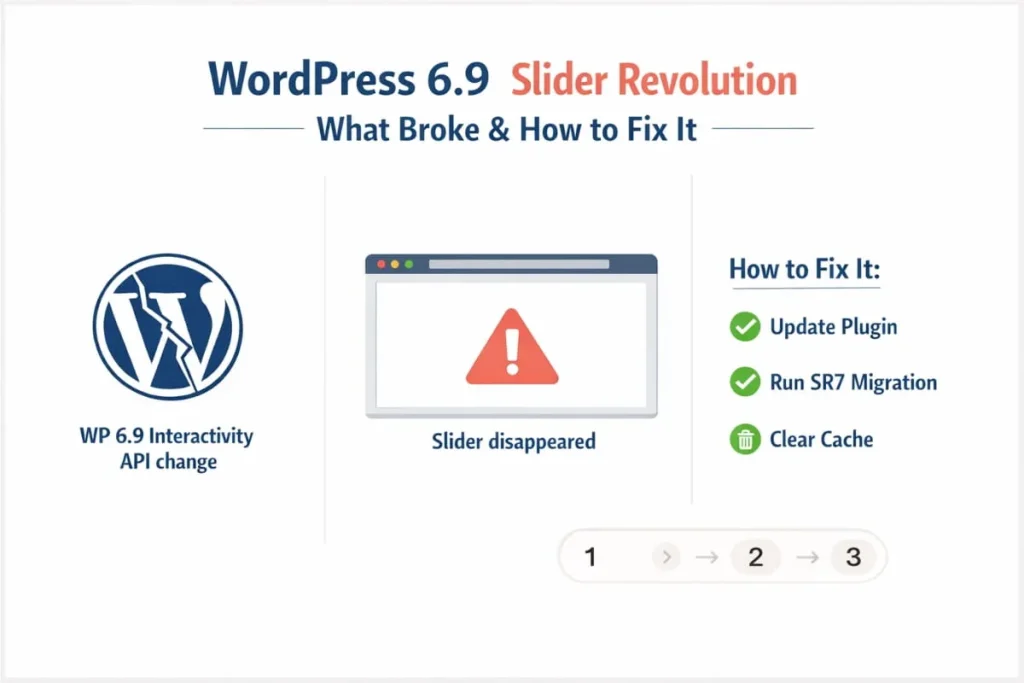
Update Slider Revolution to the latest available version. ThemePunch released compatibility patches addressing the WordPress 6.9 rendering conflict. Navigate to your plugins list and check for available updates. If the plugin was installed as part of a premium theme (such as Avada, X Theme, or Enfold), the update may be available through your theme’s extensions panel rather than the standard plugin updater.
Deactivate and reinstall if the update is not available. If no update appears, deactivate the plugin entirely, delete it, and reinstall a fresh copy sourced directly from your ThemePunch account or your theme’s extensions page. Do not simply deactivate and reactivate; a full reinstall clears cached asset files that can persist across updates.
Run the SR7 migration if you updated to version 7. Inside the Slider Revolution admin panel, look for the migration prompt. Any slider marked as “not migrated” must be converted to the SR7 engine before it renders correctly. This process is non-destructive; your original slides and settings are preserved.
Replace Classic Slider Revolution page-builder elements with a raw shortcode embed. If you use Cornerstone, Divi, or a similar builder, and the slider was placed using a native Slider Revolution element block, that element type no longer works correctly with version 7. Remove it from the page and insert the slider’s shortcode into a raw HTML or code block instead. The shortcode is available from the Embed option inside each slider in the Slider Revolution panel.
Clear all caches. After any plugin update or reinstall, purge your server-side cache (through your host’s control panel or a caching plugin), your CDN cache (if applicable), and verify the front end in an incognito window with a colleague. A cached version of the broken page can persist even after the underlying fix is in place.
Confirmed working
Users on Themeco’s support forum confirmed that sites running Pro theme 6.8.1 with WordPress 6.9.4 and Slider Revolution 7.0.4 worked correctly after following this reinstall and migration sequence. The combination of an outdated slider engine and a classic page-builder element was the most common cause of persistent breakage.
Fix #2: You’re locked out of WordPress entirely
A white screen or a fatal error on every page, including the login screen, means Slider Revolution’s incompatibility triggered a PHP exception severe enough to halt execution. You cannot log in through the browser, so the fix has to happen at the file level.
Connect via FTP or your host’s file manager. Log in to your hosting account and navigate to wp-content/plugins/. You are looking for the Slider Revolution folder, which is typically named revslider.
Rename the plugin folder to temporarily turn it off. Change revslider to something like revslider-disabled. WordPress will no longer recognize it as an active plugin on the next page load, which is usually enough to restore admin access.
Log in, then download the latest Slider Revolution release. Once inside the dashboard, download the current plugin zip directly from your ThemePunch account. Upload and activate it through the Plugins > Add New > Upload Plugin route.
Restore from backup if FTP isn’t an option. If you maintain automated backups through your host or a plugin like UpdraftPlus or BlogVault, restoring to the last known-good snapshot is the cleanest solution. This is faster than manual repair and avoids any risk of partial file corruption. Once restored, update Slider Revolution and run the SR7 migration before the site goes live again.
On rolling back WordPress
Rolling WordPress back to version 6.8 is not recommended. Older WordPress versions do not receive security patches, and the plugin ecosystem expects 6.9 to be the baseline in the future. Fix the plugin, not the platform.
The SR7 migration issue: worth understanding in more depth
The version 7 engine in Slider Revolution is a significant architectural rewrite, not a cosmetic update. Slides built in version 6 use a different data structure and rendering pipeline, which is why ThemePunch cannot automatically apply the new engine to old sliders. The migration process translates your existing slider data into the format the new engine expects.
What made this confusing for many site owners was that the update was distributed via theme bundling. Themes that include Slider Revolution as a packaged extension, a common practice among premium themes, pushed the version 7 update to users through the theme’s update panel. Because this update did not come directly from ThemePunch, many users missed the migration guidance published in ThemePunch’s changelog and newsletters. They applied the update, and their sliders stopped working, with the error message (“not migrated”) offering little context on what to do next.
If you are in this situation, the migration wizard is accessed from the main Slider Revolution admin screen. It lists every slider on your site and its current compatibility status. Running the migration takes a few minutes per slider and does not delete your original content. After migration, any slider embedded via its shortcode in a raw content or code element will display normally.
How to prevent this from happening again
The WordPress 6.9 and Slider Revolution situation is a good illustration of a broader risk that affects every WordPress site: the gap between when a core update drops and when every plugin it affects has released a compatible version. Here is a practical maintenance routine that reduces your exposure.
Run all core, theme, and plugin updates in a staging environment before applying them to your live site. Most managed WordPress hosts offer one-click staging. This single habit would have caught both the WordPress 6.9 rendering issue and the SR7 migration requirement before they became visible to visitors.
Before any major WordPress update, check the changelogs of your three or four most critical plugins, sliders, page builders, WooCommerce, and any plugin that handles front-end output. A two-minute scan of the changelog and the plugin’s support forum threads is often enough to surface known conflicts.
Subscribe directly to developers’ update notifications for plugins central to your site. ThemePunch publishes changelog notes for each Slider Revolution release. Had those notes been in your inbox, the SR7 migration requirement would have been obvious before you applied the update.
Maintain automated off-site backups with a retention window of at least 7 days. Conflicts like this can take a day or two to notice, so a backup from the day of the update may already reflect a broken state. A deeper history gives you a clean restore point.
Keep an eye on WordPress major releases between versions. WordPress 7.0, which is expected to introduce deeper Gutenberg and AI-powered editor changes, will almost certainly require another round of compatibility checks for visually complex plugins like Slider Revolution.
Frequently Asked Questions (FAQ’s)
Is the conflict between WordPress 6.9 and Slider Revolution permanent?
No. ThemePunch released compatibility patches shortly after WordPress 6.9 launched. Updating the current release of Slider Revolution resolves the front-end rendering issue for the vast majority of sites. The SR7 migration is a separate, one-time step required only for sites upgrading from version 6 to version 7.
My slider shows a “not migrated” error. Will I lose my slides?
No. The migration process converts your existing slider data into the SR7 format without removing the original content. Your slides, animations, timing settings, and layers are preserved throughout. It is still good practice to take a database backup before running any migration process, but the process itself is designed to be non-destructive.
Can I update Slider Revolution if I do not have a direct ThemePunch account?
If Slider Revolution was bundled with a premium theme, your access to updates goes through that theme’s license. Log in to the theme developer’s account or client area, locate the extensions or included plugins section, and download the latest Slider Revolution package from there. You can then upload it manually through the WordPress dashboard.
I fixed the slider, but it still won’t show on one specific page. What’s left?
This is almost always a page-builder element issue. If the slider was placed using a native Slider Revolution block inside Cornerstone, Divi, or a similar builder, that element type is no longer compatible with SR7. Remove it, and embed the slider’s shortcode in a raw HTML element instead. You can find the shortcode on the Embed screen inside each slider in the Slider Revolution admin panel.
Should I switch away from Slider Revolution after this?
That depends on how much of your site design relies on it. Slider Revolution remains one of the most capable visual presentation plugins in the WordPress ecosystem. The version 7 engine is faster and more standards-aligned than its predecessor. If you have significant time invested in existing sliders and the functionality meets your needs, upgrading and migrating is a more practical path than switching to an alternative and rebuilding everything from scratch.