
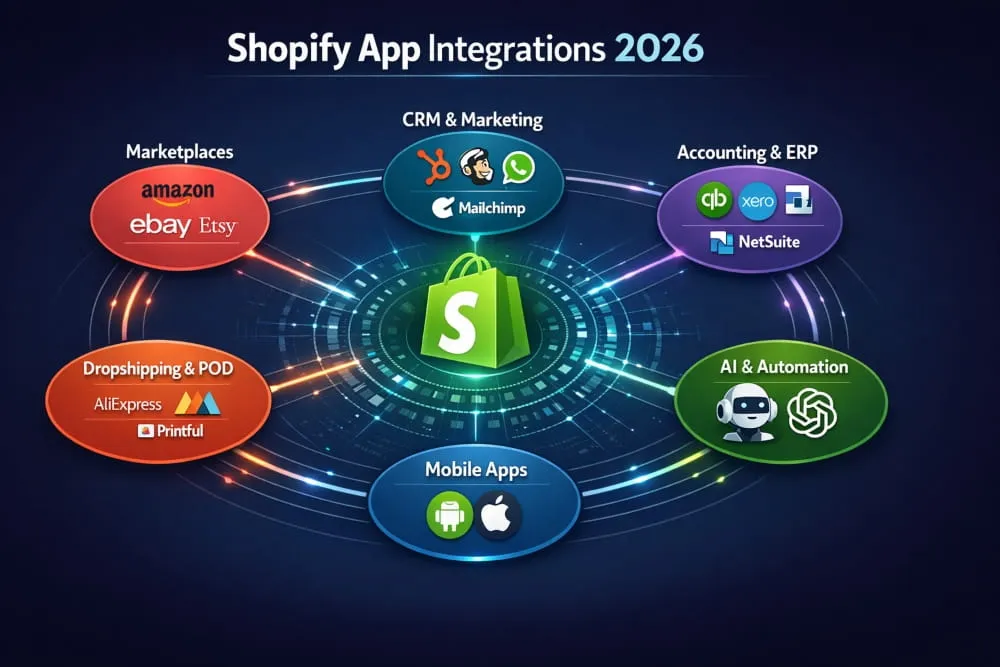
Running a Shopify store in 2026 means you’re operating in one of the most competitive eCommerce environments ever built. Millions of merchants. Thousands of niches. And every single one of them is fighting for the same customers, the same conversions, the same growth.
Here’s the truth: most store owners figure out too late that Shopify alone is not enough.
The platform gives you a powerful foundation: a clean storefront, a reliable checkout, and basic reporting. But the moment you want to sell across multiple marketplaces, automate your marketing, sync your inventory with Amazon, manage your books in QuickBooks, or send order updates via WhatsApp, you need integrations. Specifically, you need the right Shopify app integrations working together as a system, not a patchwork of random tools bolted onto your store.
That’s exactly what this guide is built for.
Whether you’re a first-time store owner trying to figure out which apps are actually worth installing, a developer building a custom integration for a client, or an eCommerce manager evaluating tools across an entire tech stack, this is the resource you’ve been looking for. We’ve mapped every major integration category, identified the best apps in each one, and explained what to look for before you connect anything to your store.
Let’s get into it.
What Are Shopify App Integrations and Why Do They Matter?
Shopify app integrations are connections between your Shopify store and external tools, platforms, or services that extend what your store can do without requiring you to build anything from scratch.
Think of your Shopify store as the engine. Integrations are the systems that actually make it drive: the fuel delivery, the steering, and the navigation. Without them, you have a powerful machine sitting still.
Through Shopify’s App Store and API infrastructure, third-party developers can plug directly into your store’s data, products, orders, customers, and inventory and create seamless workflows between Shopify and virtually any platform in the world. That’s what makes the Shopify ecosystem one of the most flexible in eCommerce today.
How Shopify’s App Ecosystem Works
Shopify operates on an open API architecture, which means approved third-party developers can build apps that connect directly to your store’s backend. These apps are listed on the Shopify App Store, which currently hosts over 8,000 apps, and can be installed in minutes.
Once installed, an app typically requests permission to access specific parts of your store, such as your product catalog, order history, customer data, or the checkout flow. From there, it syncs data in real time or on a schedule, automates actions based on triggers, or opens a two-way communication channel between Shopify and an external platform.
This is why Shopify app integrations vary so widely in complexity. Some are simple one-click connections, like linking your store to a review platform. Others are deep, enterprise-level integrations, like syncing Shopify with a NetSuite ERP system across multiple warehouses and currencies. The architecture supports both, which is exactly why merchants at every stage, from solo founders to eight-figure brands, run their businesses on Shopify.
Benefits of Integrating Third-Party Apps with Shopify
The right integrations don’t just add features; they enhance the user experience. They fundamentally change how efficiently your store operates.
When your Shopify store is connected to your accounting software, you stop doing manual data entry. When it’s connected to your CRM, your sales team stops working with incomplete customer information. When it’s connected to a marketplace like Amazon or eBay, you stop managing two separate inventories and start selling everywhere from one dashboard.
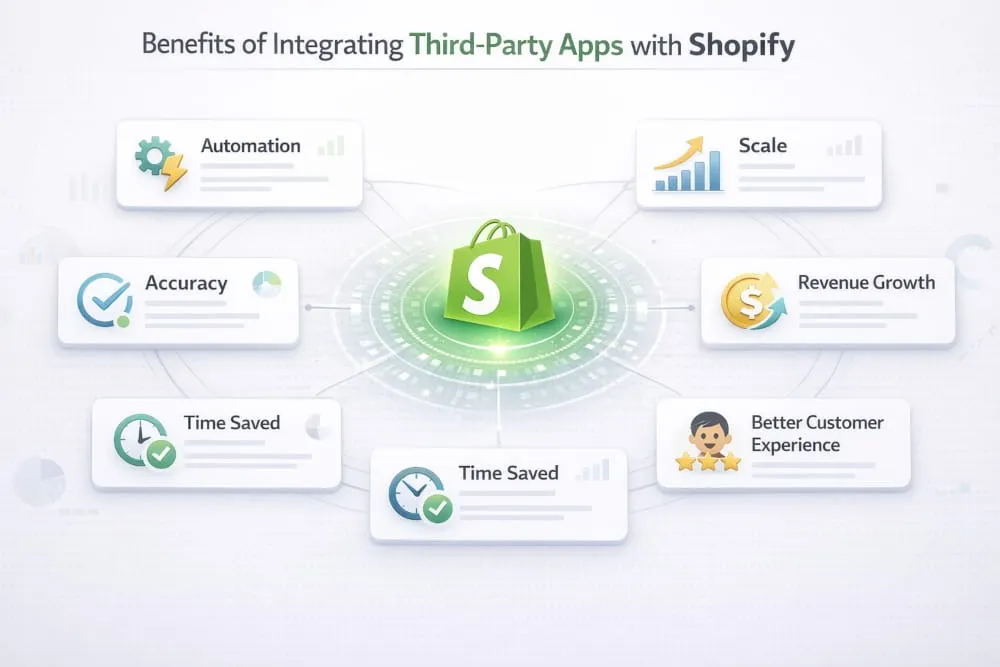
At a broader level, well-chosen Shopify app integrations give you three things that are genuinely hard to build without them: automation, accuracy, and scale. Automation removes the manual work that eats your time. Accuracy ensures your data, stock levels, order status, and customer records are consistent across every platform you operate on. And scale means you can grow your store without proportionally growing your workload.
For merchants selling internationally, integrations unlock access to region-specific marketplaces and payment systems. For DTC brands, they power the personalization and retention tools that drive repeat revenue. For developers and agencies, they’re the building blocks of custom eCommerce solutions that clients actually pay premium rates for.
Common Shopify App Integration Challenges (and How to Solve Them)
Integrations can be transformative, but they’re not without friction. Understanding the common pitfalls before you install anything will save you time, money, and a lot of late-night troubleshooting.
App conflicts with your theme. Some apps inject code into your storefront and don’t play well with paid or heavily customized themes. Before installing any app that interacts with your storefront display, check its compatibility documentation and read recent reviews from merchants with a similar theme setup.
Data sync delays or failures. Real-time sync sounds perfect in theory, but network issues, API rate limits, or misconfigured settings can cause your inventory or order data to fall out of sync. Always test your integration with a small batch of products or orders before going live at scale.
Overlapping app functionality. Installing five apps that each do 20% of the same thing is one of the most common and most expensive mistakes Shopify merchants make. Before adding a new app, audit what your existing stack already covers. Redundant integrations slow your store, inflate your monthly costs, and create conflicting data.
Billing and permission confusion. Shopify’s integrated app billing system means some charges appear on your Shopify invoice rather than directly from the app developer. Understand how each app bills before you install it, and review permissions carefully; not every app needs access to every corner of your store.
The solution to most integration challenges is the same: plan before you install. Map out the workflow you’re trying to automate, identify the best single app for that job, test it thoroughly, and then move to the next integration. Slow and deliberate beats fast and chaotic every time.
Need Help Setting Up Your Shopify Integrations?
Reading about the right integrations is one thing. Getting them configured correctly mapped to your specific workflows, tested at your scale, and maintained as Shopify evolves is another.
Our team specializes in Shopify integration architecture for growing and enterprise-level stores. Whether you need a single ERP connection or a full multi-platform tech stack built from scratch, we’ve done it before.
Shopify App Integrations 2026
24 top-rated apps across 8 categories — filterable by type
| App / Integration | Category | Ease of setup | Real-time sync | Free tier | Plus ready | Best for |
|---|---|---|---|---|---|---|
DSers AliExpress official partner | Marketplace | Easy | ✓ | Free | ✓ | Bulk AliExpress order processing at scale |
CedCommerce Top rated eBay + Etsy integration | Marketplace | Moderate | ✓ | Free | ✓ | eBay, Etsy & regional marketplace selling |
Codisto Amazon + eBay multichannel | Marketplace | Easy | ✓ | Paid | ✓ | Amazon + eBay from one dashboard |
Linnworks Multichannel inventory | Marketplace | Advanced | ✓ | Paid | ✓ | High-volume multichannel inventory sync |
HubSpot Top rated CRM + marketing automation | CRM & Marketing | Easy | ✓ | Free | ✓ | CRM + email automation in one platform |
Klaviyo Top rated Email + SMS marketing | CRM & Marketing | Very easy | ✓ | Free | ✓ | Advanced email & SMS segmentation |
Zendesk Enterprise helpdesk | CRM & Marketing | Moderate | ✓ | Paid | ✓ | Enterprise-level customer support |
Freshdesk Affordable helpdesk | CRM & Marketing | Easy | ✓ | Free | ✓ | Affordable helpdesk for growing stores |
Zoko WhatsApp Business API | CRM & Marketing | Moderate | ✓ | Paid | ✓ | WhatsApp marketing in MENA, India, SEA |
Synder Top rated QuickBooks reconciliation | ERP & Accounting | Easy | ✓ | Paid | ✓ | Multi-channel QuickBooks reconciliation |
A2X Top rated Xero eCommerce accounting | ERP & Accounting | Easy | ✓ | Paid | ✓ | Xero payout reconciliation for eCommerce |
Celigo NetSuite + enterprise ERP | ERP & Accounting | Advanced | ✓ | Paid | ✓ | NetSuite & enterprise ERP integration |
SevDesk DACH region accounting | ERP & Accounting | Easy | ✓ | Paid | — | German-market VAT & invoicing compliance |
DSers Official AliExpress app | Dropshipping | Easy | ✓ | Free | ✓ | High-volume AliExpress bulk ordering |
AutoDS Top rated All-in-one automation | Dropshipping | Easy | ✓ | Paid | ✓ | Multi-supplier automation & price monitoring |
Zendrop Fast-shipping dropshipping | Dropshipping | Easy | ✓ | Free | ✓ | US-based warehousing & fast delivery |
Printful Top rated Premium print-on-demand | Print-on-Demand | Very easy | ✓ | Free | ✓ | Premium brand-quality POD globally |
Printify Network POD model | Print-on-Demand | Easy | ✓ | Free | ✓ | Lower cost POD via printer network |
Qikink India POD fulfillment | Print-on-Demand | Easy | ✓ | Free | — | Indian market POD in INR pricing |
Gelato Global POD network | Print-on-Demand | Easy | ✓ | Free | ✓ | Global stores — 30+ country production |
Tapcart Top rated Brand-focused app builder | Mobile App | Easy | ✓ | Paid | ✓ | Brand-focused mobile app with design control |
Vajro AI mobile app builder | Mobile App | Easy | ✓ | Paid | ✓ | AI personalization + live selling features |
Plobal Apps Mobile revenue platform | Mobile App | Moderate | ✓ | Paid | ✓ | Mid-market stores needing deep retention tools |
Tidio Lyro Top rated AI customer support | AI & ChatGPT | Very easy | ✓ | Free | ✓ | Automated support ticket deflection |
Aria by Octane AI AI product discovery | AI & ChatGPT | Easy | ✓ | Paid | ✓ | Guided selling for complex catalogs |
Inventory Planner AI demand forecasting | AI & ChatGPT | Moderate | ✓ | Paid | ✓ | Predictive reorder & stockout prevention |
Canva Top rated Design + direct publish | Design | Very easy | ✓ | Free | ✓ | Visual content creation without a designer |
Zakeke 3D product customizer | Design | Moderate | ✓ | Paid | ✓ | Real-time product personalization preview |
Best Shopify Marketplace & Multichannel Integrations
If you’re only selling on your Shopify storefront, you’re leaving significant revenue on the table. The world’s largest marketplaces, Amazon, eBay, Etsy, and a growing list of regional platforms, represent billions of active buyers who will never discover your standalone store. Shopify marketplace integrations bridge that gap, letting you list products, manage inventory, and fulfill orders across multiple channels from a single dashboard.
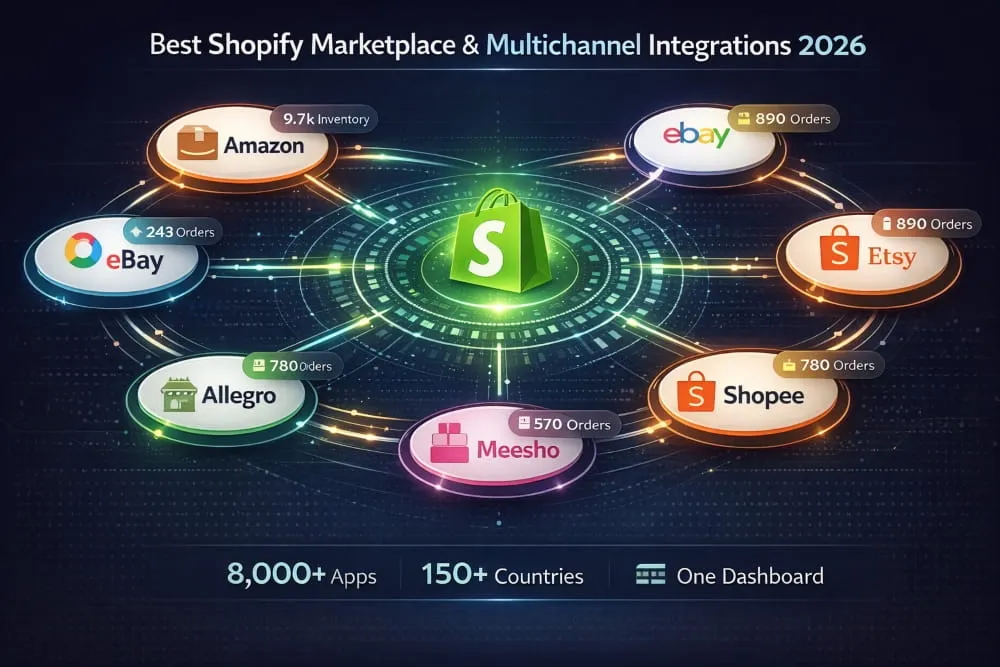
Here’s a breakdown of the best integration apps by platform.
Shopify Amazon Integration, Top Apps Compared
Amazon remains the dominant force in global eCommerce, and connecting your Shopify store to it is one of the highest-ROI integrations available. A good Shopify Amazon integration app handles product listing, inventory sync, order import, and fulfillment routing, all automatically.
Codisto (now part of Shopify Markets Pro in some regions) is widely regarded as one of the most reliable options, offering real-time sync and support for Amazon’s complex variation and category structures. Amazon by Shopify is the native channel integration available directly through Shopify, making it the lowest-friction starting point for merchants new to multichannel selling.
For merchants with large catalogs or complex fulfillment setups, Linnworks and Sellbrite offer more advanced inventory management across Amazon and Shopify simultaneously. The key thing to evaluate in any Shopify Amazon integration app is how it handles inventory sync speed; even a few hours of lag can result in overselling, which damages your seller metrics.
Best Shopify eBay Integration Apps
eBay still commands a massive, loyal buyer base, particularly in categories such as electronics, auto parts, collectibles, and fashion resale. The best Shopify eBay integration app for most merchants is CedCommerce eBay Integration. It’s one of the most feature-complete options on the Shopify App Store, supporting bulk listing, real-time inventory sync, order management, and eBay Motors compatibility for automotive sellers.
Codisto again appears as a strong contender here, particularly for merchants already using it for Amazon, since managing both channels through a single interface reduces operational complexity considerably.
When evaluating eBay integration apps, pay close attention to how the app handles eBay’s listing policies and category-specific requirements, which differ significantly from Shopify’s product structure. A poor mapping setup is the number one cause of listing errors.
Best Shopify Etsy Integration Apps 2026
Etsy is the go-to marketplace for handmade, vintage, print-on-demand, and creative products, and for the right store, it can be a significant revenue channel alongside Shopify. The challenge is that Etsy’s product taxonomy, variation handling, and shipping profiles differ significantly from Shopify’s, making a reliable integration app essential.
CedCommerce Etsy Integration is consistently the top-rated Shopify Etsy integration app on the App Store. It supports two-way product sync, automated order import, inventory management, and even handles Etsy’s pattern-based listings. For merchants specifically looking at the Shopify Etsy integration app CedCommerce offers, the setup is guided and relatively straightforward, even for non-technical users.
Etsy Integration & Sync by Trunk is another strong option, particularly valued for its inventory accuracy across both platforms, critical for sellers who maintain the same product catalog on Shopify and Etsy simultaneously.
One important note: Etsy has tightened its API policies in recent years, so always verify that your chosen integration app is compliant with Etsy’s current developer terms before going live.
Shopify Shopee, Allegro & Hepsiburada Integrations
Regional marketplace integrations are where Shopify’s flexibility really shines for international merchants.
Shopee dominates Southeast Asian eCommerce across markets like Singapore, Malaysia, Thailand, Indonesia, and the Philippines. For merchants targeting this region, CedCommerce Shopee Integration and shopUpz are the most established options for syncing Shopify products and orders with the Shopee seller platform.
Allegro is Poland’s largest marketplace and one of the biggest in Central Europe. The Shopify Allegro integration app ecosystem is smaller but growing. BaseLinker is currently the most capable tool for connecting Shopify with Allegro, particularly for merchants managing high order volumes across multiple European channels.
Hepsiburada is one of Turkey’s leading e-commerce marketplaces, and the Hepsipay Shopify integration, alongside dedicated Hepsiburada connector apps, makes it increasingly accessible for merchants expanding into the Turkish market. If you’re targeting Turkey specifically, look for apps that also support Turkish tax compliance and local shipping carrier integrations.
Meesho Shopify Integration
Meesho has emerged as one of India’s fastest-growing social commerce and reseller marketplaces, particularly strong in Tier 2 and Tier 3 cities. For Indian Shopify merchants looking to tap into this audience, a Meesho Shopify integration connects your product catalog with Meesho’s reseller network, effectively giving you a distributed sales force without managing them directly.
The integration landscape for Meesho is still maturing compared to Amazon or eBay, so expect to work with middleware tools or custom API connections rather than a polished one-click app. For merchants serious about the Indian market, CedCommerce and Instasell both offer solutions worth evaluating.
Best Shopify CRM & Marketing App Integrations
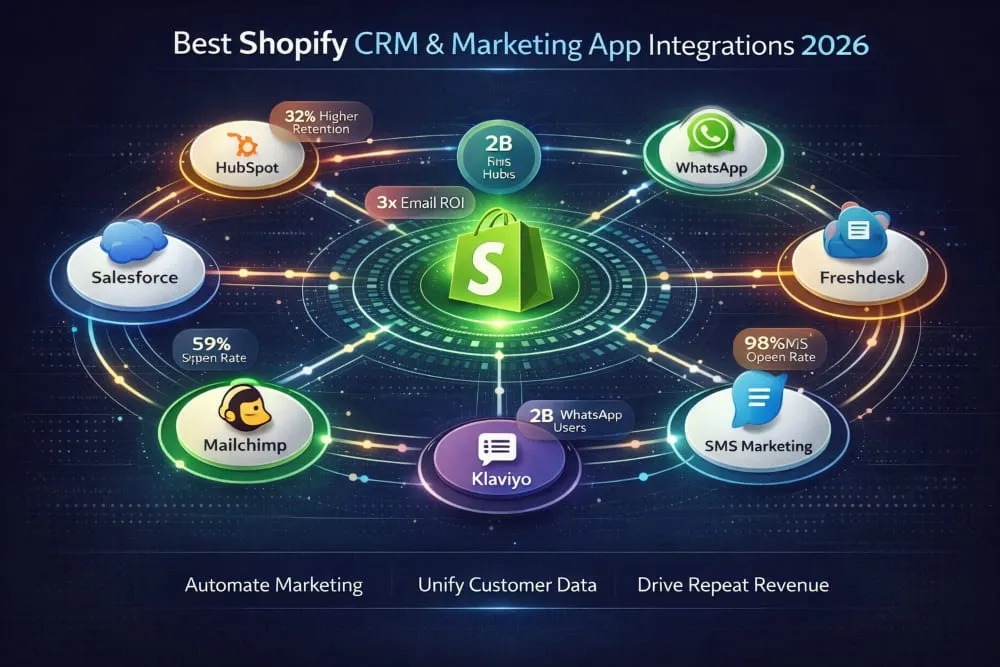
Growing a Shopify store isn’t just about getting traffic. It’s about what happens after someone lands on your store, how you capture them, communicate with them, support them, and bring them back. That’s exactly where CRM and marketing integrations earn their place in your tech stack.
The right combination of CRM and marketing apps transforms your Shopify store from a transactional engine into a relationship-building machine. Your customer data stops living in silos. Your marketing becomes personal. Your support team stops flying blind. And your revenue, particularly your repeat revenue, starts to reflect all of that.
Here’s a breakdown of the best Shopify CRM and marketing integrations by tool category.
HubSpot Shopify Integration: Sync Your Store with Your CRM
HubSpot is one of the most powerful CRM platforms available, and its Shopify integration is among the most requested integrations merchants seek when they start scaling seriously.
The HubSpot Shopify integration app creates a live sync between your store and your HubSpot CRM, automatically pulling in customer records, purchase history, abandoned carts, and lifetime value data. Once that data is inside HubSpot, you can build segmented contact lists, trigger automated email workflows based on purchase behavior, score leads, and give your sales or retention team a complete picture of every customer without them ever leaving HubSpot.
What makes the Shopify HubSpot integration particularly valuable is the combination of CRM depth and marketing automation in a single platform. Rather than using three separate tools to manage contacts, send emails, and track deals, HubSpot handles it all, and Shopify feeds it the commerce data it needs to do so intelligently.
For merchants running Shopify Plus or managing a growing B2B customer base alongside their DTC store, the Shopify app’s CRM integrations with Salesforce and HubSpot represent two different philosophies. HubSpot is generally faster to implement and more accessible for growing teams. Salesforce is more powerful at enterprise scale but requires significantly more configuration and often a dedicated admin. Choose based on where your business actually is, not where you hope it will be in three years.
Mailchimp Shopify Integration, Email Marketing That Knows Your Customers
Email remains one of the highest-ROI marketing channels in eCommerce, and Mailchimp has been the entry point for most small to mid-size Shopify merchants for years.
The Mailchimp Shopify integration app connects your store’s customer and order data directly to your Mailchimp audience. This means your email lists are automatically updated when someone makes a purchase, abandoned cart sequences trigger without manual setup, and you can segment your audience by purchase history, product category, or order frequency, all from inside Mailchimp.
Where the Mailchimp integration earns its keep is in the automation workflows it unlocks. Welcome sequences for new customers, win-back campaigns for lapsed buyers, post-purchase follow-ups with cross-sell recommendations, these are campaigns that run in the background and generate revenue without requiring you to press send every time.
One thing worth noting: Mailchimp and Shopify had a well-documented falling out in 2019 that temporarily removed the native integration. The official connection has since been restored, but the experience pushed many merchants toward alternatives like Klaviyo and Omnisend, which were built specifically for e-commerce and offer deeper Shopify data integration out of the box. If email is a serious revenue channel for your store, it’s worth comparing Mailchimp against these eCommerce-native alternatives before committing.
Zendesk & Freshdesk Shopify Integration for Customer Support
Customer support is where many Shopify stores quietly lose customers they worked hard to acquire. An order goes wrong, a customer reaches out, and if your support team doesn’t have immediate access to that customer’s order history, the experience falls apart fast.
That’s the core problem that both the Zendesk and Freshdesk Shopify integrations solve, and they do so well.
When you connect Zendesk to your Shopify store, your support agents can see a customer’s full order history, current order status, shipping details, and previous support interactions directly in every ticket, without switching tabs. No asking customers to repeat their order number. Just fast, informed support that actually resolves issues.
The Freshdesk Shopify integration app offers the same contextual advantage at a generally lower price point, making it the preferred choice for growing stores that need professional helpdesk functionality without the enterprise pricing that Zendesk carries at its higher tiers.
Both platforms support multichannel ticketing, email, chat, phone, and social, which becomes increasingly important as your store grows and customers reach out through more channels. If your current support workflow is a shared Gmail inbox, moving to either of these integrations will immediately and noticeably improve both your team’s efficiency and your customers’ experience.
Best WhatsApp Integration Apps for Shopify 2026
WhatsApp has crossed 2 billion active users globally, and in markets like India, Brazil, the Middle East, and across Southeast Asia, it’s not just a messaging app; it’s the primary way people communicate, including with businesses they buy from.
For Shopify merchants selling in or into these markets, a WhatsApp integration isn’t optional anymore. It’s a genuine competitive advantage.
The best apps for WhatsApp business integration with Shopify in 2026 fall into two categories: those focused on marketing and broadcasting, and those focused on customer support and conversation management.
Zoko and Interakt are among the strongest options for merchants who want to use WhatsApp as a marketing and sales channel, sending order confirmations, shipping updates, abandoned cart recovery messages, and promotional broadcasts directly through WhatsApp. Both are built on the official WhatsApp Business API, which is important for compliance and deliverability at scale.
DelightChat positions itself as a multichannel support inbox that includes WhatsApp alongside email, Instagram, and Facebook, making it one of the best Shopify WhatsApp integration apps for customer support, particularly for teams managing conversations across multiple platforms simultaneously.
SuperLemon has historically been one of the most popular WhatsApp integration apps on the Shopify App Store for smaller merchants, offering a lighter-touch setup with automated order and shipping notifications out of the box.
When evaluating the best apps to integrate WhatsApp with Shopify for your store, the most important factor is whether the app uses the official WhatsApp Business API or an unofficial workaround. Unofficial solutions carry real risk, including account bans, and should be avoided entirely, regardless of how attractive the pricing looks.
Shopify SMS Marketing Integration Apps
SMS marketing has quietly become one of the highest-converting channels in eCommerce, with open rates that email simply cannot match. When a text message lands on someone’s phone, it gets read, and for time-sensitive offers, back-in-stock alerts, or abandoned cart recovery, that immediacy translates directly into revenue.
Klaviyo leads this space for Shopify merchants who want SMS and email marketing managed in one platform. Its Shopify integration is deep, its segmentation capabilities are sophisticated, and the ability to coordinate SMS and email campaigns based on the same customer behavior data is genuinely powerful.
Postscript is the SMS-first alternative that many Shopify merchants prefer when SMS is their primary focus rather than one channel among several. It’s built exclusively for eCommerce SMS marketing and includes strong compliance tools, which is important given the regulatory requirements around SMS in different markets.
Attentive serves the enterprise end of the market, with advanced personalization and A/B testing capabilities that larger Shopify merchants and Shopify Plus brands tend to gravitate toward.
Whichever platform you choose, compliance is non-negotiable. Strict regulations govern SMS marketing, TCPA in the United States, GDPR in Europe, and equivalent frameworks in other markets. Any legitimate Shopify SMS marketing integration app will include compliant opt-in flows. If an app makes it easy to message people who haven’t explicitly opted in, that’s a red flag, not a feature.
Best Shopify ERP & Accounting Integrations
At a certain point in your store’s growth, the way you manage money has to grow with it. Manual invoicing, spreadsheet-based bookkeeping, and copy-pasting order data into your accounting software stop being inconvenient and start being a genuine liability for your finances, your tax compliance, and your ability to make informed business decisions.
ERP and accounting integrations solve this by establishing a direct, automated connection between your Shopify store and the financial systems that run your business. Orders flow in, books update automatically, tax records stay accurate, and your accountant stops sending you frustrated emails asking for data you should have already sent.
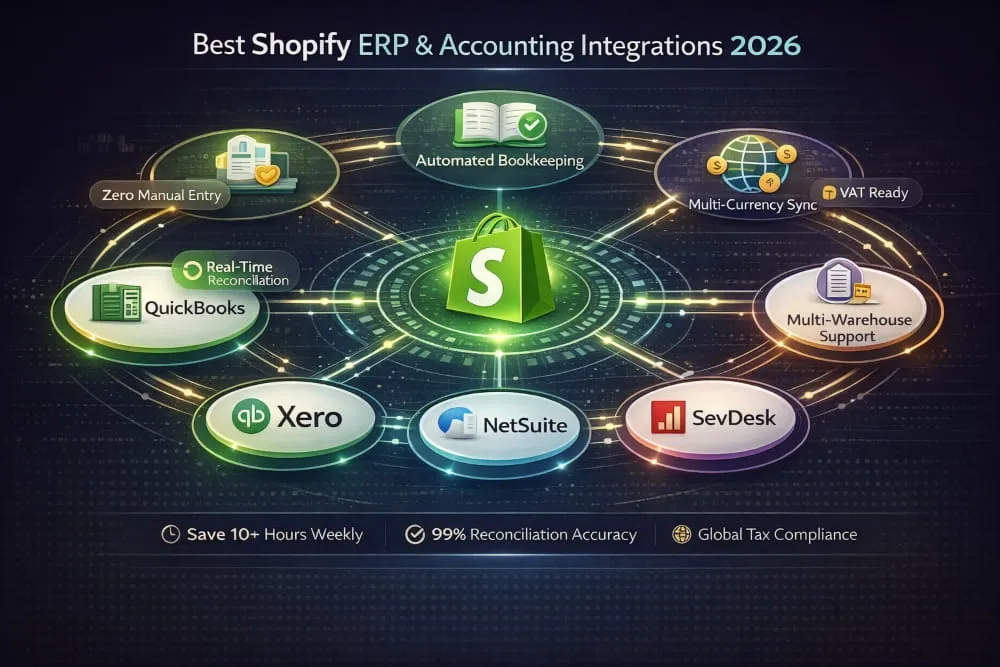
Here’s a clear breakdown of the best Shopify accounting and ERP integrations available in 2026.
Shopify QuickBooks Integration, Best Apps Reviewed
QuickBooks is the accounting software of choice for the majority of small- to mid-size eCommerce businesses in North America, and its integration with Shopify is one of the most sought-after integrations in the entire Shopify ecosystem, for good reason.
The best app to integrate Shopify and QuickBooks is widely considered to be Synder. It handles multi-currency transactions, automatically reconciles Shopify payouts with your QuickBooks ledger, and navigates the nuances of Shopify’s fee structure so your books accurately reflect what you earned rather than what was processed. For merchants running both Shopify and other sales channels, Synder’s ability to consolidate data from multiple sources into QuickBooks makes it particularly valuable.
QuickBooks Online by OneSaas and Bold Commerce’s QuickBooks integration are solid alternatives worth evaluating, particularly if your accounting workflow is straightforward and you don’t need multichannel consolidation.
The most important thing to get right in any Shopify QuickBooks integration is how the app handles Shopify Payments payouts versus individual order revenue. These are not the same number, and an app that maps them incorrectly will give you books that look clean but are fundamentally wrong. Always verify this with a small test batch of transactions before relying on any integration for real financial reporting.
Shopify Xero Integration Apps
Xero has become the dominant cloud accounting platform across the UK, Australia, New Zealand, and much of Europe. For Shopify merchants in these markets, a reliable Xero integration is as essential as the store itself.
A2X is the gold standard for Shopify Xero integration. It’s specifically designed for eCommerce accounting, which means it understands the differences between gross sales, refunds, Shopify fees, and net payouts. It maps each correctly to Xero without requiring manual intervention. Accountants who work with eCommerce clients tend to recommend A2X by name, which is a meaningful endorsement.
Xero’s native Shopify integration exists but is relatively limited, handling only basic invoice creation rather than the full reconciliation workflow that growing stores need. For anything beyond a very simple single-currency, single-channel setup, a dedicated integration app like A2X is worth the investment.
If your business operates across multiple currencies, which is common for merchants selling internationally through a Shopify store, verify that your chosen integration handles currency conversion and foreign exchange gains and losses correctly inside Xero. This is an area where generic integrations frequently fall short.
Best Shopify NetSuite Integration Apps
NetSuite is Oracle’s enterprise ERP platform, and when a Shopify store grows to the point where it needs NetSuite, the integration between the two systems becomes one of the most consequential technical decisions the business makes.
The best Shopify NetSuite integration app isn’t a single clear winner, like QuickBooks or Xero, because, at the NetSuite level, integration complexity is almost always specific to the business. Order routing rules, multi-subsidiary structures, custom fields, tax configurations, and warehouse management workflows all need to be mapped carefully between Shopify and NetSuite.
Celigo is the most widely used integration platform for connecting Shopify with NetSuite, offering pre-built integration templates that significantly reduce implementation time while still allowing the customization that enterprise setups require. The NetSuite Connector by Shopify (available for Shopify Plus merchants) is the native option, built and maintained by Shopify itself, giving it a reliability advantage for merchants who want a supported, long-term solution.
For mid-market businesses not quite at full NetSuite scale, Webgility offers a lighter-touch ERP-style integration that connects Shopify with QuickBooks Enterprise and other mid-tier accounting systems, worth considering as a stepping stone before a full NetSuite implementation.
One clear piece of advice for any merchant evaluating a Shopify NetSuite integration: budget for professional implementation. This is not a self-serve connection, and attempting to configure it without experienced technical support is one of the most expensive mistakes growing eCommerce businesses make.
SevDesk Shopify Integration for European Businesses
SevDesk is a cloud-based accounting and invoicing platform that has gained significant traction among small businesses and freelancers in German-speaking markets, particularly Germany, Austria, and Switzerland. For Shopify merchants operating in the DACH region, the SevDesk Shopify integration automates invoicing and bookkeeping in compliance with German accounting standards and tax regulations.
The integration typically handles automatic invoice generation for each Shopify order, VAT mapping for different product types and customer locations, and export-ready financial reports formatted for German tax filing requirements. Given the complexity of VAT compliance for e-commerce in the EU, particularly post-OSS regulation changes, having an accounting integration that understands these rules natively is genuinely valuable.
If you’re a Shopify merchant selling in Germany or expanding into the DACH market, SevDesk is worth serious consideration as part of your financial stack, particularly if your accountant or tax advisor is already familiar with the platform.
Best Shopify Dropshipping App Integrations
Dropshipping works when it’s automated. A manual operation, copying order details, emailing suppliers, chasing tracking numbers, isn’t a business. It’s a second job with worse margins. The right Shopify dropshipping app integrations eliminate that.
Best Shopify AliExpress Dropshipping Apps 2026
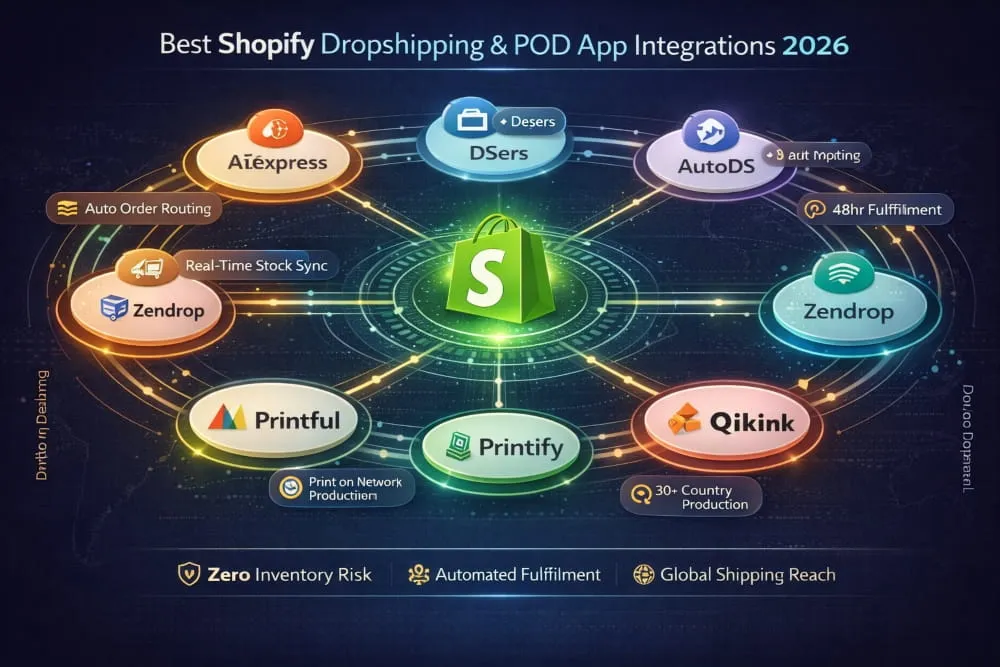
DSers is the official AliExpress partner app for Shopify and the direct successor to Oberlo. It handles bulk order processing, supplier mapping, automated pricing rules, and real-time inventory tracking. Its supplier comparison feature lets you switch to a better supplier without rebuilding listings from scratch, a significant operational advantage at scale.
AutoDS supports AliExpress alongside Amazon, Walmart, and dozens of other suppliers. Its automatic price and stock monitoring adjusts your Shopify listings in real time when a supplier changes pricing or goes out of stock, catching issues before they become customer service issues.
Zendrop differentiates on shipping speed, offering US-based warehousing for top products that brings delivery times down to two to five days for American customers. In a market shaped by Amazon Prime expectations, that matters.
Whatever app you choose, evaluate the supplier’s shipping performance seriously before scaling any product. A technically flawless integration with slow suppliers will damage your store’s reputation, regardless of how well the software works.
Printful Shopify Integration, Print-on-Demand Setup Guide
Printful is the market leader in POD, and its Shopify integration is one of the most reliable connections on the App Store. Connect your account, create products in Printful’s design tool, and they sync automatically to your store with mockup images generated. Orders route to Printful automatically, no manual steps, no supplier emails.
The catalog covers t-shirts, hoodies, hats, mugs, phone cases, wall art, embroidered items, and more, fulfilled from Printful’s own facilities across the US and Europe. That vertical integration is why quality consistency is higher than network-based POD alternatives.
Printful is priced at a premium. For merchants building a genuine brand, the consistency is worth it. For merchants purely testing products, cheaper alternatives make more sense until you’ve validated what sells.
Qikink Shopify Integration for POD in India
For Indian Shopify merchants, Qikink is the practical choice. It brings the same automation model as Printful, order placed, product produced, shipment dispatched, but with fulfillment centers in India, INR pricing, and domestic shipping carriers optimized for Indian delivery timelines.
Using a global POD supplier for an Indian customer base entails international shipping costs, longer delivery windows, and import duties that complicate unit economics. Qikink eliminates all of that by operating entirely within India’s logistics ecosystem. For merchants targeting Indian customers, it’s the most cost-effective and logistically sound fulfillment solution available.
Best POD Apps for Shopify Integration Compared
Printify uses a network model, connecting you with the most competitive printer for each product rather than owning facilities. Lower base costs and higher margins, but less quality consistency than in a vertically integrated operation. The right choice for high-volume merchants where price competitiveness matters more than premium consistency.
SPOD leads on speed, with production times as fast as 48 hours. For merchants selling to customers with Amazon Prime-shaped delivery expectations, that turnaround is a genuine differentiator.
Gelato is the strongest option for global stores, routing each order to the production facility closest to the customer across 30+ countries. For stores with international traffic spanning multiple continents, the reduction in shipping time and costs is substantial.
The right POD app comes down to three questions: where are your customers, what are you selling, and whether price or quality consistency matters more to your brand. Answer those first, and the choice becomes straightforward.
Salesforce Commerce Cloud & Magento Shopify Dropshipping Integration
For enterprise merchants running Salesforce Commerce Cloud alongside Shopify, connecting dropshipping operations requires a middleware approach. Celigo and MuleSoft are the most established tools for bridging Shopify’s dropshipping app data, supplier inventory, order routing, and fulfillment status with SFCC’s order management system. This is not plug-and-play; budget for professional implementation and treat the architecture as a strategic decision.
For merchants migrating from Magento or running both platforms during a transition, SKULabs and Linnworks handle multi-platform inventory and order management across both environments simultaneously. In both cases, the integration complexity is significantly higher than a standard Shopify-only setup, and the plan reflects that.
Shopify Mobile App Integrations Build & Connect
Over 70% of Shopify store traffic comes from mobile devices. A responsive storefront handles browsing adequately, but push notifications, faster checkout, offline browsing, and personalized home screens live inside apps, not mobile browsers. For stores with an established customer base, a mobile app isn’t a vanity project. It’s a retention and revenue tool.
How to Integrate Shopify with an Android App
Shopify’s Storefront API, a GraphQL API, is the foundation of any Android integration. Your app makes API calls to retrieve product, customer, and cart data, renders the data in the app’s own interface, and processes transactions through Shopify’s existing checkout infrastructure. Payment gateways, discount codes, and shipping rules all work exactly as they do on your storefront.
Three things to implement correctly from the start: customer authentication via Shopify’s Customer Account API, cart persistence between sessions, and webhook listeners for real-time order status sync. For merchants who don’t need a fully custom-built, no-code app, the app builders listed below generate a fully functional Android app connected to your store with no development work.
Best AI App Builders for Shopify Mobile Integration
AI-powered app builders have entirely changed the economics of mobile development. What previously required months of build time and a five-figure budget can now be done in days.
Vajro generates iOS and Android apps with real-time catalog sync, push notification campaigns, and AI-powered personalization, no code required. Tapcart emphasizes design quality and brand consistency, with a block-based editor that gives merchants granular visual control and instant sync with any Shopify admin change. Mobiloud and Shopney offer strong alternatives with different strengths in push notification depth, analytics, and pricing.
Choose based on two factors: how much design control you need and whether you require advanced features such as live selling or loyalty program integration.
Plobal Apps Shopify Integration Features & Review
Plobal Apps goes deeper than basic catalog sync. Its Shopify integration features include real-time inventory sync, abandoned cart push notifications, behavior-based product recommendations, deep linking from external campaigns, and a mobile-specific analytics dashboard separate from your web store metrics.
What distinguishes Plobal from lighter-touch builders is its post-launch growth tooling. Push notification segmentation based on purchase history, browsing behavior, and cart abandonment turns the app into an active retention channel rather than a static storefront mirror. For mid-market Shopify merchants with an established customer base worth re-engaging, it strikes a strong balance between feature depth and ease of implementation.
Backend Shopify Mobile App Integration Best Practices
Use the Storefront API for all customer-facing functionality and the Admin API for operational data, inventory, orders, and fulfillment. Never expose the Admin API directly to client-side app code.
Use Shopify’s Customer Account API for authentication rather than building a custom layer; it eliminates security risk and maintenance overhead. Configure webhooks for order creation, fulfillment updates, inventory changes, and product modifications so your app responds to events in real time rather than discovering them on a delay.
Most importantly: build for failure from the start. API calls fail. Connections drop. Robust error handling, retry logic, and offline state management need to be in the architecture before launch, not added reactively when customers start complaining.
Best Mobile App Development Companies for Shopify Integration 2026
When no-code builders can’t deliver the differentiation you need, a specialist agency is the right path. The gap between a generic mobile agency and one with genuine Shopify depth is significant. Shopify’s API architecture and checkout extensibility have specific nuances that unfamiliar teams will spend weeks learning at your expense.
Absolute Web, Eastside Co, and Velou are consistently recognized for Shopify mobile expertise. For Plus merchants, Shopify’s Partner Directory is the most reliable source of vetted agencies with experience in complex integrations.
When evaluating any agency, ask for Shopify-specific mobile case studies, not general mobile work. Ask how they handle API rate limits at scale and how they manage app updates as Shopify evolves its APIs. Those questions separate teams with real depth from those who will figure it out as they go.
Shopify Plus Mobile App Integration Capabilities
Shopify Plus unlocks a meaningfully different level of mobile integration capability. The most significant advantage is Checkout Extensibility, the ability to customize the checkout flow itself, not just the storefront around it. Custom upsell offers at checkout, loyalty point redemption at the payment step, and brand-consistent checkout UI all become possible.
Shopify Functions adds custom backend logic running on Shopify’s own infrastructure, enabling mobile-specific discount rules, delivery method filtering, and payment customizations unavailable on standard plans.
The investment to fully leverage these capabilities is substantial. But for stores where mobile represents a significant share of revenue, the ROI math is straightforward: a single percentage point improvement in mobile conversion rate at meaningful GMV scale justifies considerable development spend.
Shopify Integrations with Other eCommerce Platforms
Not every merchant runs a pure Shopify operation. Platforms overlap, migrations happen gradually, and enterprise brands often run multiple storefronts simultaneously. Cross-platform integrations are the connective tissue that keeps these hybrid operations functioning without creating data chaos or customer experience gaps.
BigCommerce + Shopify App Ecosystem Integration
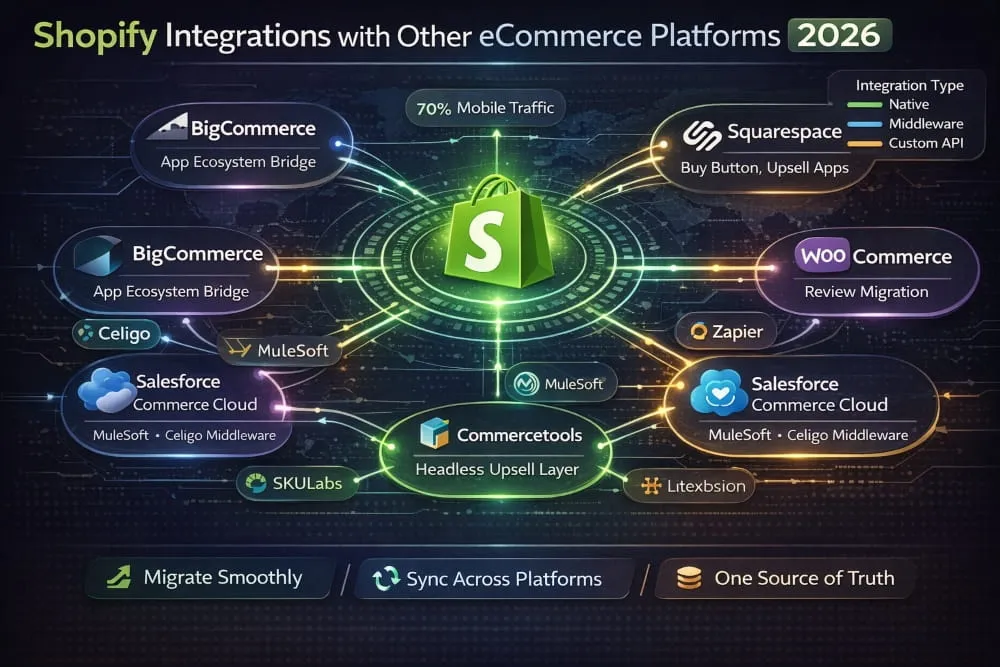
The most common scenario here is a business running BigCommerce as its primary storefront but wanting access to specific Shopify apps, particularly in marketing automation, social commerce, and mobile app building, where Shopify’s ecosystem is simply more mature.
Middleware platforms like Celigo, Zapier, and Make can bridge product, customer, and order data between both environments. It requires configuration and ongoing maintenance; this isn’t plug-and-play, but it’s a viable architecture for businesses that need the strengths of both platforms simultaneously. For subscription billing specifically, running both platforms in parallel is complex enough that committing to one platform’s infrastructure is almost always the cleaner path.
Squarespace Shopify Integration Upsell & Bundle Apps
The most practical Squarespace Shopify integration isn’t a direct platform connection; it’s Shopify’s Buy Button, which embeds Shopify-powered checkout directly into a Squarespace site. Merchants keep their Squarespace design infrastructure while all transactions run through Shopify’s checkout and order management.
Once Shopify handles the transaction layer, upsell and bundle apps like ReConvert, Zipify Pages, and Bold Bundles extend into that experience, adding pre-purchase bundles and post-purchase offers without rebuilding the site. The same logic applies to Wix, where merchants use the Buy Button to access Shopify’s subscription app ecosystem via ReCharge or Seal Subscriptions without a full platform migration.
WooCommerce Review App Shopify Integration
Merchants migrating from WooCommerce to Shopify face one frequently underestimated challenge: their product reviews don’t transfer. Arriving on Shopify with empty product pages, even temporarily, has a measurable conversion impact.
Judge.me, Stamped.io, and Yotpo all support WooCommerce review imports via CSV export. The critical detail is matching product IDs or handles correctly during import. Reviews attached to the wrong product are worse than no reviews at all. Audit the mapping carefully before publishing.
Salesforce Commerce Cloud Shopify Integration Apps
SFCC and Shopify typically appear together in one of two scenarios: an enterprise brand running Shopify as a secondary or market-specific channel alongside its primary SFCC implementation, or a business in the middle of a platform evaluation.
MuleSoft is the most common integration layer for connecting SFCC with Shopify at enterprise scale. Celigo offers a more accessible alternative with pre-built Shopify connectors. The architecture works best when both platforms have clearly defined roles: SFCC owns the enterprise commerce layer, Shopify handles specific channels where its app ecosystem delivers capabilities SFCC doesn’t support as efficiently.
Commercetools Shopify Upsell App Integration
Commercetools is API-first, composable commerce; the backend is completely decoupled from the frontend. The integration scenario with Shopify typically arises when a brand wants to leverage Shopify’s richer app ecosystem for specific channels, while Commercetools manages the enterprise backend.
ReConvert, Zipify OneClickUpsell, and Bold Upsell are the strongest options in Shopify’s upsell ecosystem for this architecture. The synchronization challenge is ensuring promotional logic stays consistent between what Shopify’s apps present and what Commercetools defines on the backend. This problem requires careful API design to solve cleanly. This is enterprise-scale architecture, but as composable commerce matures, it’s becoming more common.
Magento Shopify Dropshipping App Integration
Magento merchants connecting to Shopify’s dropshipping ecosystem typically fall into two categories: those adding dropshipping capabilities to an existing Magento store using Shopify as the operational layer, and those mid-migration who need both platforms in sync during a phased transition.
SKULabs and Linnworks handle inventory and order management across both platforms simultaneously. LitExtension is the most widely used tool for catalog synchronization during a Magento-to-Shopify migration. For dropshipping specifically, establish Shopify as the primary system for connecting DSers or AutoDS, then use a sync layer to feed data back to Magento only if necessary.
The honest advice: treat the dual-platform state as temporary. The operational cost of maintaining two eCommerce platforms simultaneously is significant. Define a migration timeline, use integration tools to smooth the transition, and commit to a single platform as quickly as your business allows.
Shopify AI & ChatGPT Integration Apps
AI has moved from a buzzword to a genuine operational tool, and by 2026, the accessibility gap will have closed completely. A solo Shopify merchant can now automate customer support, generate product descriptions at scale, and build intelligent shopping assistants without a technical team or a single line of custom code. The question is no longer whether AI belongs in your store. Which tools are worth integrating?
Best ChatGPT Integration Apps for Shopify Stores
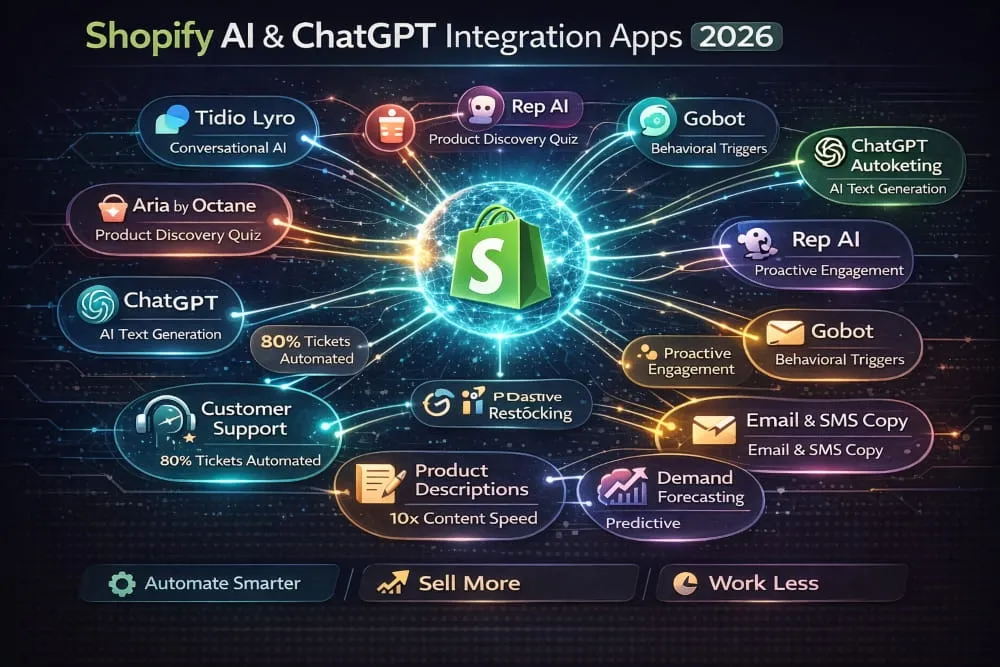
Tidio’s Lyro AI is one of the most practical implementations of conversational AI in the Shopify ecosystem, trained on your store’s own content to autonomously handle order status, return policy, and product inquiries without human intervention. For high-volume support operations, the ticket reduction is immediate.
Aria by Octane AI takes a different angle, using quiz-style conversational flows to guide customers through your catalog and surface the most relevant products based on their preferences. For stores with large or complex catalogs, the conversion impact is direct and measurable.
ChatGPT for Shopify by Autoketing brings GPT-powered product description generation into the Shopify admin, useful for merchants with hundreds of SKUs who need strong product copy without writing every line manually.
Gobot and Rep AI focus on proactive engagement, initiating conversations with browsing customers based on behavioral signals rather than waiting for them to ask. For stores where conversion rate optimization is a primary growth lever, both are worth evaluating.
How to Use AI to Automate Shopify Workflows
The highest-value AI applications in Shopify aren’t the most visible ones; they’re the ones quietly removing manual work from your operation.
Customer support automation delivers the most immediate ROI. The majority of eCommerce inquiries about order status, returns, and shipping policies are repetitive and can be answered with standard responses. An AI chatbot trained on your store’s data handles them automatically, escalating only genuinely complex cases to a human agent.
Product content generation is the second high-impact use case. AI can generate titles, descriptions, meta descriptions, and alt text at scale, but only works well when given a clear brand voice guide and specific product attributes. Generic AI copy is not an upgrade over nothing.
Review and feedback analysis is underutilized but strategically valuable. Running customer reviews and support transcripts through a GPT-powered workflow surfaces sentiment patterns, recurring complaints, and product improvement signals that would take hours to identify manually.
Demand forecasting is where AI delivers genuine predictive value. Tools like Inventory Planner analyze historical sales data, seasonal trends, and supplier lead times to recommend reorder quantities with greater accuracy than spreadsheet-based forecasting. Directly reducing both stockouts and overstock.
The unifying principle is consistent: AI earns its place in Shopify workflows by handling repetitive, pattern-based tasks that consume human time, freeing your team to focus on the decisions that actually require judgment.
Shopify Design & Creative Integrations
Before a customer reads a single Word of your product description, they’ve already formed an impression. Design isn’t decoration, it’s a conversion tool. The right integrations bring professional-grade creative capabilities directly into your Shopify workflow without needing a designer on retainer.
Canva Shopify App Integration: How It Works
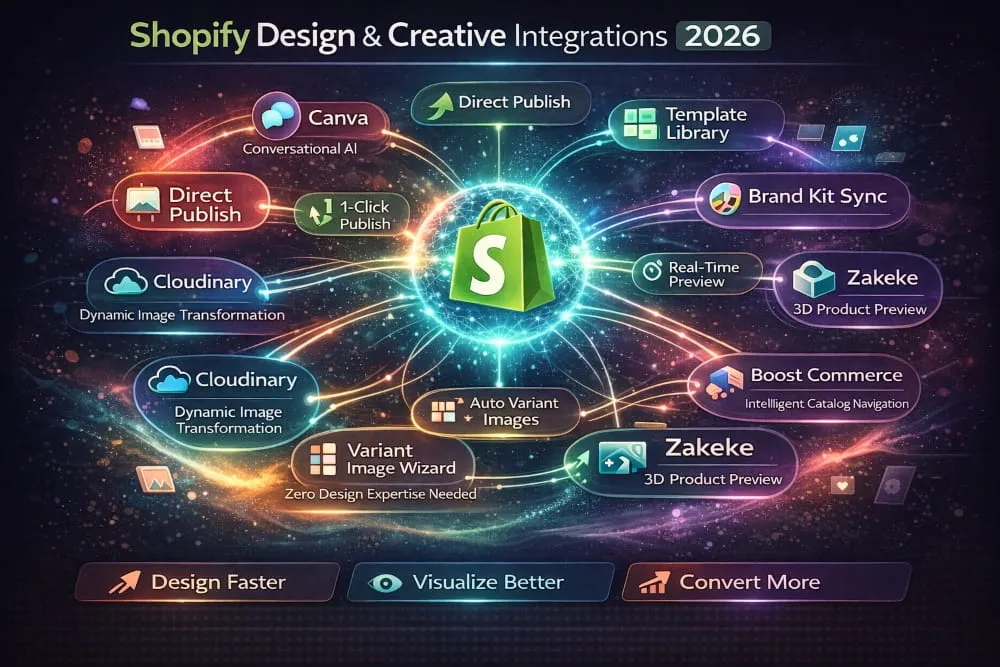
The Canva Shopify integration uses Canva’s native connector, letting merchants design product images, promotional banners, and storefront graphics in Canva and publish them directly to Shopify, with no downloading, reformatting, or manual uploading required. Changes made in Canva are automatically reflected in your store.
Beyond the seamless publish workflow, the integration gives merchants access to thousands of eCommerce-optimized templates customizable with their own brand colors, fonts, and product imagery. For stores without a dedicated designer, it functions as an on-demand creative resource that maintains visual consistency at speed, a full campaign’s worth of assets designed and published in a single session.
Best Apps for Product Variants & Visual Customization
Shopify’s native variant system handles basic options well. The moment customers need to visualize a specific variant combination or personalize a product with their own text or image, the default functionality falls short.
Cloudinary and Variant Image Wizard solve the core visual variant problem: automatically associating the right image with the right variant at scale, including programmatic image generation for complex product combinations.
Inkybay and Zakeke are the strongest options for customizable or personalized products, embedding an interactive, real-time product customizer directly into your product pages. Customers see exactly what they’re buying before adding it to the cart, reducing both purchase hesitation and post-delivery returns.
Boost Commerce’s Smart Product Filter and Swym’s Wishlist Plus address the discovery layer, helping customers navigate large variant catalogs through intelligent filtering and visual swatches without opening every product page individually.
The common thread is straightforward: customers need to see and interact with your products visually before they feel confident enough to buy. Closing that gap is one of the highest-leverage conversion optimizations available in the Shopify ecosystem.
Shopify App Integration for Developers & Agencies
There’s a meaningful difference between a merchant installing apps and a developer or agency building, configuring, and maintaining integrations professionally. The technical depth required and the consequences of getting things wrong are significantly higher at the implementation level.
Shopify App Developer Resources for Custom Integrations
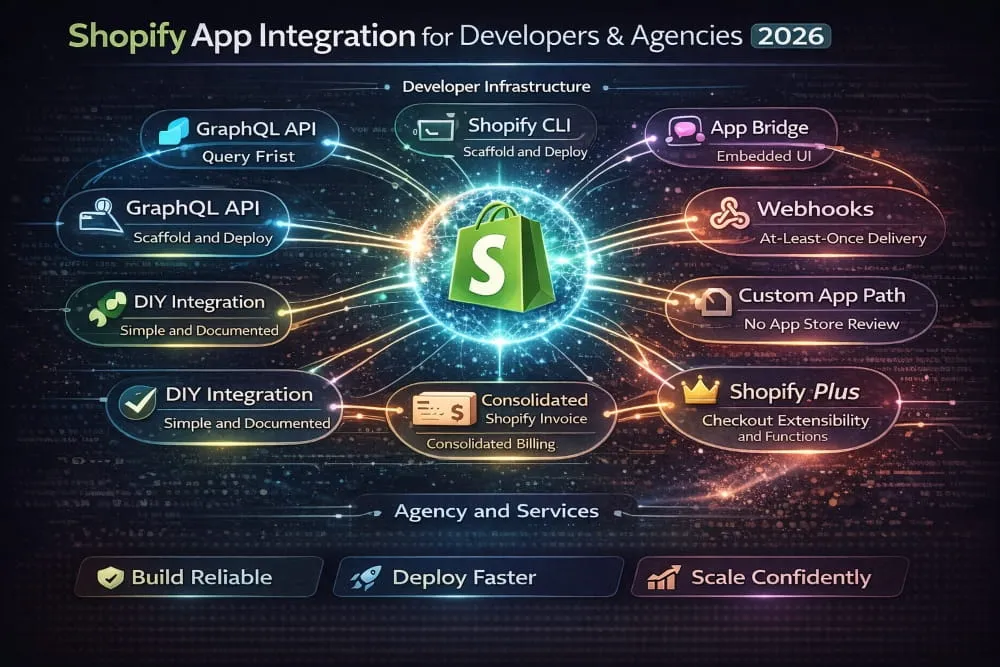
Shopify’s developer ecosystem is well-documented and mature. The foundation for any custom integration is the GraphQL Admin API, Shopify’s current focus for new development, which offers superior query efficiency for complex data retrieval compared to REST. Shopify CLI handles scaffolding, authentication, and environment setup, while App Bridge manages the embedded UI within the Shopify admin.
For real-time event handling, Webhooks are essential, but build your handlers to be idempotent, since Shopify delivers on an at-least-once model. For client-specific apps that don’t need App Store distribution, the Custom App pathway bypasses the review process entirely, getting you to deployment faster.
Shopify App Integration Services: When to Hire vs DIY
DIY works when the integration involves established apps, straightforward workflows, and recoverable consequences if something goes wrong. Professional services are the right call when you’re dealing with mission-critical data, ERP-level complexity, multi-market configurations, or anything that doesn’t exist as an off-the-shelf solution.
The integration challenges that most commonly push merchants toward professional help are data mapping complexity, API rate limit management at scale, and maintaining integrations through Shopify’s API versioning cycles. When evaluating service providers, ask specifically about comparable implementations they’ve completed, not general Shopify experience.
Shopify Integrated App Billing: How It Works
Shopify’s billing API consolidates all app charges into your existing Shopify invoice, no separate subscriptions, no additional payment methods. It supports recurring, one-time, and usage-based billing, depending on how the developer has structured their pricing.
The critical practical point for merchants: uninstalling an app does not always cancel billing automatically. Always verify the billing status in your Shopify subscription settings after removing any app, particularly annual or usage-based subscriptions.
App Compatibility with Paid Shopify Themes
Theme compatibility issues are among the most preventable frustrations in the Shopify ecosystem. They occur when an app injects scripts or modifies layout elements in ways that conflict with a premium theme’s existing JavaScript or CSS structure.
The solution is straightforward: test on a duplicate theme before touching your live store, read recent reviews specifically mentioning theme compatibility, and prioritize apps built on Shopify’s App Blocks system. App Blocks integrate natively with the theme editor and have dramatically fewer conflicts than apps using legacy script injection.
Best Practices for App Integration with Shopify Plus
At Plus scale, the stakes are higher, and the margin for reactive decision-making is lower. The guiding principle is architecture before installation, map every new integration against your existing stack before adding it, not after a conflict surfaces.
Performance is non-negotiable. Audit your JavaScript payload regularly, remove unused apps, and prefer apps that load asynchronously. For checkout modifications, use Checkout Extensibility; Shopify Functions’ legacy checkout customization is being deprecated. And always confirm explicitly with app developers that their solution supports the specific Plus features your store depends on.
HepsiPay Shopify Integration for Payment Providers
HepsiPay is the payment solution of Hepsiburada, one of Turkey’s largest e-commerce platforms. For merchants entering the Turkish market, it brings locally trusted payment infrastructure, including taksit installment payments, which are deeply embedded in Turkish consumer behavior, directly into the Shopify checkout.
For any market with distinctive local payment preferences, the evaluation criteria are the same: local method coverage, regulatory compliance, integration reliability, and the quality of the checkout experience. Getting payments right in a new market is one of the highest-leverage localization decisions a merchant makes.
How to Choose the Right Shopify Integration App
The Shopify App Store has over 8,000 apps. That number sounds like abundance, and in many ways it is. Still, for a merchant trying to make a confident, informed decision about which app to trust with a critical part of their business, it can feel closer to paralysis.
The reality is that for almost any integration category, you’re not choosing between 8,000 options. You’re choosing between three to six credible contenders. The challenge is knowing how to evaluate those contenders quickly and accurately, without relying on star ratings that can be gamed, marketing copy written to impress rather than inform, or recommendations from merchants whose stores operate nothing like yours.
This section gives you a clear, practical framework for making that decision well.
Key Criteria for Evaluating Shopify App Integrations
The right mindset shift is moving from feature comparison to fit assessment. Two apps with identical feature lists can deliver completely different outcomes depending on your use case, your scale, and your existing tech stack.
Integration depth separates surface-level connections from genuinely reliable ones. Understand exactly what data syncs, how frequently, in which direction, and what happens when something fails before you install anything.
Review recency matters more than overall rating. Filter by most recent, read the one and two-star reviews carefully, and look specifically for merchants whose store size resembles yours.
Support quality is predictive. Send a technical pre-sales question and judge the response. How a team treats you before you pay is how they’ll treat you after you pay.
Performance impact is easy to overlook. Benchmark your store speed before and after installing an app that slows your storefront; it’s costing you conversions regardless of what it adds.
Pricing transparency deserves careful attention. A low base price with usage-based fees can become a high cost at scale. Model your actual cost at current and projected revenue before committing.
Free vs Paid Shopify Integration Apps: What’s Worth It?
The free-versus-paid decision is really a question of where your store is right now. Free apps are a perfectly rational starting point; they let you test workflows, validate whether an integration category actually delivers value, and build basic functionality without financial commitment. For early-stage stores, that’s exactly the right approach.
The limitations of free apps show up predictably at scale: order volume caps, restricted sync frequency, and the absence of responsive support when something breaks at a critical moment. Paid apps from established developers have a business incentive to maintain, update, and improve their integrations as Shopify evolves. Free apps, particularly those from solo developers, frequently don’t.
The simple rule: start free, upgrade when the limitation becomes a real operational constraint rather than a theoretical one. If a paid app costs less than the manual work it replaces, it’s already paying for itself.
Shopify App Store vs Custom Integrations Pros and Cons
For most merchants, the App Store is the right answer. Today’s apps are more capable, more reliable, and faster to implement than ever, and the maintenance burden stays with the developer, not you.
Custom integrations make sense in three specific situations: your requirements are too unique for any existing app to accommodate, your order or data volumes exceed what off-the-shelf solutions can handle reliably, or regulatory requirements make third-party data handling a compliance risk.
The honest decision framework is simple: exhaust the App Store first. If no credible option genuinely meets your needs, build a custom one. If you’re considering custom development simply to avoid adjusting a workflow, that’s rarely worth the investment. App Store solutions are faster, cheaper, and far easier to maintain in the long term. Custom builds are powerful, but they come with ongoing API maintenance costs that merchants consistently underestimate before committing.
Final Thoughts
Shopify’s real power has never been the platform itself; it’s the ecosystem built around it. The right app integrations turn a good store into an efficient, scalable, and genuinely competitive business. Whether you’re connecting your store to a marketplace like Amazon or Etsy, automating your accounting with Xero or QuickBooks, building a mobile app for your customer base, or leveraging AI to handle support and content at scale, every integration you get right compounds into a meaningfully stronger operation.
The key is intentionality. The merchants who get the most from Shopify app integrations aren’t the ones who install the most apps; they’re the ones who choose deliberately, implement carefully, and build a tech stack where every connection earns its place.
Start with your biggest operational bottleneck. Solve that first. Then build from there.
Frequently Asked Questions (FAQ’s)
What are the most important integrations for a new Shopify store?
For a new Shopify store, the highest-priority integrations are email marketing (Klaviyo or Mailchimp), a review app (Judge.me or Stamped.io), and an accounting connection (QuickBooks or Xero). These three cover customer acquisition, social proof, and financial accuracy, the foundational layer every store needs before adding anything else.
Can Shopify integrate with both B2B and B2C platforms?
Yes. Shopify, particularly Shopify Plus, supports both B2B and B2C operations simultaneously through its native wholesale channel, custom pricing apps, and CRM integrations like HubSpot and Salesforce. B2B-specific features, including company accounts, net payment terms, and volume-based pricing, can be managed directly within Shopify Plus, eliminating the need for a separate platform.
How do I fix Shopify app integration conflicts?
Start by identifying which app introduced the conflict, disable recently installed apps one at a time, and test after each to isolate the cause. Most conflicts stem from apps injecting overlapping JavaScript or competing for the same theme elements. Once identified, contact the app’s support team directly, as most conflicts have known fixes, or switch to an App Block-compatible version of the app if one exists.
Which Shopify integrations work best for international selling in 2026?
For international selling, the most impactful Shopify integrations are Shopify Markets for multi-currency and localized storefronts, a regional marketplace connector (CedCommerce for eBay and Etsy, Codisto for Amazon), and a tax compliance tool like Avalara or TaxJar for cross-border VAT and sales tax management. Pair these with a local payment method integration relevant to your target market for the strongest results.


