
Choosing the best web page design software is one of the most important decisions you can make when building a modern website. Whether you are launching a personal project, creating a business presence, or developing professional client sites, the tool you select directly impacts your workflow, creative flexibility, and long-term scalability.
Today’s web design landscape offers more options than ever before. From beginner-friendly drag-and-drop builders to advanced HTML editors and powerful open-source platforms, web page development software has evolved to support users at every skill level. Some tools prioritize visual editing for speed and simplicity. In contrast, others focus on deep customization for designers and developers who want complete control.
However, having so many choices can quickly become overwhelming. Free vs paid, online vs offline, WYSIWYG vs code-based editors, Mac vs Windows compatibility, each factor plays a role in determining which solution truly fits your needs. The best option is rarely universal; instead, it depends on your experience, goals, and the type of websites you plan to create.
This ultimate guide is designed to simplify that decision.
Rather than presenting a shallow list of tools, this resource takes an educational, authority-driven approach to help you understand what matters before committing to a platform. You’ll learn how software works, which features are essential, how different categories compare, and what to consider as your projects grow.
Inside this guide, we will explore:
- What software is and why it matters
- How to evaluate tools based on usability, flexibility, and performance
- The best web page design software for beginners and professionals
- Leading free and paid solutions
- Offline and online platforms
- Options for Mac, Windows, and Linux users
- Key differences between visual builders and code editors
By the end, you will not only discover the best website page design software for your situation but also gain the clarity needed to choose confidently, without second-guessing your decision later.
Let’s start by understanding what web page design software actually does and why it has become an essential part of modern website creation.
What Is Web Page Design Software?
Web page design software is a specialized tools that help individuals and businesses create, structure, and publish websites without having to build everything from scratch. Instead of manually writing complex code for every layout, image, or interaction, these platforms provide an organized environment where design and functionality come together efficiently.
At its core, web page design software simplifies the process of website creation. Many tools offer visual editors, pre-built templates, responsive design controls, and publishing features that let users turn an idea into a fully functional web page. Some platforms focus on drag-and-drop simplicity, while others support advanced customization for professionals who want deeper control over performance, structure, and user experience.
The best website page design software does more than help you design attractive pages; it streamlines workflows, improves consistency, and ensures your site performs well across devices. From landing pages and portfolios to full-scale business websites, these tools have become essential for modern digital presence.
Whether you are building your first website or managing multiple projects, understanding how software works is the first step toward choosing a solution that aligns with your goals.
Who It’s For: Beginners, Marketers, Designers, Developers
One of the biggest strengths of modern web page design software is its accessibility. Today’s platforms are built to support a wide range of users, each with different technical backgrounds and project needs.
Beginners benefit from intuitive interfaces that remove the intimidation often associated with coding. Many tools guide users through the design process with templates and visual controls, enabling users with minimal experience to create professional-looking pages.
Marketers rely on these platforms to launch campaign pages, optimize conversions, and update content quickly without depending entirely on technical teams. Speed and flexibility are especially valuable in fast-moving digital environments.
Designers use web page designer software to translate creative concepts into interactive layouts. Advanced styling options, typography controls, and responsive design features allow them to maintain visual consistency while crafting engaging user experiences.
Developers, on the other hand, often choose tools that support custom code, integrations, and performance optimization. For them, the right software acts as a productivity enhancer rather than a limitation.
Because the needs of these groups vary, a single feature rarely defines the best site page design software. Instead, it balances usability with capability, offering enough simplicity for newcomers while still delivering the depth professionals expect.
Understanding this flexibility helps explain why selecting the right platform is less about finding the most popular option and more about identifying the one that supports how you work and what you plan to build next.
Top 10 Web Page Design Software to Consider
Finding the best web page design software often comes down to balancing ease of use, creative flexibility, and long-term scalability. The tools below are widely recognized for their reliability, innovation, and ability to support everything from simple websites to advanced digital experiences. Rather than focusing on hype, this list highlights platforms that consistently perform well across different user needs.
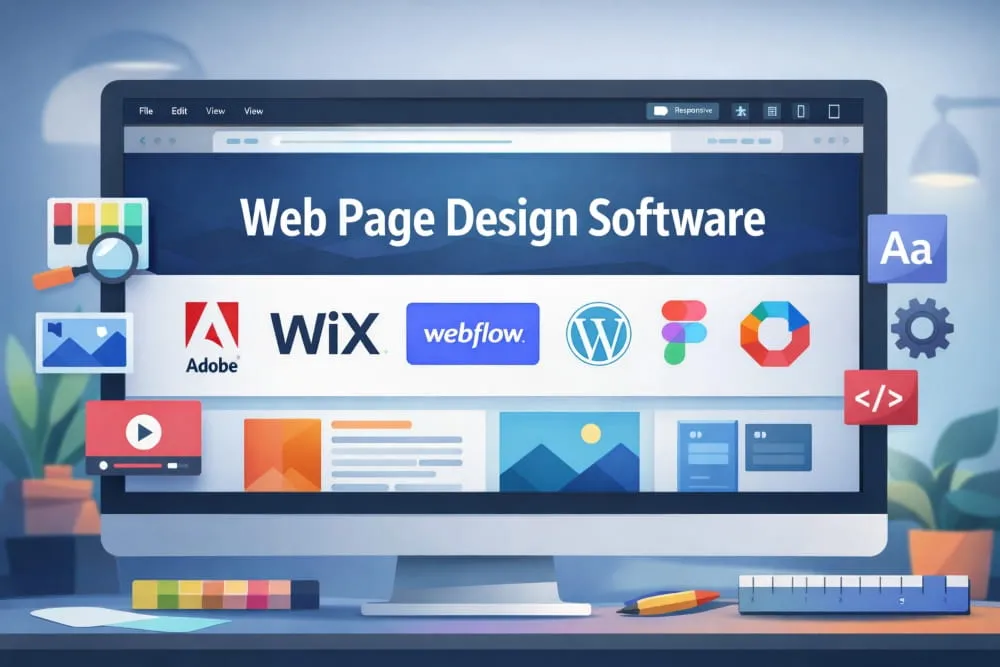
1. Adobe Dreamweaver Best for Professional Control
Adobe Dreamweaver remains one of the most established platforms in web design. It combines a visual interface with powerful code editing, making it suitable for professionals who want precision without sacrificing efficiency.
Why it stands out:
- Supports HTML, CSS, JavaScript, and more
- Real-time preview across devices
- Flexible for both visual designers and developers
- Seamless integration with Adobe Creative Cloud
Ideal for: Designers and developers who want advanced customization.
2. Wix Best for Ease of Use
Wix is frequently recognized as one of the most popular web page design software platforms because it removes much of the technical complexity associated with website creation. Its drag-and-drop builder allows users to design visually without coding knowledge.
Why it stands out:
- Extremely beginner-friendly
- Large template library
- Built-in hosting and security
- Fast setup process
Ideal for: Beginners, small businesses, and personal brands.
3. Webflow Best for Visual Design Precision
Webflow bridges the gap between no-code simplicity and professional-level design control. It allows users to create responsive websites while maintaining clean, production-ready code.
Why it stands out:
- Advanced visual editor
- Strong responsive design tools
- Built-in CMS capabilities
- Excellent for modern UI design
Ideal for: Designers who want creative freedom without heavy coding.
4. WordPress (with Page Builders) Best for Flexibility
WordPress powers a significant portion of the internet, largely due to its adaptability. When paired with modern page builders, it becomes a powerful web page design software option suitable for nearly any project.
Why it stands out:
- Highly customizable
- Massive plugin ecosystem
- Scales easily as websites grow
- Strong community support
Ideal for: Businesses, publishers, and long-term website projects.
5. Squarespace Best for Design Consistency
Squarespace is known for polished templates and structured design systems that help maintain visual harmony across pages. It prioritizes aesthetics while keeping the editing experience straightforward.
Why it stands out:
- Professionally designed templates
- All-in-one platform
- Reliable performance
- Minimal setup required
Ideal for: Creatives, portfolios, and brand-focused websites.
6. Figma Best for Collaborative Web Design
Although originally a design tool, Figma has become essential in modern web workflows. Teams use it to prototype layouts before development, improving communication and reducing design friction.
Why it stands out:
- Real-time collaboration
- Cloud-based accessibility
- Strong prototyping features
- Streamlined feedback process
Ideal for: Design teams and collaborative environments.
7. Bootstrap Studio Best for Responsive Websites
Bootstrap Studio is purpose-built for creating responsive websites efficiently. It provides a structured approach to layout design while still allowing customization.
Why it stands out:
- Grid-based framework
- Drag-and-drop components
- Clean code output
- Focus on mobile responsiveness
Ideal for: Users who value structure and performance.
8. Pinegrow Best for Multi-Platform Editing
Pinegrow is a desktop software for designing web pages that gives users full control over layout and code. Its offline capability appeals to professionals who prefer working outside browser-based platforms.
Why it stands out:
- Works offline
- Supports multiple frameworks
- Real-time editing
- Developer-friendly features
Ideal for: Advanced users seeking flexibility.
9. Mobirise Best Lightweight Offline Builder
Mobirise offers a straightforward approach to web page software design, focusing on simplicity and speed. Because it operates offline, it provides greater control over project files.
Why it stands out:
- No subscription required
- Beginner-friendly interface
- Mobile-first templates
- Quick deployment
Ideal for: Users who want a simple offline solution.
10. Google Web Designer Best for Interactive Content
Google Web Designer focuses on creating interactive and visually engaging web experiences, particularly for marketing campaigns and rich media content.
Why it stands out:
- Strong animation tools
- Supports interactive elements
- Free to use
- Integrates well with Google platforms
Ideal for: Marketers and designers building dynamic content.
| Software | Ease of Use | Best For | Offline / Online | Skill Level | Key Strength |
|---|---|---|---|---|---|
| Adobe Dreamweaver | Moderate | Professional development | Offline | Advanced | Deep customization |
| Wix | Very Easy | Beginners & small businesses | Online | Beginner | Drag-and-drop simplicity |
| Webflow | Moderate | Visual design control | Online | Intermediate–Advanced | Clean, responsive design |
| WordPress | Moderate | Scalable websites | Online | Beginner–Advanced | Extreme flexibility |
| Squarespace | Easy | Brand-focused sites | Online | Beginner–Intermediate | Design consistency |
| Figma | Easy | Collaborative design | Online | All levels | Real-time teamwork |
| Bootstrap Studio | Moderate | Responsive layouts | Offline | Intermediate | Structured framework |
| Pinegrow | Moderate–Advanced | Code-friendly workflows | Offline | Advanced | Multi-platform support |
| Mobirise | Easy | Lightweight websites | Offline | Beginner | Fast setup |
| Google Web Designer | Moderate | Interactive content | Offline | Intermediate | Animation capabilities |
Selecting from the top web page design software ultimately depends on how you work, your technical comfort level, and the type of websites you plan to build. Some users prioritize simplicity, while others need professional-grade control. By understanding the strengths of each platform, you can move closer to choosing the best web page development software that aligns with both your current needs and future growth.
Best Free Web Page Development Software
For many individuals and businesses, starting with free web page design software is a practical way to enter the world of website creation without committing to upfront costs. Modern free tools are far more capable than they once were, offering intuitive editors, responsive templates, and publishing features that allow users to build professional-looking pages with minimal barriers.
However, free does not always mean limited. Some platforms offer robust functionality suitable for long-term use. In contrast, others serve as stepping stones to upgrading to premium plans. Understanding these differences is essential when choosing the best web page development software, especially if scalability and creative control matter to you.
Below are some of the top free website page design software options worth considering.
Wix is the best free option for Beginners
Wix is widely recognized as one of the best free web page design platforms due to its accessibility. Its visual editor lets users build websites with simple drag-and-drop actions, eliminating the need for technical expertise.
Key advantages:
- Highly intuitive interface
- Large collection of templates
- Built-in hosting
- Ideal for first-time website creators
Best suited for: Beginners looking for free web page design software that prioritizes simplicity.
Note: Free plans typically include platform branding and a subdomain, which some users later choose to upgrade from.
Webflow’s Powerful Free Plan for Designers
Webflow offers a robust free tier that appeals to users seeking professional design capabilities without immediate financial investment. It combines visual editing with structured layout control, allowing creators to build responsive sites efficiently.
Key advantages:
- Advanced visual design tools
- Clean code output
- Strong responsive design features
- Excellent learning platform for modern web design
Best suited for: Designers and intermediate users who want depth from their web page design software, at no cost.
WordPress.com Flexible and Scalable
When discussing free web page design software, WordPress consistently comes up due to its flexibility. The free version allows users to launch functional websites while benefiting from a mature ecosystem.
Key advantages:
- Reliable infrastructure
- Wide theme selection
- Scales as your needs grow
- Strong community support
Best suited for: Users who want flexibility and the option to expand later.
Google Web Designer Free WYSIWYG Editing
If your focus is on visual creation, Google Web Designer is a strong example of free WYSIWYG web page design software. It enables users to design interactive layouts within a graphical environment while still allowing code adjustments when needed.
Key advantages:
- Visual editing environment
- Animation capabilities
- Supports interactive elements
- Completely free to use
Best suited for: Marketers and designers building dynamic web content.
Mobirise Offline Freeware Solution
Mobirise stands out among free web page design software for its offline operation. This gives users more control over files and publishing while maintaining a beginner-friendly workflow.
Key advantages:
- No recurring subscription
- Works without internet dependency
- Mobile-responsive templates
- Fast setup process
Best suited for: Users who prefer offline web page design, free software with straightforward functionality.
What to Expect From Free Web Page Development Software
While free tools are increasingly capable, it helps to approach them with realistic expectations. Many platforms reserve advanced integrations, custom domains, or expanded storage for paid tiers. That said, free plans are often more than sufficient for learning, experimentation, portfolios, and small projects.
The real advantage lies in accessibility; you can explore different workflows, understand design principles, and identify which features matter most before investing in a premium solution.
For beginners, especially, free website page design software provides a low-risk environment to build confidence and technical familiarity.
How to Choose the Right Free Tool
When evaluating web page design free software, focus less on price and more on long-term compatibility with your goals. Consider:
- Ease of use and learning curve
- Template quality and customization
- Responsive design capabilities
- Publishing flexibility
- Upgrade paths for future growth
The best free web page creation software is ultimately the one that allows you to create efficiently today while leaving room for tomorrow’s expansion.
Starting with a free platform is not a limitation; it is often a strategic first step toward mastering modern website creation.
How to Choose the Best Web Page Design Software
Selecting the best website page design software is less about chasing popular tools and more about understanding which platform aligns with your workflow, skill level, and long-term goals. With so many options available from drag-and-drop editors to advanced coding environments, a structured decision framework can help you avoid costly switches later.
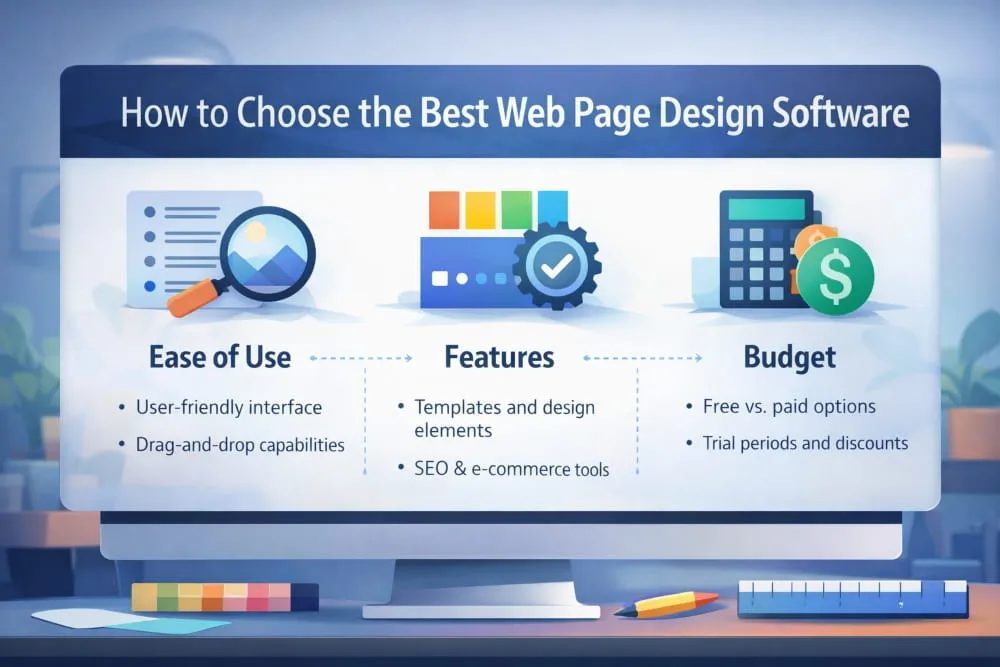
The factors below represent the features that truly influence usability, scalability, and design quality.
Ease of Use (Beginner-Friendly, Simple, Basic)
For many users, usability is the deciding factor. Software that feels intuitive reduces the learning curve and allows you to focus on creativity rather than technical hurdles.
Beginner-friendly platforms typically offer visual editors, guided setup processes, and pre-built elements that simplify page creation. This is why drag-and-drop web page design software has become especially popular it enables users to construct layouts visually without writing code.
However, simplicity should not come at the cost of flexibility. The best tools balance ease of use with enough depth to support your growth as projects become more complex.
Look for:
- Clean, organized interface
- Minimal technical friction
- Helpful onboarding or tutorials
- Logical design controls
If software feels difficult during the trial phase, it will likely slow you down in the long term.
WYSIWYG vs HTML-Based Workflow
One of the most important decisions involves choosing between WYSIWYG web page design software and HTML web page design software.
WYSIWYG (What You See Is What You Get) platforms allow you to design pages visually. Elements appear exactly as they will when published, making them ideal for users who prefer a design-first workflow. Many modern tools also support interactive website page design software capabilities, helping creators build engaging experiences without deep coding knowledge.
On the other hand, HTML-based editors provide granular control over structure and performance. Developers and advanced designers often prefer this approach because it enables highly dynamic web page development software workflows with fewer platform restrictions.
| Choose WYSIWYG if you | Choose HTML-based tools if you |
|---|---|
| Prefer visual editing | Need full customization |
| Want faster production | Care deeply about optimization |
| I’m new to web design | Are comfortable working with code |
The best free WYSIWYG web page design software can be an excellent starting point. At the same time, code-based platforms often shine in complex projects.
Templates, Components, and Layout Control
Templates are more than aesthetic shortcuts; they establish structure, responsiveness, and usability. High-quality web page design platforms should provide professionally designed starting points that can be customized without feeling restrictive.
Strong platforms also include reusable components such as navigation bars, forms, and content blocks. These accelerate production while maintaining visual consistency across pages.
Prioritize software that offers:
- Modern, responsive templates
- Flexible layout systems
- Typography and spacing control
- Component-based design
The goal is creative freedom without rebuilding every element from scratch.
Output Quality: Clean Code, Performance, Mobile Responsiveness
Behind every attractive website is a structural foundation that influences speed, search visibility, and user experience. Poorly generated code can lead to slower load times and maintenance challenges.
High-quality software should produce efficient markup, support responsive layouts, and maintain performance across devices. Mobile optimization is no longer optional; it is expected.
Evaluate tools based on:
- Code cleanliness
- Page speed potential
- Responsive behavior
- SEO-friendly structure
Even if you never view the code, its quality impacts the success of your website.
Publishing Options: Export, Hosting, Domains
Before committing to a platform, consider how your site will go live. Some tools bundle hosting and domain management, creating a streamlined experience. Others allow you to export files for deployment elsewhere.
Neither approach is inherently better; the right choice depends on how much control you want.
Integrated publishing simplifies setup but may limit portability.
Export capabilities provide flexibility but require more technical oversight.
The best website page design software makes publishing predictable rather than complicated.
Pricing: Free vs Paid and Limitations Considerations
Cost should be viewed through the lens of long-term value rather than immediate savings. Free plans are excellent for experimentation and small projects, but they may include branding, storage limits, or reduced customization options.
Paid platforms typically unlock advanced features, improved support, and stronger scalability.
When evaluating pricing, consider:
- Feature availability
- Upgrade paths
- Hidden limitations
- Long-term affordability
A free download can be a smart entry point, but the true measure of software is whether it continues to support your needs as they evolve.
Choosing the best web page design software ultimately means selecting a platform that complements your workflow today while preparing you for tomorrow’s demands. By focusing on usability, design flexibility, output quality, and scalability, you position yourself to build websites that are not only visually compelling but also technically resilient.
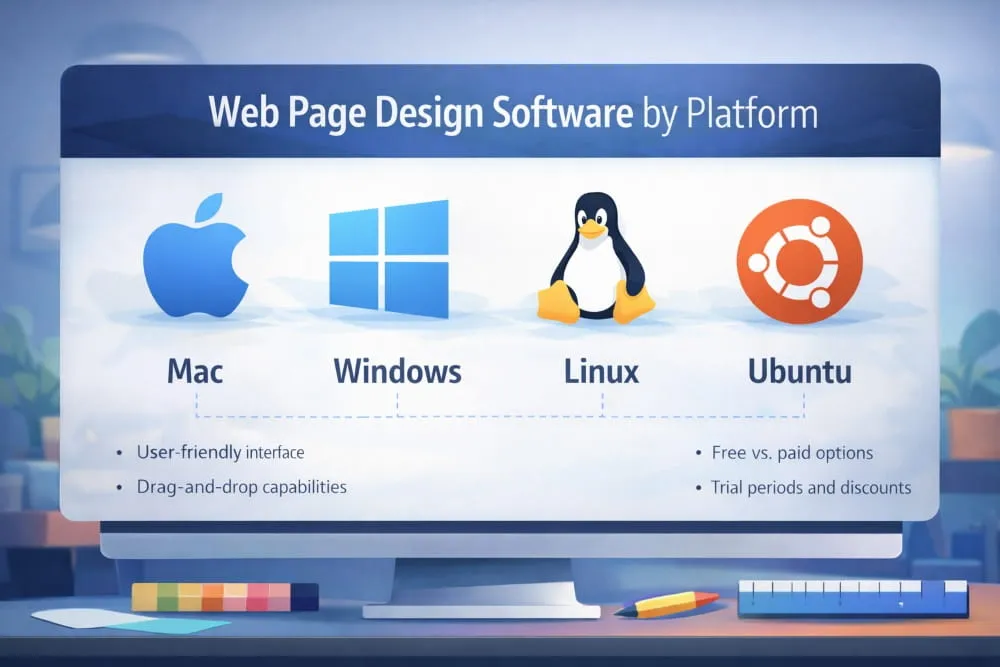
Best Web Page Design Software by Platform (Mac / Windows / Linux / Ubuntu)
Different operating systems come with different strengths, and the best web page design software for your workflow often depends on the platform you use. Whether you’re on a Mac, Windows PC, or Linux/Ubuntu system, there are reliable tools tailored to your environment, from beginner-friendly editors to professional-grade tools.
Best Software for Mac
Mac users benefit from a blend of intuitive design experiences and powerful development tools. The macOS ecosystem supports both visual editors and code-rich environments, making it easy to find the best website page design software for Mac, whether you are a beginner or an experienced designer.
Top Picks for macOS:
- Webflow: A browser-based platform with powerful visual design controls and responsive layouts. Ideal for designers who want professional results without heavy coding.
- Adobe Dreamweaver: A robust option for users who want direct code access alongside visual tools. macOS support is strong and integrates well with other Adobe tools.
- Figma: Not a traditional website page design software, but immensely valuable for prototype-driven workflows and collaborative design planning.
Mac Free Options to Consider:
- Google Web Designer: Free and flexible for creating interactive content and visual layouts.
- WordPress.com: Offers free plans accessible via Mac browsers and strong growth potential.
Mac users who want a blend of design freedom and development power often find that these tools strike the right balance between usability and capability.
Web Page Design Software Windows: Best Picks + Compatibility Notes
Windows remains one of the most common platforms for web design. It supports a wide range of tools from visual editors to developer-friendly environments that help you build interactive, modern web pages.
Best Windows Web Page Development Software:
- Pinegrow: Great for developers who want offline access to a flexible environment without subscription constraints.
- Bootstrap Studio: Ideal for creating responsive, grid-based designs with built-in components.
- Mobirise: A lightweight offline builder that’s simple to use and works seamlessly on Windows machines.
Windows Compatibility Notes:
- Many browser-based tools, such as Webflow and WordPress.com, work perfectly on Windows without installation.
- Adobe Dreamweaver offers a full-featured Windows application with advanced coding and visual tools.
- Some macOS-native design apps may not have Windows versions, but alternatives with similar functionality are available.
For many users, Windows offers the greatest software diversity, making it easier to find tools that meet specific needs.
Linux / Ubuntu Web Page Design Software: Best Options + Setup Tips
Linux users, especially those on Ubuntu, may find fewer traditional standalone apps. Still, the platform’s open architecture supports powerful workflows through browser-based editors and flexible local tools.
Top Linux / Ubuntu-Friendly Options:
- Webflow (Browser-Based): Since it runs in a web browser, it is fully compatible with Linux/Ubuntu and provides powerful design tools without installation.
- WordPress.com: Works well in any modern Linux web browser, offering a familiar, scalable, content-driven option.
- Google Web Designer: Supports Linux systems and allows for creating interactive visual layouts.
Local Software to Consider:
- Bootstrap Studio: Offers Linux builds and supports offline project development with responsive components.
- Visual Studio Code: While not a design tool by itself, it pairs well with web frameworks and static site generators for advanced users who want more control.
Setup Tips for Linux/Ubuntu Users:
- Use browser-based platforms when possible to avoid dependency issues.
- For offline tools, ensure packages are compatible with your distribution and consider using AppImage or Snap packages for easier installation.
- Leverage terminal tools like live servers and package managers to streamline development workflows.
No matter which operating system you use, there is capable software that helps you design, preview, and publish web pages with confidence. By focusing on tools that align with your skills and creative expectations, you can confidently identify the best software that works seamlessly across Mac, Windows, and Linux environments.
Offline vs Online Web Page Design Software (Which Should You Use?)
When evaluating the best web page development software, one of the most important decisions involves choosing between offline and online platforms. Both approaches can produce high-quality websites, but they differ significantly in workflow, accessibility, and long-term flexibility.
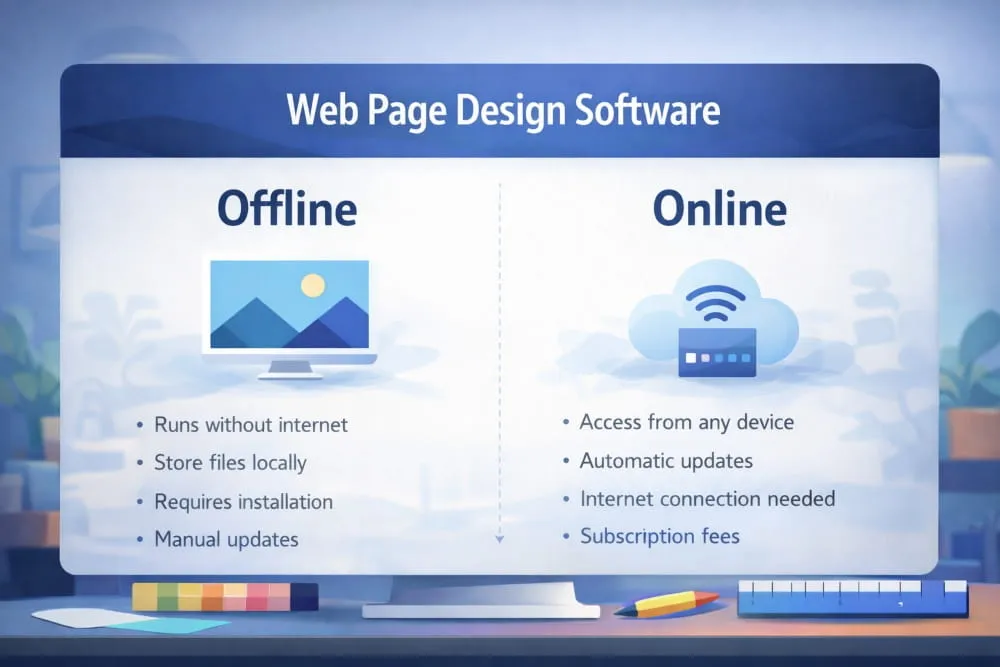
Offline tools are installed directly on your computer and operate independently of a browser. At the same time, website page design software online runs through the internet, allowing you to design from virtually anywhere. Understanding the advantages of each helps ensure you select a solution that complements your preferred way of working.
The right choice often depends on factors such as project complexity, collaboration needs, and your level of control over files and hosting
Offline Web Page Development Software: When It’s Better
Offline website page design software is ideal for users who value independence, stability, and direct ownership of their projects. Because these tools run locally, you are not dependent on internet connectivity to continue working, a major advantage for professionals handling large or time-sensitive builds.
Offline platforms typically provide stronger file control, allowing you to manage assets, exports, and hosting decisions without platform restrictions. This makes them especially appealing for developers, agencies, and advanced designers who want full flexibility.
Offline software is often the better choice if you:
- Prefer complete control over project files
- Work in environments with unreliable internet
- Need advanced customization
- Want fewer platform limitations
- Value long-term portability
Another overlooked benefit is performance. Local applications can sometimes handle complex layouts more smoothly since they rely on your machine’s resources rather than browser constraints.
However, offline tools may require manual updates, external hosting, and additional technical oversight, which should be factored into your decision.
Web Page Design Software Online
The rise of cloud technology has made website page design software online increasingly attractive. These platforms emphasize accessibility, allowing you to design, edit, and publish from any device with an internet connection.
One of the strongest advantages is real-time collaboration. Teams can review layouts, leave feedback, and implement changes without sending files back and forth. For businesses and distributed teams, this efficiency can dramatically accelerate project timelines.
Many platforms also offer free tiers of website page design software, enabling users to explore features before committing financially.
Online software is ideal if you:
- Want to work from multiple devices
- Collaborate with teammates or clients
- Prefer automatic updates
- Appreciate built-in hosting options
- Value a streamlined publishing process
Because the provider handles maintenance and security updates, online tools reduce much of the technical burden, allowing you to focus more on design and strategy.
The primary trade-off is the platform’s dependency. If you lose access or decide to migrate later, portability may require extra planning.
Checklist: Security, Backups, Speed, Portability
Whether you lean toward offline or online solutions, evaluating a few critical factors can help you confidently choose the best website page design software for your workflow.
Security: Online platforms typically manage security patches automatically, while offline users must stay proactive with updates and safe hosting practices.
Backups: Cloud-based tools often include automated backups. Offline workflows require structured backup routines, such as external drives or secure storage systems.
Speed and Performance: Offline software can feel faster when handling complex projects. Still, high-quality online platforms increasingly deliver strong performance through optimized infrastructure.
Portability: If long-term flexibility matters, check how easily your site can be exported or migrated. Some platforms simplify this process, while others keep projects closely tied to their ecosystem.
Ultimately, there is no universal winner. The best website page design software is the one that aligns with your priorities, whether that means the autonomy of offline tools or the convenience of cloud-based platforms.
Many professionals even combine both approaches, using online tools for collaboration and offline software for deeper customization. By understanding the strengths of each, you can build a workflow that supports both your current projects and future growth.
Open Source Web Page Design Software (Best Options + Who It Fits)
Open source web page design software has become an increasingly attractive option for creators who prioritize flexibility, transparency, and long-term control. Unlike proprietary platforms, open-source tools make their code publicly available, allowing users to modify, customize, and extend functionality to meet their needs.
For many professionals, this level of freedom is important for identifying the best website page design software, especially when scalability and independence are top priorities. While open source solutions may require more involvement during setup, they often reward users with greater adaptability and fewer platform restrictions over time.
Popular open-source web page development software includes tools that support visual editing, framework-based design, or code-driven workflows. These platforms are particularly well-suited for developers, technically inclined designers, and organizations that want deeper ownership of their digital infrastructure.
Why Open Source Can Be a Better Long-Term Choice
One of the strongest advantages of open source software is control. Instead of being tied to a single provider’s ecosystem, you retain the ability to customize features, integrate external tools, and adjust your environment as technology evolves.
Key long-term benefits include:
Greater Flexibility: Open source platforms allow you to tailor functionality to match specific project requirements. This is especially valuable for growing businesses or complex websites that demand unique capabilities.
No Vendor Lock-In: Because you control the files and underlying code, migrating your website or modifying its structure is far easier than on closed platforms.
Cost Efficiency Over Time: While some setup investment may be required, many open-source solutions eliminate recurring subscription fees, a meaningful advantage for long-term projects.
Active Communities: Well-established open source tools often benefit from strong developer communities that continuously improve features, address vulnerabilities, and expand documentation.
For users thinking beyond immediate needs, open source can represent a strategic foundation rather than just a temporary solution.
Trade-Offs: Setup, Support, Templates, Learning Curve
Despite their advantages, open source platforms are not universally ideal. Understanding the trade-offs helps ensure you choose software aligned with your technical comfort level.
Setup Complexity: Installation may involve configuring hosting environments, managing dependencies, or adjusting server settings. This process can feel unfamiliar to beginners.
Support Structure: Instead of dedicated customer service, most open source tools rely on community forums and documentation. While often helpful, support may not be instantaneous.
Template Availability: Some open-source platforms offer fewer ready-made templates than commercial builders, requiring more design work upfront.
Learning Curve: Greater flexibility usually comes with increased responsibility. Users may need a foundational understanding of web technologies to unlock the platform’s full potential.
Open source is rarely about choosing the easiest path; it is about choosing the most adaptable one. For developers, agencies, and forward-thinking creators, open source web page development software can provide the autonomy needed to build without artificial limitations.
Ultimately, the best software is the one that aligns with both your technical capabilities and your long-term vision. If control, customization, and independence rank high on your priority list, an open source solution may be exactly what your workflow needs.
Reviews & Real-World Recommendations (How We Evaluate Tools)
Choosing the best website page design software requires more than scanning feature lists or relying on popularity alone. Thoughtful evaluation grounded in real-world performance helps separate tools that merely look impressive from those that genuinely support efficient, scalable website creation.
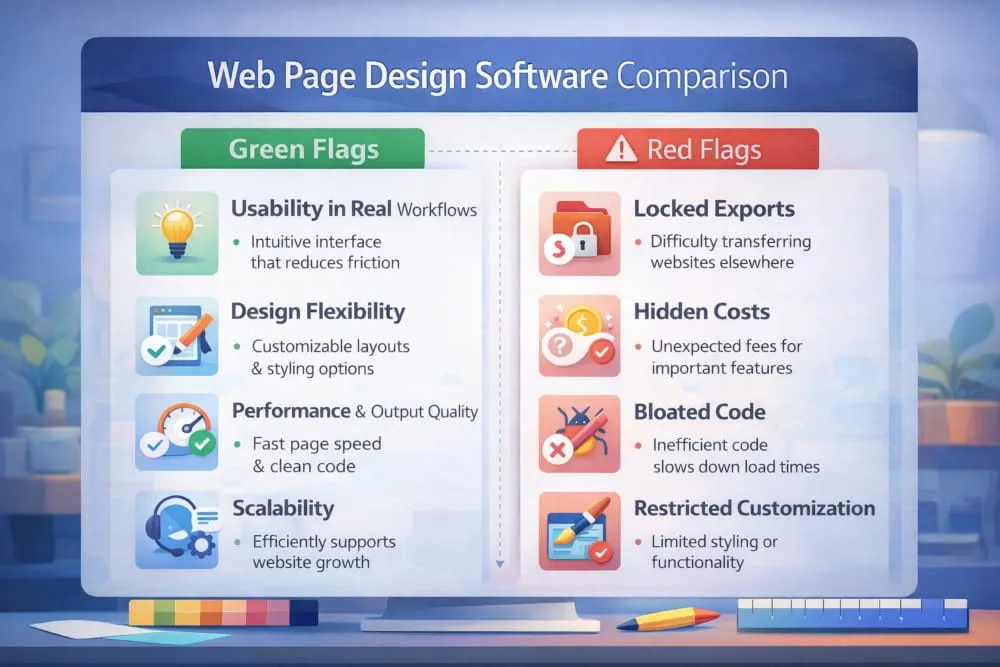
A structured web page design software comparison allows you to assess usability, flexibility, output quality, and long-term value. Instead of focusing on marketing claims, it is far more effective to analyze how software performs during everyday workflows such as designing layouts, managing updates, and publishing pages.
Well-informed decisions often come from studying credible web page development software reviews, testing platforms firsthand, and identifying patterns in user experiences.
What to Look for in Web Page Design Software Reviews
Not all reviews provide equal insight. The most valuable ones move beyond surface-level impressions and evaluate how software functions over time. When reviewing website page design software, focus on factors that directly affect productivity and site quality.
1. Usability in Real Workflows: Strong reviews explain whether the interface feels intuitive after extended use, not just during initial setup. Software should reduce friction, not introduce it.
2. Design Flexibility: Look for commentary on layout freedom, styling options, and the depth of customization. The best platforms allow creativity without forcing rigid structures.
3. Performance and Output Quality: Reviews that discuss page speed, responsiveness, and code cleanliness are especially helpful. These technical elements impact user experience and long-term maintainability.
4. Scalability: A tool that works well for small projects should also support growth. Insightful reviewers often highlight whether a platform remains efficient as websites expand.
5. Support and Ecosystem: Documentation, community resources, and update frequency can significantly shape your experience. Reliable support signals that the platform is built for longevity.
When reading multiple website page design software reviews, consistency is key. If several experienced users highlight the same strengths, those benefits are likely dependable.
Red Flags: Locked Exports, Hidden Costs, Bloated Code
Just as positive signals guide good decisions, recognizing warning signs can prevent future frustration. Even software that initially appears to be the best website page design software may reveal limitations when you look more closely.
Locked Exports: Some platforms make it difficult to move your website elsewhere. Limited export capabilities can reduce flexibility and create dependency on a single provider.
Hidden Costs: Pricing structures are not always transparent. Features such as custom domains, advanced integrations, or increased storage may require upgrades that are not immediately obvious.
Bloated Code: Inefficient code can slow page load times and complicate maintenance. While this detail often goes unnoticed by beginners, it can significantly impact performance as your site grows.
Restricted Customization: Tools that limit styling or functionality may hinder your ability to evolve the website over time.
Evaluating software through careful comparison and credible feedback helps ensure you select a platform that aligns with both your current needs and future ambitions. A single feature rarely defines the best website page design software; it is identified through consistent performance, transparent pricing, and the ability to support your creative vision without unnecessary constraints.
By approaching reviews strategically rather than casually, you position yourself to make confident choices and build on a foundation designed for long-term success.
Download & Setup Guide (Safe Downloading + First Steps)
Downloading the best web page design software is often the moment when research turns into action. Whether you are installing a desktop application or accessing a browser-based platform, taking a thoughtful approach ensures that your setup is secure, efficient, and ready to support your projects from day one.
Because many tools advertise quick installation or a free download, it is important to look beyond convenience and prioritize safety, authenticity, and long-term reliability. A careful start can prevent technical issues while protecting your data and workflow.
Web Page Development Software Download: Safety Checklist
Before downloading any website page design software, confirm that the source is trustworthy. Software plays a central role in your website creation process, so downloading from verified channels is essential.
Follow this safety checklist:
- Use official websites only. Avoid third-party download portals that may bundle unwanted files.
- Verify publisher authenticity. Trusted providers clearly display company information and support resources.
- Check system compatibility. Ensure the software is compatible with your operating system and hardware.
- Review update frequency. Actively maintained tools typically offer better security and performance.
- Look for secure connections. Official platforms use encrypted connections for safer downloads.
These simple precautions help ensure that your chosen tool supports, rather than disrupts, your web design workflow.
Web Page Design Software Free Download: What Full Version Usually Means
You may encounter offers for a free full version download of web page development software, but understanding what this phrase means can help you set realistic expectations.
In many cases, full version refers to one of the following:
- Free trials: Temporary access to premium features that allow users to evaluate the platform.
- Freemium models: Core functionality is free, with advanced capabilities available through upgrades.
- Open-source software: Fully accessible tools maintained by developer communities.
Options such as free software downloads are particularly valuable for beginners who want to explore features before making a financial commitment. Similarly, developers often look for free HTML website page design software to test code-focused environments.
Rather than focusing solely on cost, consider whether the software can grow with your needs. The best free web page development software is one that remains reliable as your projects grow, not just during the trial phase.
Starter Workflow: Design → Preview → Publish
Once installation is complete, establishing a clear workflow helps you move from concept to live website with confidence. Most modern platforms follow a structured process that balances creativity with technical accuracy.
1. Design
Begin by selecting a layout or template that matches your project goals. Customize typography, colors, and structure while keeping usability in mind.
2. Preview
Always test your pages before publishing. Preview modes allow you to evaluate responsiveness, navigation, and visual consistency across devices.
3. Publish
When everything is optimized, connect your domain or hosting provider and make the site live. Many platforms streamline this step, while others offer export options for independent deployment.
Adopting this workflow early encourages consistency and reduces the likelihood of errors.
Downloading software is more than a technical step; it is the foundation of your entire website creation process. By choosing a secure source, understanding what free truly offers, and following a structured setup routine, you position yourself to get the most from the best website page development software and build with clarity from the very beginning.
Best Website Page Design Software (Top Picks by Use-Case)
A single feature does not define the best web page design software; it is defined by how well a tool supports your specific workflow. Some platforms excel in simplicity, helping new users build confidently, while others provide advanced customization for professionals managing complex projects.
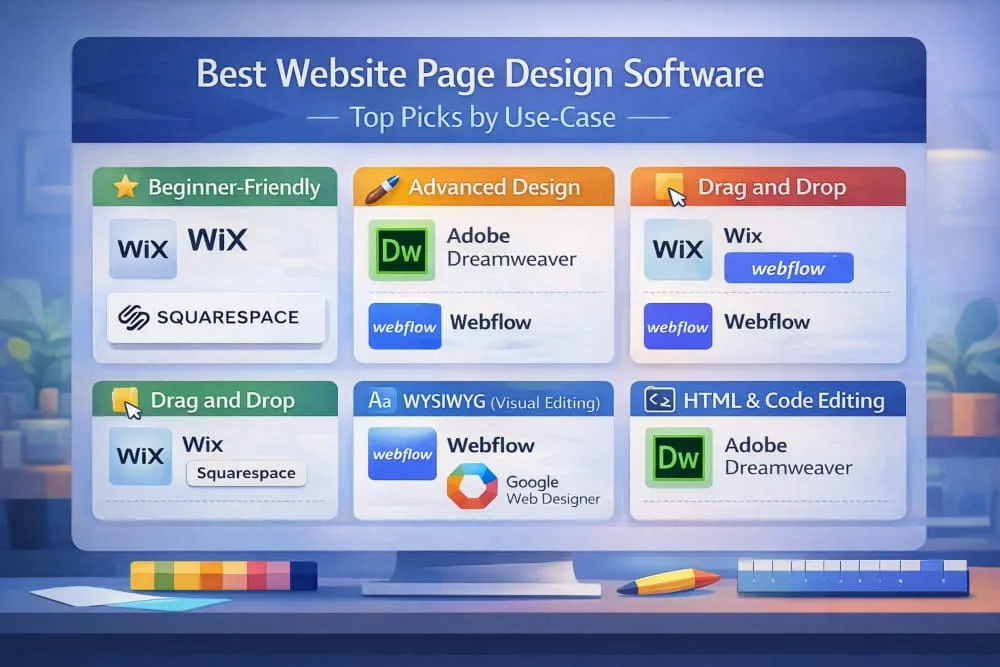
By focusing on use cases rather than popularity alone, you can identify software that aligns with your experience level, creative expectations, and long-term goals.
Easiest Web Page Development Software for Beginners
For those entering the world of website creation, usability should be the top priority. The easiest website page design software reduces technical barriers. It replaces complexity with guided workflows, enabling you to create polished pages without prior experience.
Platforms like Wix and Squarespace are widely recognized as reliable web page design software for beginners because they emphasize visual editing and structured layouts. Their interfaces are designed to feel intuitive, allowing users to focus on content and design rather than configuration.
Why these tools work well for beginners:
- Minimal learning curve
- Pre-designed templates
- Visual customization
- Built-in hosting and publishing
- Predictable editing environments
If your goal is to launch quickly without deep technical involvement, choosing easy to use design software can significantly reduce friction and build confidence.
Best Professional Web Page Development Software for Advanced Control
Experienced designers and developers often require software that prioritizes flexibility and performance. Professional-grade platforms enable deeper customization while supporting scalable website architecture.
Adobe Dreamweaver and Webflow frequently stand out in this category. Dreamweaver offers strong code editing capabilities alongside visual tools, while Webflow blends design precision with production-ready output.
Ideal for professionals who need:
- Detailed layout control
- Advanced styling options
- Clean structural output
- Integration flexibility
- Scalable workflows
The best professional web page software should function as a productivity enhancer, empowering creativity without imposing unnecessary limitations.
Best Drag and Drop Web Page Design Software (Speed + Simplicity)
When efficiency matters, drag-and-drop web page development software offers one of the fastest paths from concept to a live page. By allowing users to place elements directly onto a canvas, these platforms streamline the design process without requiring manual coding.
Tools such as Wix and Webflow demonstrate how modern drag-and-drop systems can balance speed with creative control.
Key advantages include:
- Rapid layout creation
- Visual hierarchy control
- Reduced technical overhead
- Accessible editing experience
This approach is particularly valuable for entrepreneurs, marketers, and small teams that need professional results within shorter timelines.
Best WYSIWYG Web Page Design Software (Visual Editing)
WYSIWYG web page design software, short for What You See Is What You Get, enables users to design pages exactly as they will appear once published. This visual-first workflow minimizes guesswork and helps maintain design consistency.
Platforms like Webflow and Google Web Designer illustrate how far visual editing has evolved, supporting responsive layouts and interactive elements while preserving structural integrity.
Best suited for users who:
- Prefer design over code
- Want real-time visual feedback
- Value layout accuracy
- Aim for consistent styling
The strength of WYSIWYG tools lies in their ability to bridge creativity and functionality, making them appealing to users at all skill levels
Best HTML Web Page Design Software (Code-First Flexibility)
For users who prioritize precision, HTML web page development software provides unmatched control over structure and performance. Instead of relying solely on visual editors, these tools let you interact directly with code, resulting in highly customized, optimized websites.
Adobe Dreamweaver and advanced code editors are often chosen by developers who want to fine-tune every aspect of a project.
HTML-focused platforms are ideal if you:
- Want full customization
- Care deeply about performance
- Need advanced integrations
- Prefer a code-first workflow
While the learning curve may be higher, the payoff is flexibility that can support even the most sophisticated web experiences.
Choosing the best web page software ultimately means selecting a tool that complements your workflow. Beginners benefit from simplicity and structure, while professionals often seek depth and control.
By matching software capabilities to your use-case, you create a foundation that supports not only your current projects but also your future growth, ensuring your design process remains efficient, adaptable, and aligned with your evolving digital goals.
Best Free Web Page Design Software (What You Get, What You Don’t)
Starting with the best web page design software does not always require a financial commitment. Many modern platforms offer free plans that provide enough functionality to design, test, and publish professional-looking websites. However, understanding what these free tools include and what they intentionally limit is essential for making a smart long-term decision.
Free software can be an excellent entry point for beginners, entrepreneurs, and creators experimenting with new ideas. At the same time, knowing where restrictions may appear helps you avoid surprises as your website grows.
Best Free Web Page Design Software (Overall)
The strongest free platforms strike a balance between usability and capability. They allow users to create responsive pages, customize layouts, and explore core features without feeling overly constrained.
Webflow, Wix, and WordPress.com are frequently recognized among the best free options because they provide structured editing environments and reliable infrastructure.
What you typically get:
- Visual editing tools
- Mobile-responsive templates
- Hosting on a platform subdomain
- Access to core design features
- A safe environment for learning
What may be limited:
- Custom domain connections
- Advanced integrations
- Expanded storage or bandwidth
- Removal of platform branding
For many users, free plans are less about permanence and more about exploration, helping you identify which platform could become your long-term design solution.
Free WYSIWYG Web Page Design Software (Visual Editors)
Free WYSIWYG website page design software appeals to users who want a visual-first workflow. Because edits appear exactly as they will on the live site, these tools reduce guesswork and accelerate the design process.
Platforms such as Webflow and Google Web Designer demonstrate how capable visual editors have become. They support layout precision while still offering flexibility for interactive elements.
Why visual editors stand out:
- Real-time design feedback
- Lower technical barrier
- Faster production cycles
- Consistent styling
This makes them especially valuable for creators who prefer focusing on design rather than code.
Free Web Page Design Software for Beginners (Low Learning Curve)
If you are new to website creation, the ideal tool should feel approachable rather than overwhelming. The best free website page design software for beginners emphasizes clarity, guided workflows, and predictable editing experiences.
Wix is often highlighted for its intuitive interface, while WordPress.com offers structured customization that scales gradually as skills develop.
Beginner-friendly platforms typically provide:
- Drag-and-drop editing
- Pre-built templates
- Simple navigation
- Helpful onboarding resources
Starting with a low-friction platform allows you to build confidence while developing foundational design skills.
Freeware vs Open Source (Differences That Matter)
Although both models eliminate upfront costs, freeware and open-source software serve different purposes, and understanding the distinction can influence your long-term strategy.
Freeware refers to proprietary software offered at no cost. It is often polished and easy to use, but may include restrictions designed to encourage upgrades.
Open source, on the other hand, provides access to the underlying code. This enables deeper customization and greater independence, though it may require more technical familiarity.
Key differences include:
- Control: Open source offers greater flexibility, while freeware typically operates within a defined ecosystem.
- Customization: Open source platforms allow modification; freeware tools often limit structural changes.
- Support: Freeware usually includes official support channels, whereas open-source projects rely heavily on community resources.
- Ease of Use: Freeware often prioritizes simplicity, while open source tools may involve a steeper learning curve.
Free software is no longer just a temporary workaround; it has become a legitimate pathway into professional web design. The key is selecting a platform that supports your current needs while leaving room for expansion.
Ultimately, the best website page design software is not determined solely by price but by how effectively it enables you to design, adapt, and grow. By understanding what free tools offer and where their boundaries lie, you can move forward with clarity and build on a foundation designed for progress.
Conclusion
Finding the best web page design software is ultimately about alignment, choosing a platform that fits your workflow, supports your creativity, and scales alongside your ambitions. With today’s diverse tool ecosystem, there is no single solution that works for everyone. Instead, the right choice depends on your experience level, project complexity, and long-term goals.
Throughout this guide, we explored how modern web page development software ranges from beginner-friendly visual editors to advanced code-based environments. Some platforms prioritize speed and simplicity, while others focus on customization and technical precision. Understanding these distinctions allows you to make a decision grounded in strategy rather than impulse.
If you are starting, intuitive builders and structured templates can help you launch confidently without unnecessary friction. More experienced users may benefit from software that offers deeper control, cleaner output, and greater flexibility. Meanwhile, free tools offer an accessible entry point, and open-source platforms appeal to those who value independence and adaptability.
It is also worth remembering that your needs will evolve. The software that feels ideal today should still support you as your website grows, whether that means expanding functionality, improving performance, or refining the user experience.
Rather than searching for the perfect tool, focus on selecting one that removes barriers and empowers progress. The best platforms are not just design tools; they become reliable partners in your digital journey.
By applying the frameworks, comparisons, and recommendations outlined in this guide, you are well-positioned to choose the best web page design builder for your situation and, more importantly, to build websites that are visually compelling, technically sound, and prepared for the future.
Frequently Asked Questions (FAQ’s)
What is the best free web page Development software?
The best free website page design software offers visual editing, responsive templates, and reliable publishing tools, all without requiring payment. Platforms such as Wix, Webflow, and WordPress.com are widely recognized for balancing usability with functional depth. The right choice depends on whether you prioritize simplicity, customization, or scalability.
What is web page Development software, and do beginners need it?
Website page design software is a tool that enables users to create, structure, and publish websites through visual editors or code-based environments. Beginners benefit from it because it simplifies layout creation, styling, and responsiveness without requiring advanced technical knowledge. These platforms reduce complexity and support faster learning.
Which is better: WYSIWYG or HTML website page design software?
Neither is universally better; the choice depends on workflow preferences and technical skill. WYSIWYG software lets users design pages visually with real-time previews. At the same time, HTML-based tools offer deeper control over structure and performance. Visual editors suit beginners, whereas code-focused environments support advanced customization.
Is offline website page design software still worth it?
Yes, offline website page design software remains valuable for users who want full control over files and independence from internet connectivity. Local tools support flexible hosting choices and direct project ownership. They are particularly useful for developers and professionals managing complex websites.
What’s the easiest website page design software to learn?
The easiest website page design software features intuitive interfaces, drag-and-drop functionality, and guided templates. Platforms like Wix and Squarespace are often considered beginner-friendly because they minimize technical barriers. Clear navigation and structured editing environments accelerate the learning process.
Can you build a professional website using free website page design software?
Yes, free website page design software can produce professional-looking websites with responsive layouts and modern design elements. Many platforms include essential tools for customization, publishing, and content management. Limitations may appear in advanced features, but core functionality is sufficient for many projects.
Do you need coding skills to use website page design software?
No, coding skills are not required for many modern web page design platforms. Visual builders allow users to design pages through graphical interfaces while the underlying code is handled automatically. Coding knowledge becomes beneficial when deeper customization or optimization is needed.
What features should you look for in the best website page design software?
The best website page design software should offer responsive design tools, flexible layouts, clean output, and reliable publishing options. Ease of use, scalability, and performance are critical evaluation factors. Strong template libraries and customization controls further improve long-term usability.
Is website page design software online better than offline tools?
Online website page design software provides accessibility, automatic updates, and easier collaboration across devices. Offline tools offer greater control, portability, and independence from platform ecosystems. The better option depends on whether convenience or ownership is the higher priority.
How do you choose the best website page design software for your needs?
Choose the best website page design software by aligning the platform with your skill level, project scope, and workflow preferences. Evaluate usability, customization capabilities, performance, and future scalability before deciding. A structured comparison ensures the software supports both current requirements and long-term growth.


)