
If you’re relying on manual exports, copy-pasting orders into accounting tools, or reconciling inventory across channels by hand, your store isn’t just inefficient, it’s exposed to errors that quietly drain revenue. The right WooCommerce integrations connect your storefront to finance, sales, fulfillment, and analytics so operations scale cleanly as order volume grows.
What WooCommerce Integration, Really Means
A WooCommerce integration is the technical connection that moves data between WooCommerce and another system (accounting, CRM, ERP, marketplace, email automation, shipping, or analytics). The goal is consistent, automated data flow, without manual steps.
A practical integration with WooCommerce typically needs:
- Reliable data mapping (orders, customers, refunds, taxes, shipping)
- Clear ownership of ,source of truth, (which system controls inventory, customer profiles, or pricing)
- Error handling (failed syncs, duplicate records, missing fields)
- Ongoing maintenance (updates, API changes, and scaling)
For businesses with multiple tools, choosing the right approach is as important as the tool selection. That’s where a WooCommerce development company’s approach differs from ,install-and-hope, plugin setups.
 WooCommerce Integrations List by Business Function
WooCommerce integrations work best when they’re organized by business function, not by plugin names. This section groups the most common WooCommerce integrations by what they actually support: accounting, payments, CRM, ERP, email marketing, marketplaces, shipping, and analytics, so you can quickly identify which connections matter for your workflows. Use this WooCommerce integrations list to map your current tools, spot gaps, and prioritize integrations that reduce manual work and improve reporting accuracy.
Below is a focused WooCommerce integrations list aligned to how businesses actually operate.
Integration Architecture: Define Your ,Source of Truth, Before You Sync Anything
Before you connect tools, you need a clear integration architecture. The most common integration failures don’t come from the connector itself; they come from unclear ownership. When multiple platforms can edit the same data, you get conflicting updates, duplicates, and reporting drift that becomes harder (and more expensive) to fix as you scale.
As a WooCommerce web development agency, Apso Tech helps businesses establish ,source of truth, rules early, so integrations remain stable, predictable, and easier to manage over time. This approach is especially important when implementing WooCommerce integrations across ERP, CRM, accounting, and multi-channel marketplaces.
Inventory Source of Truth
Inventory is where integration mistakes show up fastest, usually as overselling, stockouts, and warehouse confusion. To avoid ,split-brain, inventory, you need to define which system owns stock and availability.
A reliable approach sets one clear owner:
- ERP is the source of truth when inventory is managed across warehouses, purchasing, and fulfillment
- Marketplace ownership when channel inventory rules dominate (rare, but possible in specific operational models)
- WooCommerce ownership for simpler stores where inventory is primarily managed in the storefront
The key is preventing two systems from updating stock at the same time. When both an ERP and a marketplace push inventory updates into WooCommerce (or vice versa), stock levels drift, and operational trust collapses. This is why WooCommerce integration tools prevent overstocking and overselling, and should be treated as a planning requirement, not just a plugin feature.
Customers ,Source of Truth,
Customer data is the foundation for sales, support, and lifecycle marketing. Without clear customer ownership rules, integrations often create duplicates, especially when guest checkouts, email changes, or multiple tools are trying to ,own, the customer record.
Define one primary system for customer identity:
- CRM ownership for sales-led organizations that require pipeline visibility and account-level tracking
- Email platform ownership when segmentation and lifecycle automation are the central strategy
- WooCommerce ownership when the store is the master record, and downstream tools receive synced profiles
A strong strategy focuses on deduplication and matching rules so customer updates don’t conflict across systems. For businesses using woocommerce crm integration and email automation together, Apso Tech often recommends governance-first mapping, or, when needed, a more controlled approach using woocommerce api integration to reduce duplication risk.
Financials Source of Truth
Financial data needs to be consistent across orders, refunds, taxes, shipping, discounts, and payouts. If ownership is unclear, your systems will disagree, creating reconciliation issues that typically surface at month-end.
For most businesses, the accounting platform should be the financial source of truth:
QuickBooks/Xero/Sage ownership for the chart of accounts structure, tax categorization, revenue recognition logic, and reconciliation workflows
WooCommerce should feed clean, structured transaction data into accounting, while accounting remains the authoritative system for financial reporting. This is why a properly designed WooCommerce QuickBooks integration, WooCommerce Xero integration, or WooCommerce Sage integration needs more than connectivity: it needs consistent mapping rules, refund handling logic, and alignment between order timing and payout timing.
Accounting Integrations: QuickBooks, Xero, and Sage (Where Mistakes Get Expensive)
Does WooCommerce Integrate With QuickBooks?
Yes, whether WooCommerce integrates with QuickBooks is one of the most common questions we hear, because accounting is where even small sync issues become costly. When order data doesn’t flow cleanly, teams end up chasing discrepancies at month-end, misstated revenue, incorrect tax totals, duplicated customers, and ,mystery, payout differences that take hours to reconcile.
A reliable WooCommerce QuickBooks integration should consistently support the financial realities of eCommerce, including:
- Sales receipts/invoices: Accurate posting by order status and payment state
- Refunds and partial refunds: Correct adjustment of revenue, tax, and fees
- Taxes, shipping, and discounts: Proper categorization so reports remain trustworthy
- Customer records (without duplication): Clean customer creation rules and matching logic
- Payout timing vs. order timing: Aligning payouts with orders so revenue reporting matches real cash movement
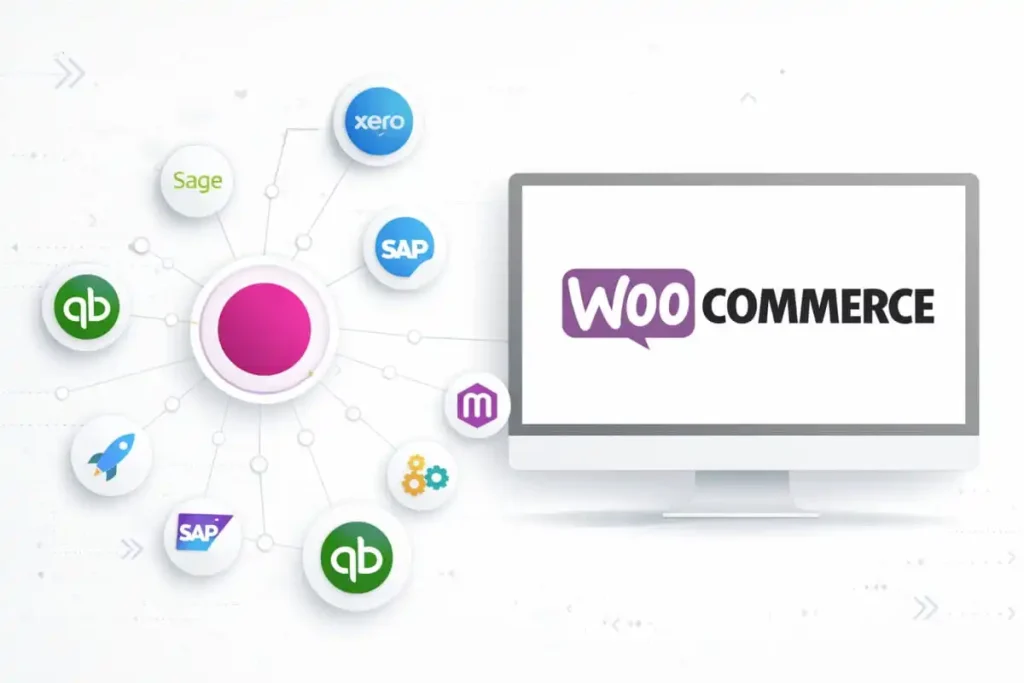
QuickBooks Online vs. Desktop
For most growing stores, WooCommerce QuickBooks Online integration is preferred because it aligns with cloud-based operations, supports remote teams, and typically offers smoother ongoing maintenance.
That said, WooCommerce QuickBooks Desktop integration can be a strong fit for organizations committed to Desktop, especially when internal processes and reporting are already built around it. The key is making sure the integration accounts for Desktop’s file-based environment and maintains stable sync behavior over time.
If you’re researching how to integrate WooCommerce with QuickBooks, the right approach depends less on the connector brand and more on your operational complexity, transaction volume, tax requirements, refund frequency, and how you manage chargebacks.
Xero and Sage Considerations
A well-implemented WooCommerce Xero integration starts with clarity: which platform ,owns, key records like customers and chart-of-accounts mapping. Without that governance, stores often face inconsistent reporting and duplicate entries that undermine financial visibility.
Similarly, WooCommerce Sage integration requires careful attention to field mapping and reconciliation rules. At higher order volumes, it’s not the initial setup that causes problems; it’s what happens when edge cases pile up: split shipments, partial refunds, tax adjustments, and payment timing differences.
If you’re preparing a buyer-focused section, top WooCommerce QuickBooks integration tools 2026 can help align with search intent. Just remember: tools matter, but the integration design and data rules are what determine whether your books stay accurate as you scale.
Payment Integrations: Reduce Checkout Friction Without Breaking Reporting
Payment is one of the most important conversion points in any WooCommerce store, but it’s also one of the most common sources of reporting inconsistencies. A smooth checkout experience is only half the job. The real goal is a payment setup that improves conversion and keeps your finance data clean from purchase to payout.
For businesses working with a WooCommerce web development agency, payment integration should be treated as part of the store’s core architecture, not a last-minute plugin decision. It directly affects customer experience, order processing, refunds, reconciliation, and financial reporting.
 Payment Integration vs. Payment Gateway Integration
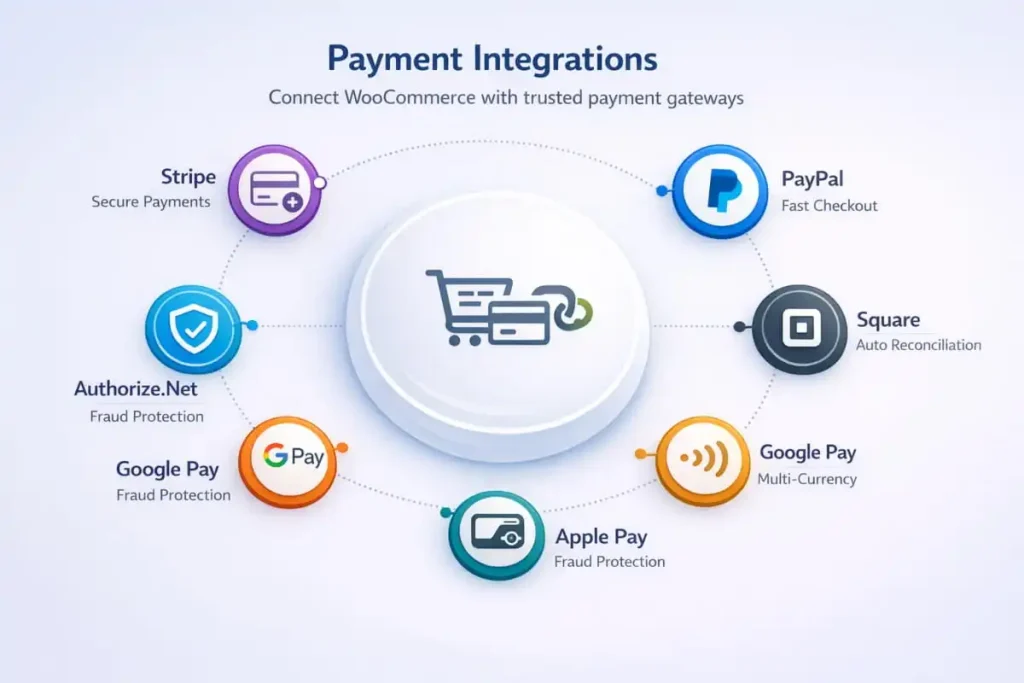 Payment Integration vs. Payment Gateway Integration
A WooCommerce payment integration is the full payment ecosystem: the gateway connection plus the workflows and reporting alignment that ensure orders, refunds, fees, and payouts remain accurate across systems.
A WooCommerce payment gateway integration is narrower; it focuses on connecting WooCommerce to the payment processor so customers can complete transactions.
For growing stores, the difference matters. If your payment setup only works at checkout but breaks reporting later, you’ll see ,phantom, discrepancies in revenue, fees, tax totals, and payout matching.
Common Payment Stack Choices
Most modern WooCommerce stores rely on proven processor options, implemented with stability and performance in mind:
- WooCommerce Stripe integration for flexible card payments, modern checkout experiences, and scalable transaction handling
- woocommerce square integration when Square is central to operations, especially for teams that need consistent reporting across sales channels
A reliable WooCommerce development company in the USA will also validate how payment events map into order states, so your store’s backend workflows reflect what’s actually happening financially.
The Biggest Risk: Reporting Mismatches (Not Checkout Errors)
The most expensive failures usually don’t happen at checkout. They happen afterward, when payment provider payouts don’t align with accounting records due to:
- Refunds and partial refunds
- Disputes and chargebacks
- Split shipments or partial captures
- Differences between ,order date, and ,payout date.,
This is why payment integration needs to be designed alongside your accounting and operations workflows. Apso Tech approaches payments as a full system, optimizing checkout performance while ensuring your reporting stays consistent as order volume grows.
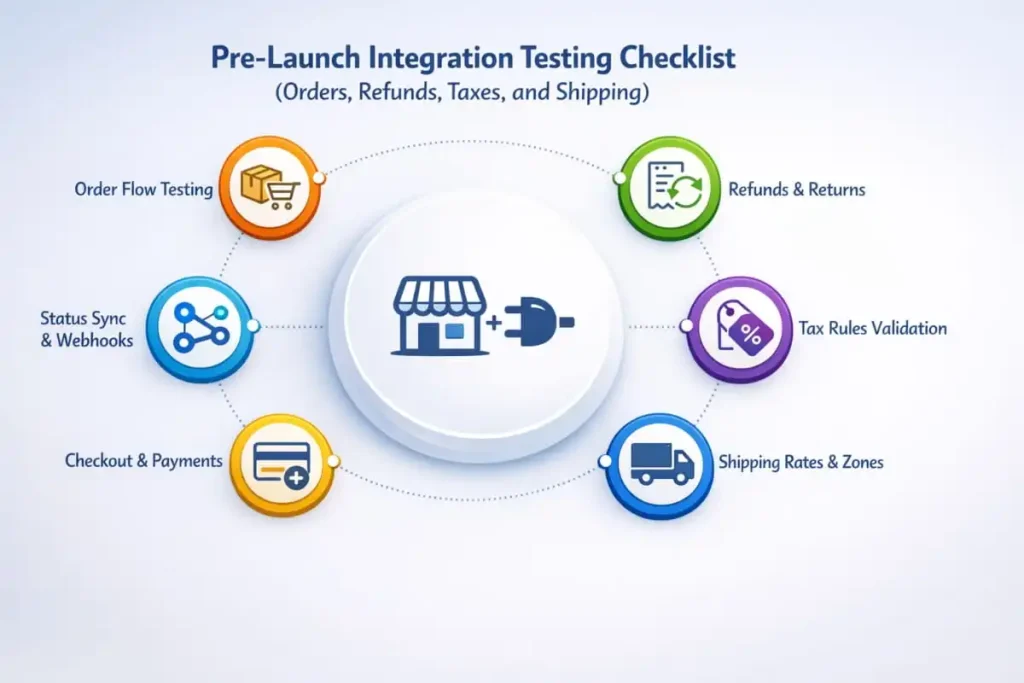
Pre-Launch Integration Testing Checklist (Orders, Refunds, Taxes, and Shipping)
Integrations shouldn’t go live on hope. Most ,it worked yesterday, issues happen because stores launch without testing the real scenarios that drive revenue, customer experience, and reporting accuracy. A pre-launch checklist helps you validate data flow across systems before customers feel the impact, and before your team is forced into emergency fixes.
As a WooCommerce web development agency, Apso Tech treats integration testing as part of the development lifecycle, not a last-minute task. Within our WooCommerce Website Development Services, we validate core workflows across WooCommerce integrations so your store can scale with confidence from day one.
Test Orders End-to-End
Start with the ,happy path, and confirm every connected system receives the right data at the right time:
- New order → paid → fulfilled → completed
- Validate order totals, taxes, shipping, discounts, and customer details
- Confirm order status logic updates correctly across tools
- Ensure inventory updates behave as expected (especially in multi-channel setups)
The goal is simple: one order should produce one clean record everywhere, without delays, duplicates, or missing fields.
Test Refunds and Partial Refunds
Refunds are where integrations often break, especially when partial refunds and mixed fulfillment are involved. Before launch, test:
- Full refunds, partial refunds, and canceled orders
- Refund timing (same day vs later)
- How refunds affect taxes, shipping charges, discounts, and fees
- Whether financial tools and CRM/email tools reflect the correct customer status and value
Confirm the correct sync behavior across tools so refunds don’t create incorrect revenue totals, double entries, or mismatched customer lifetime value.
Test Taxes, Shipping, and Discounts
Taxes, shipping, and promotions are common sources of ,dashboard disagreement, because different platforms handle them differently. Validate:
- Taxes, shipping, discounts, and coupon logic
- Shipping methods and rate rules (including free shipping thresholds if used)
- Coupon edge cases (percentage vs fixed, category-based discounts, exclusions)
Then confirm values match downstream systems, especially accounting platforms, so reporting remains consistent after launch.
Create a Rollback Plan
Even well-built integrations can hit unexpected edge cases once live traffic begins. A rollback plan prevents small issues from becoming business disruptions.
Define in advance:
- What you’ll do if sync creates duplicates or mismatched totals
- How you’ll pause sync safely without losing orders or inventory accuracy
- Who owns troubleshooting across each system (and escalation steps)
- How will you clean up data if records were created incorrectly
This is one of the biggest differences between ,connector installs, and a development-led approach. A WooCommerce website development agency, USA, reduces risk by planning for recovery, not just deployment, so your integrations stay stable during launch and as your store scales.
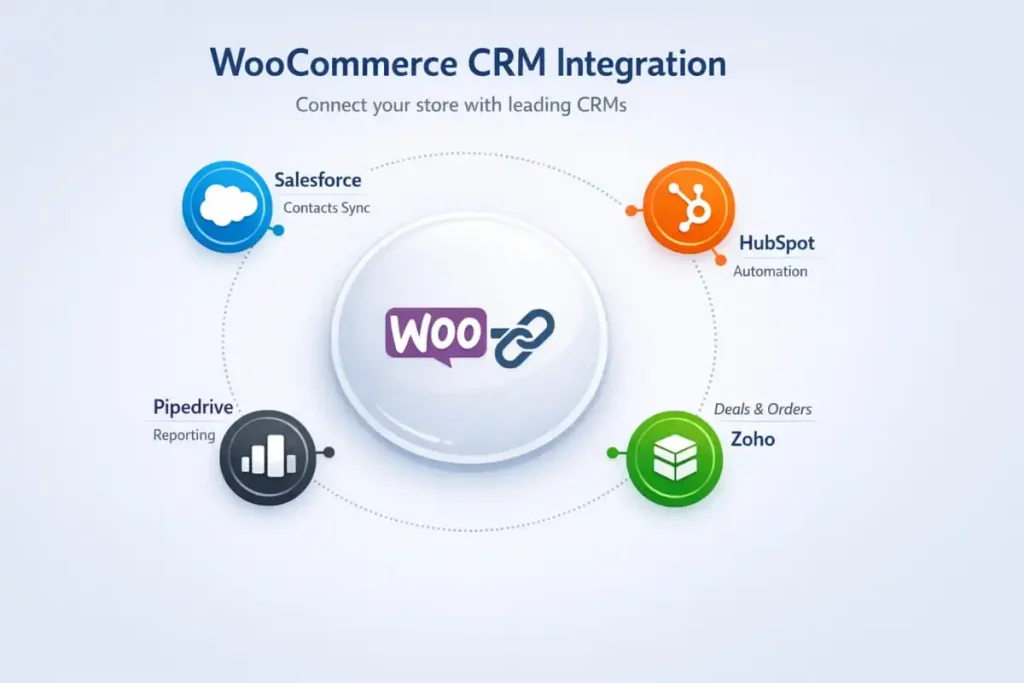
CRM Integrations: Align Sales and Support With Real Customer Data
Your CRM should reflect what’s actually happening in your WooCommerce store, who your customers are, what they’ve bought, how often they return, and where they are in the lifecycle. When CRM data is incomplete or duplicated, sales teams lose pipeline clarity, support teams miss context, and marketing automation segments the wrong audience.
That’s why CRM work is rarely ,just a plugin., A reliable integration is a systems project, one that benefits from a WooCommerce web development agency that understands data mapping, workflow design, and how WooCommerce behaves under real-world conditions. As a WooCommerce website development agency in the USA, Apso Tech approaches CRM connections as part of a broader build strategy that supports growth, reporting accuracy, and long-term stability.
Salesforce and HubSpot
For B2B stores, subscription models, and teams managing complex pipelines, CRM integrations can produce a measurable revenue impact when the underlying data rules are correct.
- Salesforce to WooCommerce integration typically require strict field mapping and strong deduplication logic. Without it, you’ll see multiple customer profiles for the same buyer, inconsistent account ownership, and unreliable pipeline reporting.
- WooCommerce HubSpot integration are often built around lifecycle stages, segmentation, and customer-level purchase history, so marketing, sales, and support are working from one source of truth.
The key is defining what should sync (and when), and ensuring that order states, refunds, and customer updates don’t create conflicting records across platforms.
Zoho and Pipedrive
For teams that need streamlined sales enablement without unnecessary complexity, Zoho and Pipedrive can be strong options.
- WooCommerce Zoho CRM integration is effective when your priority is a unified customer view across sales and support, especially when sales teams need quick context for follow-ups.
- WooCommerce Pipedrive integration is commonly used when pipeline visibility and clean handoffs matter more than deep marketing automation functionality.
When CRM Is Mission-Critical: Prioritize Governance and API Stability
If your CRM is central to revenue operations, stacking multiple connectors can introduce long-term risk, especially when different apps try to ,own, customer data. In these cases, a custom approach using woocommerce api integration can be safer and more scalable, with clear rules for:
- Customer identity matching and deduplication
- Order-to-contact/account mapping
- Lifecycle stage updates based on real purchase behavior
- Exception handling for refunds, disputes, and canceled orders
This is where working with a WooCommerce development company in the USA makes a difference: you’re not just connecting tools, you’re designing a reliable data foundation that supports sales performance, support quality, and predictable reporting as your store grows.
ERP Integrations: NetSuite and Beyond for Real Operational Control
As order volume grows, ERP integration stops being a ,nice-to-have, and becomes the backbone of operational accuracy. Inventory, fulfillment, purchasing, and financial reporting all depend on consistent data. When systems fall out of sync, the impact shows up fast: overselling, delayed fulfillment, incorrect tax handling, and reporting that stakeholders can’t trust.
That’s why Apso Tech approaches ERP work the way a WooCommerce web development agency should: as an integration architecture project, not a plug-and-play add-on. We help brands design WooCommerce builds that support ERP governance from day one, so operational control improves as the business scales.
ERP Sync Is Not ,Set It and Forget It,
A dependable WooCommerce ERP integration prevents mismatches across inventory, fulfillment, and finance. The larger the operation, the more your ERP must act as the ,source of truth,, especially for product masters, pricing rules, tax logic, and fulfillment workflows.
In practice, ERP integration succeeds when you define:
- Which platform owns the inventory and availability
- How orders move through statuses (paid, processing, shipped, refunded, canceled)
- How returns and exchanges affect stock and financial entries
- How taxes, discounts, shipping, and fees map into ERP structures
Without those rules, even a ,working, connector can slowly create data drift that becomes costly to fix.
NetSuite + WooCommerce: Governance Matters More Than the Connector
For scaling teams, NetSuite WooCommerce integration and WooCommerce NetSuite integration typically require stronger governance than most mid-market tools. This includes:
- Item masters and product structure: ensuring SKU rules, variants, bundles, and assemblies map consistently
- Tax rules and financial mapping: avoiding mismatched tax calculations or incorrect posting logic
- Order state logic: syncing order statuses in a way that matches how your warehouse and finance teams actually operate
This is where a WooCommerce development company usa with systems integration experience adds real value: the data model matters more than the connector brand.
Handling Real-World Complexity: Shipments, Backorders, Returns
A true ERP WooCommerce integration must account for edge cases that happen every day in eCommerce:
- Partial shipments and split fulfillment
- Backorders and multi-location inventory
- Returns and refunds that affect both stock and financial reporting
If these scenarios aren’t addressed up front, inventory becomes unreliable, and teams lose confidence in the numbers, often leading to manual workarounds that ERP integration was meant to eliminate.
Product Data Control Across Channels: When PIM Becomes Essential
As catalogs expand, product data management becomes its own operational challenge. A WooCommerce PIM integration becomes important when you need structured control over:
- Attributes, specifications, and variant rules
- Channel-specific product content
- Consistent product data across marketplaces and storefront experiences
When implemented correctly, PIM reduces content errors, improves merchandising speed, and helps maintain consistency across sales channels without constant manual edits.
How Apso Tech Supports ERP-Ready WooCommerce Builds
ERP integration works best when it’s planned alongside store development, not bolted on after launch. Apso Tech helps businesses design ERP-aligned workflows, implement stable integrations, and support long-term scalability, so your store and ERP operate as one system as you grow.
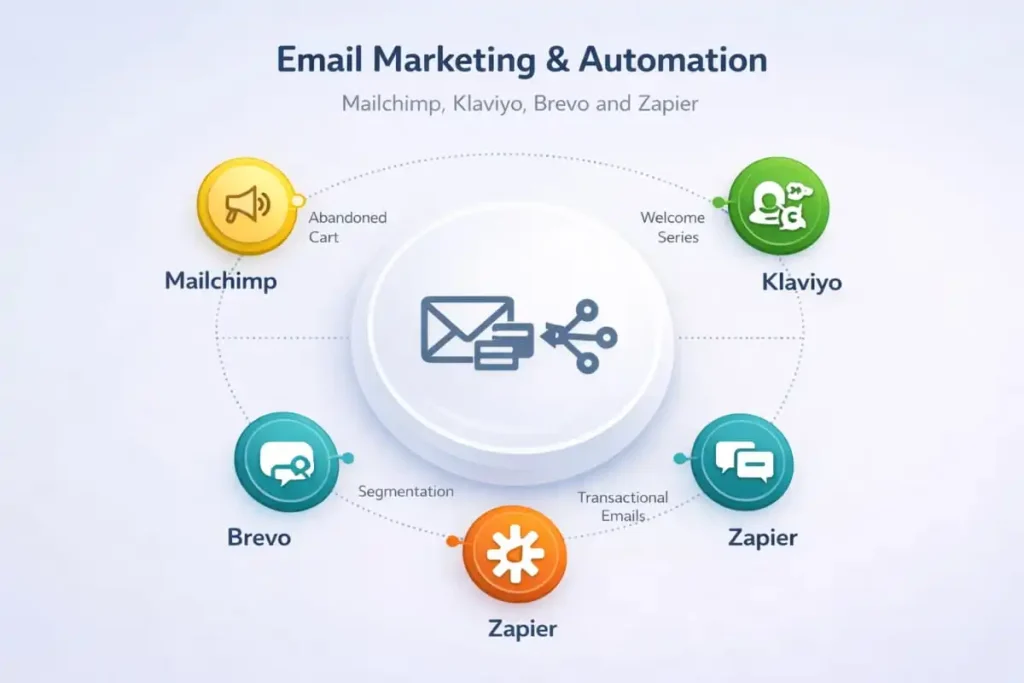
Email Marketing & Automation: Mailchimp, Klaviyo, Brevo, and Zapier
Email remains one of the highest-ROI channels in eCommerce, but only when your data is accurate. If your customer lists are out of sync, segments are messy, or purchase events fire inconsistently, even the best campaigns will underperform. A strong automation foundation ensures that every email is triggered by the right behavior, sent to the right audience, and measured correctly.
Apso Tech treats email integrations as part of the store’s growth infrastructure, not a standalone plugin install. We implement automation-ready setups that keep customer profiles, order events, and segmentation reliable as your store scales.
Mailchimp + WooCommerce
 Mailchimp + WooCommerce
Whether you search for WooCommerce Mailchimp integration, WooCommerce integration with Mailchimp, integrate Mailchimp with WooCommerce, or integrate WooCommerce with Mailchimp, the objective is the same: consistent customer and order data that powers meaningful lifecycle automation.
A well-implemented Mailchimp connection should deliver:
- Accurate customer sync: clean subscriber creation, updates, and suppression handling
- Clean segmentation: new vs. returning buyers, high-value customers, category interest, and purchase frequency
- Order-based event tracking: triggers tied to real order states, paid vs. refunded vs. canceled, so campaigns don’t misfire
Where many stores struggle is not the initial connection, but the ,edge cases, that appear over time: duplicate subscribers, missing purchase history, or incorrect event timing. That’s why a WooCommerce website development agency USA approach focuses on data governance and ongoing stability, not just setup.
Klaviyo, Brevo, and Workflow Automation
For more advanced lifecycle marketing, Klaviyo WooCommerce integration is often used to power behavior-driven campaigns, browse abandonment, replenishment flows, post-purchase sequences, and win-back automations. But Klaviyo only performs as well as the data it has. If purchase events, customer profiles, or product relationships aren’t consistent, personalization and segmentation degrade quickly.
Other platforms are commonly chosen based on internal team workflows and your channel mix:
- Brevo WooCommerce integration for teams that want flexible automation across email and broader communication workflows
- woocommerce activecampaign integration for sales + marketing alignment and automation depth
- WooCommerce Mailerlite integration for streamlined email marketing and simpler operational needs
To connect everything cleanly, Zapier WooCommerce integration is often used for ,glue, workflows, routing data between tools, updating records, or triggering actions when orders change state. On the operations side, WooCommerce Slack integration can be used for internal alerts, such as:
- Order exceptions (payment issues, address errors)
- Fulfillment flags (rush orders, backorders)
- Sync failures (so teams can resolve issues before they impact customers)
Why Email Automation Needs a Development-Led Approach
Email marketing tools are only as effective as the underlying integration. When your automation setup is built as part of a broader WooCommerce growth strategy, you get:
- More reliable segmentation and targeting
- Cleaner reporting attribution
- Fewer duplicate records and misfired triggers
- A scalable foundation for lifecycle marketing
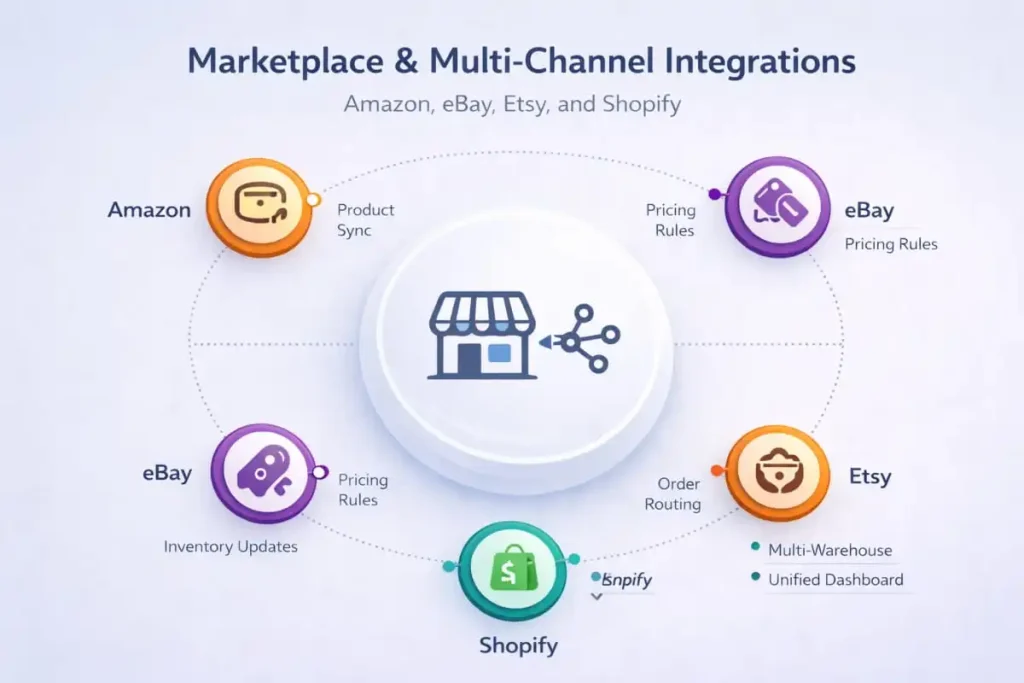
Marketplace & Multi-Channel Integrations: Amazon, eBay, Etsy, and Shopify
Selling across multiple channels is a proven growth lever, but it’s also one of the fastest ways to create operational chaos if your data isn’t governed properly. When orders, inventory, pricing, and fulfillment statuses don’t sync cleanly, the outcome is predictable: overselling, stockouts, delayed shipments, and reporting that no one trusts.
Apso Tech helps brands expand into multi-channel commerce without losing control of inventory and operations. We design integration workflows that keep WooCommerce aligned with marketplaces and secondary storefronts, so growth doesn’t come at the cost of accuracy.
Where Multi-Channel Gets Risky (Fast)
 Where Multi-Channel Gets Risky (Fast)
Multi-channel is where overselling and reconciliation problems become real business issues, especially when you’re running:
Each of these channels introduces its own order flows, inventory behaviors, and fulfillment rules. Without a clear system-of-record strategy, you’ll end up spending time correcting mistakes instead of scaling.
The Biggest Risk: Inventory ,Split-Brain,
The most common failure mode in marketplace expansion is inventory ,split-brain,, where two platforms both believe they’re the source of truth. One system updates stock, another system overrides it, and your numbers drift until overselling becomes inevitable.
This is why WooCommerce integration tools prevent overstocking overselling isn’t just a feature phrase. It’s an operational requirement for any serious multi-channel setup.
A stable solution typically requires:
- Clear inventory ownership (which system controls available stock)
- Controlled sync timing (real-time vs. scheduled updates)
- Rules for backorders, partial fulfillment, cancellations, and returns
- Conflict prevention (so one channel doesn’t overwrite another)
Why a Development-Led Integration Approach Matters
Many businesses start multi-channel using ,quick connectors., That can work at low volume, but as orders increase, the edge cases pile up, split shipments, partial refunds, multi-warehouse availability, and channel-specific listing rules. At that stage, the integration needs to be engineered, not improvised.
Multi-Channel Growth Without Operational Drag
When marketplace integrations are set up correctly, the benefits are significant: broader reach, diversified revenue streams, and more resilient sales performance. The difference between smooth scaling and constant firefighting is whether your multi-channel stack is built around clean inventory governance and predictable data flow.
If you’re planning expansion through Amazon, eBay, Etsy, or a parallel Shopify storefront, Apso Tech can help you implement the right integration strategy, so your store grows without overselling, reconciliation issues, or operational bottlenecks.
Multi-Channel Inventory Controls That Prevent Overstocking and Overselling
Multi-channel growth is one of the fastest ways to increase revenue, but it also creates the fastest path to inventory chaos. When WooCommerce is connected to marketplaces and multiple sales channels, inventory can drift in small increments until it becomes a customer-facing problem: oversold items, canceled orders, delayed fulfillment, and negative reviews.
This is why WooCommerce integration tools prevent overstocking and overselling, which should be treated as an operational requirement, not just a feature checklist. Apso Tech helps brands design multi-channel workflows that maintain inventory accuracy at scale, especially when running WooCommerce Amazon integration, WooCommerce eBay integration, WooCommerce Etsy integration, and WooCommerce Shopify integration simultaneously.
Solve Inventory Split-Brain
The most common multi-channel failure is inventory ,split-brain,, when two systems both think they control stock. One platform reduces inventory after an order, another platform overwrites stock later, and your numbers drift until overselling is inevitable.
To prevent this:
- Set one inventory owner: decide whether WooCommerce, ERP, or a marketplace is authoritative
- Decide when each channel can update stock: limit two-way updates and avoid competing inventory writes
When ownership rules are clear, each channel becomes a controlled ,consumer, of inventory updates rather than a competing editor.
Use Rules That Reduce Overselling Risk
Once inventory ownership is defined, operational rules help reduce risk during high traffic, peak seasons, and multi-channel promotions.
Effective controls typically include:
- Safety buffers: reserve a portion of stock to absorb sync delays, cancellations, or pick/pack variance
- Controlled sync timing: choose near real-time vs scheduled updates based on volume and channel risk
- Clear order status logic: define when stock is deducted (paid vs processing vs fulfilled) and keep that logic consistent across systems
These rules are especially important when marketplaces and storefronts have different order confirmation and cancellation behaviors.
Align Returns and Partial Shipments
Even a strong inventory sync can fail if returns and partial fulfillment aren’t modeled correctly. These edge cases are common, and they compound quickly as volume grows.
To prevent stock mismatches:
- Prevent stock increases on refunds when items aren’t physically returned
- Handle partial shipments correctly so inventory reflects what actually left the warehouse
- Ensure returns update inventory and financial records consistently across connected platforms
This is where a development-led approach matters. Apso Tech designs multi-channel integration logic that accounts for real-world fulfillment behaviors, so you scale across channels without inventory drift, overselling, or costly manual cleanup.
Shipping, 3PL, and Fulfillment: Keep Orders Moving
Fast, accurate fulfillment is one of the strongest drivers of repeat purchases, and one of the easiest ways to lose customer trust when it breaks. Shipping delays, missing tracking updates, and inconsistent fulfillment statuses create support tickets, refund requests, and negative reviews. That’s why shipping isn’t ,just operations., It’s a customer experience system that directly impacts revenue.
Apso Tech helps brands implement fulfillment workflows that stay reliable as order volume grows. Within our WooCommerce Website Development Services, we focus on clean data flow between WooCommerce, shipping platforms, and 3PLs so orders move smoothly from checkout to delivery, without manual rework.
What a Strong Shipping Setup Should Deliver
A high-performing shipping stack should sync orders, tracking, and fulfillment status with minimal lag, so customers and internal teams always see accurate updates. Common integrations include:
- WooCommerce shipping integration to automate labels, rates, and shipping rules
- WooCommerce ShipStation integration to streamline picking, packing, carrier selection, and tracking updates
- WooCommerce 3PL integration when an external warehouse or multi-location provider handles fulfillment
- Printful WooCommerce integration for print-on-demand workflows, where production and fulfillment must stay aligned with order data
When these systems work together correctly, your team spends less time correcting orders and more time optimizing fulfillment performance.
Why Fulfillment Integration Stability Protects Revenue
The most expensive fulfillment problems usually aren’t obvious at first. They start as small delays or mismatched statuses, then become customer churn. If shipping and fulfillment are central to your customer experience, integration reliability becomes a revenue protection strategy, not a back-office detail.
A stable integration approach reduces:
- Orders stuck in the wrong status (processing vs. fulfilled)
- Missing or delayed tracking sync
- Duplicate shipments or label mistakes
- Inventory mismatches between WooCommerce and the warehouse
- Support tickets caused by unclear delivery updates
As a WooCommerce website development agency, USA, Apso Tech builds fulfillment connections with the same care as checkout or performance optimization, because fulfillment issues can erode trust faster than almost any other operational problem.
Scale Fulfillment Without Creating Chaos
Whether you’re using ShipStation, a 3PL, or print-on-demand, the goal is the same: consistent order data, predictable workflows, and accurate tracking visibility for customers. As a WooCommerce development company in the USA, Apso Tech helps businesses implement shipping and fulfillment integrations that hold up under real-world conditions, peak seasons, high order volume, split shipments, and returns, so your store keeps orders moving without disruption.
Analytics, Data, and No-Code: Track the Right Things Without Data Drift
Accurate reporting is what turns a WooCommerce store into a scalable business. When analytics and operational dashboards are unreliable, teams lose confidence in the numbers, and decisions become guesswork. The challenge isn’t collecting data; it’s keeping it consistent across tools as your store grows, campaigns change, and workflows evolve.
As a WooCommerce web development agency, Apso Tech helps brands implement analytics and data integrations that are built for long-term accuracy. Within our WooCommerce Website Development Services, we set up measurement systems that support reliable attribution, operational visibility, and clean data flow, so your marketing, finance, and operations teams are all looking at the same truth.
Key Integrations for Measurement and Operational Reporting
For most WooCommerce businesses, reporting typically spans customer behavior, funnel performance, and operational dashboards. Common solutions include:
- WooCommerce Google Analytics integration for behavioral insights, funnel analysis, and performance measurement across acquisition channels
- WooCommerce Airtable integration for lightweight operational dashboards, especially useful for fulfillment tracking, inventory workflows, and internal reporting
- WooCommerce integration vendors, no coding when teams need speed and flexibility, while still maintaining governance over what data is synced and how it’s structured
No-code tools can be powerful, but the risk increases when multiple connectors and dashboards are built without consistent naming, mapping, or ownership rules. Over time, metrics drift, and stakeholders stop trusting reports.
Avoid ,Dashboard Disagreement, With Structured Data Mapping
One of the most common issues scaling teams face is ,dashboard disagreement,, where different tools show different numbers for revenue, conversions, customer counts, or product performance. This usually comes down to inconsistent definitions and incomplete event handling.
When reporting needs to be accurate across multiple systems, investing in woocommerce api integration and structured data mapping can prevent long-term drift by ensuring:
- Consistent event definitions (purchase, refund, cancellation)
- Unified naming conventions and field mapping across tools
- Cleaner customer identity handling (avoiding duplicates)
- Stable data flow that doesn’t break with plugin or theme changes
Apso Tech builds measurement foundations that remain dependable through platform updates and business growth. And as a WooCommerce development company in the USA, we help you choose the right blend of analytics tools, no-code workflows, and API-driven integrations, so your reporting stays accurate, actionable, and trusted.
How to Choose the Right WooCommerce Integrations (A Data-Driven Checklist)
Choosing integrations based on brand names or ,most popular plugins, often leads to fragile systems and costly rework. The better approach is to evaluate integrations the way you would any critical infrastructure decision: define ownership, confirm data requirements, and pressure-test for scale.
Apso Tech helps businesses select and implement integrations that support clean operations, accurate reporting, and long-term stability. Use the checklist below before you commit.
Define Your Source of Truth
Before connecting anything, decide which platform owns each core data domain. Without this step, integrations frequently create duplicates, overwrite changes, or drift over time.
- Inventory: ERP, marketplace, or WooCommerce?
- Customers: CRM, email platform, or WooCommerce?
- Financials: QuickBooks/Xero/Sage or another system?
When a ,source of truth, is unclear, teams typically compensate with manual fixes until the volume becomes unmanageable.
Validate What Must Sync (and When)
Once ownership is defined, document exactly what data must move between systems and how quickly it needs to happen. This step prevents missed requirements that show up later as reporting gaps or workflow breakdowns.
Confirm you can reliably sync:
- Orders, refunds, taxes, discounts, shipping, and customer updates
- Near real-time vs. scheduled sync expectations
- A clear error recovery process (alerts, retries, and exception handling)
The strongest integrations aren’t the ones that ,never fail,; they’re the ones that fail predictably and recover cleanly without breaking operations.
Plan for Scale
A setup that works at 20 orders per day can break at 200. Planning for scale protects you from surprise costs and downtime when growth accelerates.
Key scale considerations:
- Higher order volume increases sync frequency, and the cost of failures
- Multi-channel increases inventory risk and status complexity
- More apps increase plugin conflicts and performance impact
This is where working with a WooCommerce website development agency in the USA can reduce the total cost of ownership. By designing an integration architecture that accounts for data governance, sync rules, and edge cases up front, you avoid rebuilding your stack during growth, when disruptions are most expensive.
Monitoring and Error Recovery: Prevent Silent Sync Failures
Most integration problems don’t announce themselves. They fail quietly, one order doesn’t sync, one refund is missed, one customer is duplicated, and the issue only becomes visible days later through inventory mismatches, support complaints, or month-end reconciliation gaps. That’s why monitoring isn’t optional. It’s the difference between predictable operations and costly surprises.
Apso Tech designs WooCommerce integrations with monitoring and recovery in mind. Within our WooCommerce Website Development Services, we focus on stability, visibility, and clear ownership so your team can detect issues early and resolve them before they affect customers or reporting.
What to Monitor
A strong monitoring approach focuses on signals that indicate data drift or operational risk, not just whether a connector is ,connected.,
Key items to monitor include:
- Failed sync events: errors, retries, and recurring failures that indicate mapping or API issues
- Missing orders: orders that exist in WooCommerce but don’t appear downstream (accounting, ERP, fulfillment, CRM)
- Duplicate customers: multiple records for the same person caused by mismatched identity rules or guest checkout logic
- Inventory drift (stock mismatches): differences between WooCommerce stock and ERP/marketplace stock that can lead to overselling
These issues are the most common triggers of customer experience problems (late shipments, cancellations) and internal reporting discrepancies.
Alerts and Ownership
Monitoring only works if someone owns the outcome. Define a clear operational workflow so exceptions don’t sit unnoticed.
Best-practice alerting includes:
- Who gets notified: the person/team responsible for integrations and operations
- How quickly failures are handled: response expectations based on severity (inventory vs marketing vs reporting)
- Where exceptions are reviewed: a daily or weekly exception review process, depending on order volume
This ,ownership model, is especially important when multiple tools are involved, such as accounting, CRM, ERP, shipping, and marketplaces, because each platform introduces different failure modes and responsibility boundaries.
Stabilize Multi-App Environments
As stores scale, the integration environment becomes more complex and more vulnerable to plugin conflicts, version updates, and performance constraints. Stability requires an intentional approach.
A stabilization strategy should focus on:
- Reduce plugin conflicts: limit overlapping functionality and avoid multiple apps trying to sync the same data.
- Keep integrations stable as the store scales: ensure integrations can handle higher order volume, more automation, and additional channels without introducing drift.
When You Need a WooCommerce Development Agency in New York
If you’re operating across accounting + CRM + ERP + marketplaces, implementation quality determines whether integrations actually pay off. A WooCommerce development agency in New York typically helps when you need:
- Data mapping and governance across multiple systems
- Reliable workflows built around woocommerce api integration
- A stable path through plugin conflicts, theme updates, and performance constraints
For businesses that want integration-ready architecture from the start, explore WooCommerce Website Development Services with a build approach that supports long-term scaling and operational reliability.
If your priority includes local expertise, complex sync requirements, and performance, a WooCommerce website design New York initiative should include integration planning at the requirements stage, not after launch.
Why Integration Planning Should Live Inside Your Development Strategy
Integrations aren’t ,add-ons, to a WooCommerce store; they’re part of the operating system. They influence how customers pay, how orders move through fulfillment, how refunds are processed, how inventory stays accurate, and how performance is measured. When these connections are treated as an afterthought, the result is usually the same: fragile workflows, manual patchwork, and reporting discrepancies that worsen as the business grows.
Integrations touch:
- Check the checkout performance and payment status accuracy
- Order processing workflows and fulfillment handoffs
- Refunds, cancellations, and chargeback handling
- Inventory availability across channels and warehouses
- Reporting consistency across finance, marketing, and operations
When integrations are bolted on late, businesses often end up rebuilding workflows at the worst possible time, during growth, when order volume is high and operational downtime is expensive.
That’s why teams looking for a WooCommerce development service in New York, USA often choose a partner that can design the store and the integration layer together. A development-led approach aligns your data model, system ownership rules, and automation flows from day one, so your store is built to scale rather than retrofitted to survive.
Frequently Asked Questions (FAQ’s)
Yes, WooCommerce integrates with QuickBooks through a WooCommerce QuickBooks integration that syncs order and customer data into accounting records. A correct setup syncs orders, refunds, taxes, discounts, shipping, and customer updates so financial reports stay consistent. It also aligns payout timing with order timing to reduce reconciliation gaps.
You integrate WooCommerce by choosing either WooCommerce QuickBooks Online Integration or WooCommerce QuickBooks Desktop Integration based on your accounting environment. QuickBooks Online uses cloud-based syncing, while QuickBooks Desktop requires a Desktop-compatible connector and stable file-based handling. Both require validated mapping for refunds, taxes, shipping, and discounts.
A complete WooCommerce integration syncs orders, refunds, taxes, discounts, shipping, and customer updates. It also syncs order statuses so downstream systems reflect paid, fulfilled, canceled, and refunded states accurately. This prevents reporting differences between WooCommerce and connected platforms.
Near real-time sync is better when inventory accuracy and rapid order processing are required across channels. Scheduled sync is better when systems need controlled batching to reduce API load and prevent conflicts. The correct choice depends on inventory risk, order volume, and the number of connected systems.
You prevent overselling by assigning one inventory ,source of truth, and controlling when each channel can update stock. Use WooCommerce integration tools prevent overstocking and overselling with safety buffers, controlled sync timing, and consistent order status rules. This keeps WooCommerce, marketplaces, and fulfillment systems aligned.
Inventory drift happens when two systems update stock at the same time or when sync timing differs across channels. It also occurs when returns, cancellations, and partial shipments are not mapped to inventory updates consistently. Fixing drift requires a single inventory owner and defined rules for stock adjustments.
Use woocommerce api integration when multiple connectors conflict over the same data, such as customers, inventory, or order statuses. API-based integration is required when you need strict field mapping, deduplication rules, and reliable error handling across systems. It also supports predictable scaling when order volume increases.
A WooCommerce Mailchimp integration syncs customers and purchase events so audiences and automations reflect real store activity. A correct setup supports accurate customer sync, clean segmentation, and order-state event tracking for paid, refunded, and canceled orders. This prevents incorrect triggers and misattributed revenue.
WooCommerce payment integration covers the full payment setup, including gateway connection, order workflows, and reporting alignment. WooCommerce payment gateway integration focuses on connecting WooCommerce to the payment processor for checkout transactions. The broader payment integration ensures refunds, disputes, and payouts reconcile correctly with accounting records.
Monitor failed sync events, missing orders, duplicate customers, and inventory drift (stock mismatches). Use alerts with clear ownership so exceptions are reviewed and resolved quickly. This prevents silent failures from turning into reconciliation issues, fulfillment delays, or overselling.


