
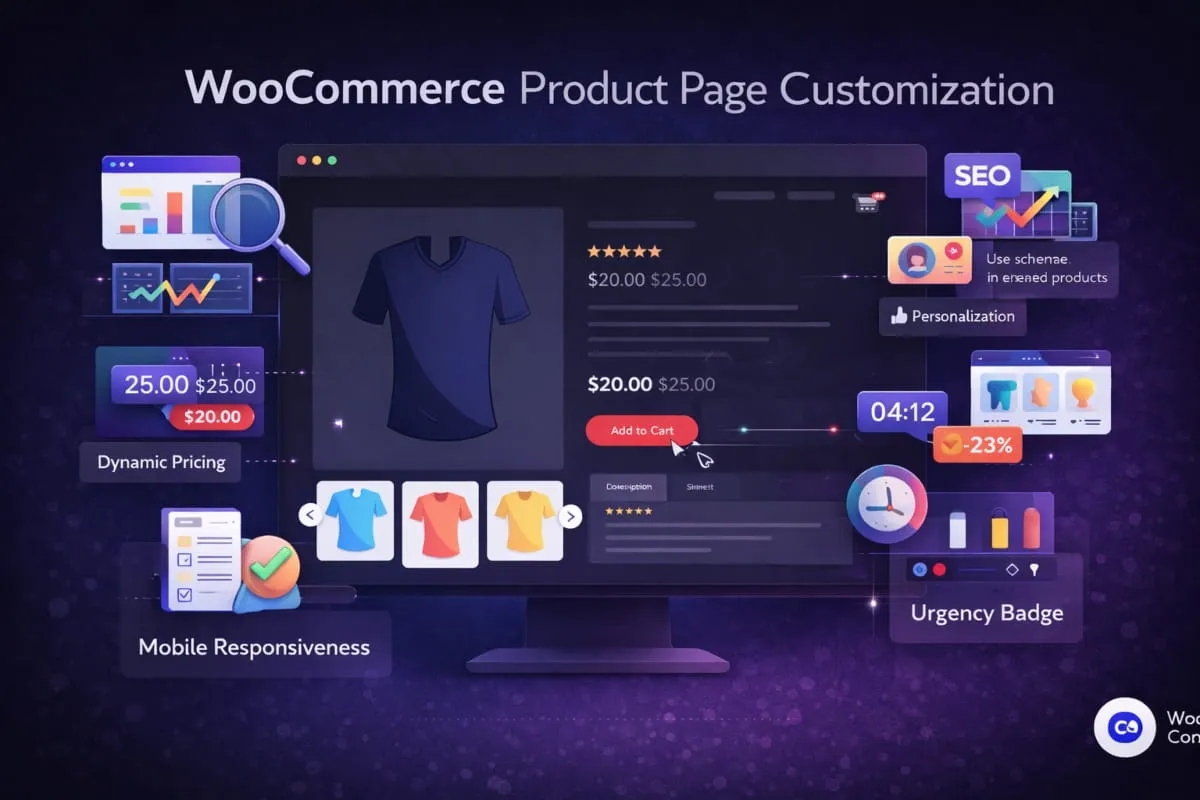
In this guide, we break down WooCommerce product page customization, explain why it matters, and show how working with a professional WooCommerce web development agency can help businesses scale faster.
What Is a WooCommerce Product Page?
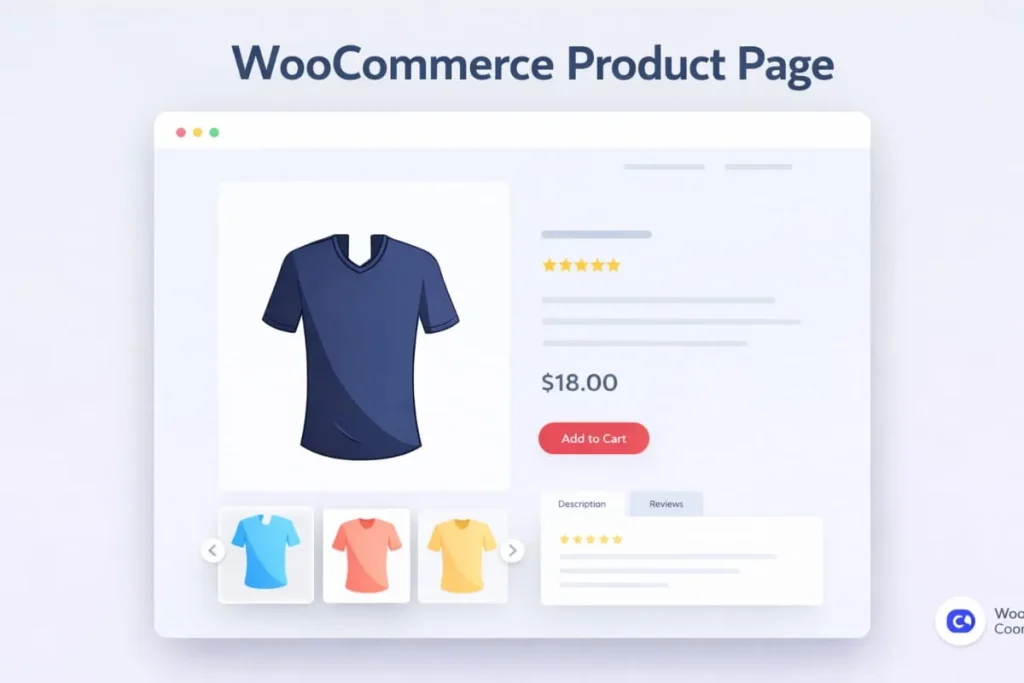
A WooCommerce product page is a dedicated page within a WooCommerce-powered website that showcases an individual product and enables customers to make a purchase. It serves as a critical touchpoint in the customer journey, combining product information, pricing, visuals, and calls to action into a single conversion-focused experience.
At its core, a WooCommerce product page typically includes:
- Product title and description
- Pricing and variation options
- Product images or galleries
- “Add to Cart” functionality.
- Reviews, ratings, and additional product data
While WooCommerce provides a default product page structure, businesses with growth ambitions often require more than basic functionality. This is where working with a professional WooCommerce web development agency becomes essential.
A customized WooCommerce product page is designed to align with brand identity, user behavior, and conversion goals. Through expert development, businesses can enhance layout flexibility, improve SEO performance, and deliver a seamless user experience across devices.
Why WooCommerce Product Page Customization Matters
WooCommerce is a robust and flexible eCommerce platform, but its default product page structure is designed for general use, not for businesses that need high-converting, brand-driven digital storefronts. For companies competing in crowded markets, relying on standard layouts can limit growth, engagement, and search visibility.
A professionally customized product page enables businesses to align their store with user behavior, brand identity, and conversion goals. Strategic customization ensures that every product page is optimized not only for aesthetics but also for performance, usability, and revenue generation.
Key Limitations of Default WooCommerce Product Pages
While functional, default WooCommerce product pages present several challenges for growing businesses:
- Generic layouts that fail to reflect brand positioning or differentiate the business from competitors
- Limited flexibility for custom UX flows, restricting the ability to guide users toward conversions
- Poor optimization for high-ticket or complex products, where detailed storytelling and trust signals are critical
- Missed SEO opportunities at the product level, reducing organic visibility and search rankings
These limitations often result in higher bounce rates, lower engagement, and underperforming sales funnels.
The Strategic Value of Custom WooCommerce Product Pages
Customizing WooCommerce product pages allows businesses to take full control of the buyer journey. Through tailored layouts, advanced functionality, and SEO-focused architecture, companies can reduce friction, build trust, and deliver a consistent brand experience across all touchpoints.
Working with a WooCommerce website development agency in the USA ensures that customization is executed with scalability, performance, and long-term growth in mind. For brands targeting competitive markets, such as those seeking WooCommerce website design New York services, professional customization becomes a critical differentiator.
Why Customize the WooCommerce Single Product Page?
The WooCommerce single product page is one of the most important conversion points in any eCommerce store. While WooCommerce provides a functional default layout, it is not designed to support advanced branding, conversion optimization, or competitive SEO strategies.
Customizing the WooCommerce single product page allows businesses to:
- Create a brand-aligned layout that differentiates them from competitors
- Guide users through a strategic buyer journey using optimized content flow
- Improve conversion rates through better CTA placement and trust signals.
- Enhance SEO visibility with structured content and keyword-focused design.
Businesses working with a professional WooCommerce web development agency can transform the single product page from a basic listing into a high-performing sales asset. This is especially critical for companies targeting competitive regions, where partnering with a WooCommerce development agency in New York, USA, provides a strategic advantage.
Ways to Customize a WooCommerce Product Page
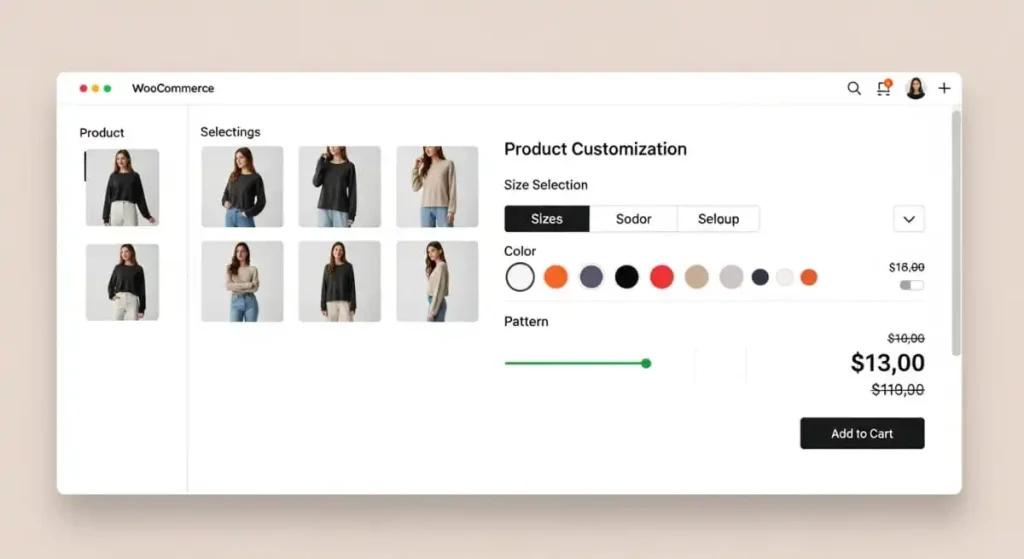
There are multiple approaches to WooCommerce product page customization, each offering different levels of flexibility and scalability. A seasoned WooCommerce development company in the USA helps businesses choose the right strategy based on growth goals and technical requirements.
Custom Template Development
Custom WooCommerce templates allow full control over layout, content hierarchy, and functionality, without relying on plugin-heavy setups.
UX & Conversion Optimization
- Strategic CTA placement guides users toward checkout and key conversion actions.
- Improved content structure reduces friction and accelerates customer decision-making.
- Reviews, trust badges, and benefits build credibility and reduce purchase hesitation.
Advanced Product Functionality
- Personalized product fields capture customer preferences and improve order accuracy.
- Dynamic pricing and bundles increase average order value and upsell opportunities.
- File uploads and conditional logic enable complex, customized product configurations.
SEO & Performance Enhancements
- SEO-friendly architecture and clean URLs improve crawling, indexing, and rankings.
- Optimized page speed boosts user experience and reduces bounce rates significantly.
- Structured data improves rich results visibility and increases qualified organic traffic.
By partnering with an experienced WooCommerce web development agency, businesses can ensure their product pages are designed to scale, convert, and compete effectively, locally and nationally.
Core Benefits of Custom WooCommerce Product Pages
Custom WooCommerce product pages are a strategic investment for businesses that want to increase conversions, improve search visibility, and deliver a superior customer experience. When developed by an experienced WooCommerce web development agency, customized product pages go beyond visual enhancements; they become powerful conversion and growth assets.
1. Higher Conversion Rates
Well-structured product pages directly influence purchasing decisions. Through custom WooCommerce development, businesses can design layouts that guide users toward action while reinforcing trust and value.
A customized product page enables:
- Optimized “Add to Cart” placement aligned with user behavior
- Clear value propositions above the fold to immediately capture attention
- Effective use of social proof, including reviews, ratings, and trust badges
A professional WooCommerce website development agency in the USA ensures that every element on the page supports conversion goals, particularly for high-ticket or complex products.
2. Improved SEO Performance
Custom WooCommerce product pages allow for advanced, granular SEO optimization that is not possible with default templates. This level of control is essential for businesses competing in high-demand markets.
Key SEO advantages include:
- Structured schema markup for products, pricing, and reviews
- Enhanced internal linking to category and service pages
- Keyword-optimized headings and content blocks for higher search visibility
3. Better User Experience (UX)
A tailored user experience is critical to keeping visitors engaged and confident in their purchasing decisions. Custom WooCommerce product page design focuses on clarity, usability, and seamless navigation.
Benefits of improved UX include:
- Faster access to key product information
- Easier comparison of variations and features
- Reduced friction throughout the buying journey
Key WooCommerce Product Page Customization Options
Effective WooCommerce product page customization goes beyond visual design; it combines strategic UX, advanced functionality, and performance optimization to create pages that convert and scale. Partnering with a professional WooCommerce web development agency ensures each customization decision is aligned with business goals, user behavior, and long-term growth.
Custom Layouts & Templates
Custom WooCommerce layouts and templates provide full control over how products are presented to potential customers. Unlike default templates, custom designs allow businesses to structure content in a way that supports conversions and reinforces brand identity.
With custom templates, businesses gain control over:
- Product image galleries for improved visual storytelling
- Content hierarchy that highlights key benefits and differentiators
- Pricing and variation displays are optimized for clarity and ease of selection.
Advanced Product Fields & Dynamic Content
Custom WooCommerce development enables advanced product functionality tailored to specific business models. Through dynamic content and custom fields, businesses can offer personalized and flexible purchasing experiences.
Advanced customization options include:
- Product personalization fields for tailored customer inputs
- File upload functionality for custom or made-to-order products
- Dynamic pricing, bundles, or conditional logic based on user selections
These capabilities are especially critical for B2B eCommerce, service-based products, and businesses offering configurable solutions. An experienced WooCommerce development company in the USA ensures these features are scalable, secure, and easy to manage.
Performance & Speed Optimization
Page speed is a direct ranking and conversion factor. Slow-loading product pages increase bounce rates and reduce customer trust, making performance optimization a core part of professional WooCommerce customization.
Advanced performance enhancements include:
- Optimized scripts and styles to reduce load times
- Lazy loading of images and media for faster page rendering
- Server-side performance tuning for consistent scalability
By working with a skilled WooCommerce website development agency in the USA, businesses can ensure their product pages load quickly, perform reliably, and meet modern performance standards across devices.
WooCommerce Customization vs Plugins: What’s the Better Approach?
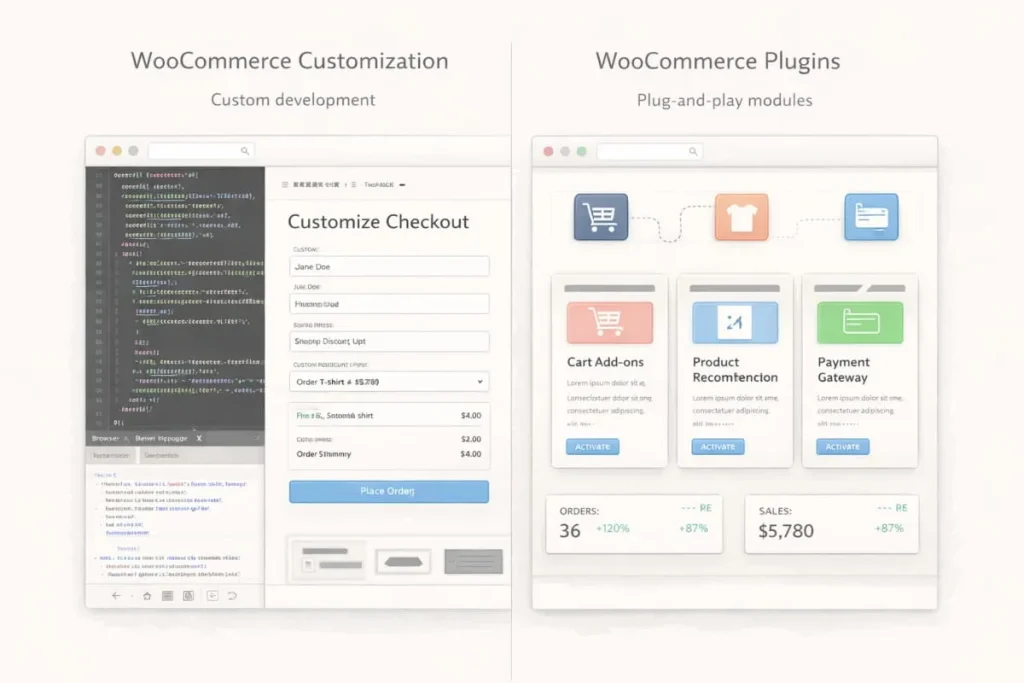
Plugins offer quick solutions and convenience, but relying too heavily on them can introduce performance, scalability, and maintenance challenges over time. While plugins may be suitable for basic functionality, they often fall short for businesses that require flexibility, speed, and long-term growth.
Plugins vs Custom WooCommerce Development
| Plugins | Custom Development |
|---|---|
| Faster initial setup | Limited flexibility and design control |
| Can negatively impact site speed when stacked | Increased dependency risks and update conflicts |
| Scalable and future-proof architecture | Optimized performance and a cleaner codebase |
| Fully tailored UX aligned with business goals | Greater control, stability, and maintainability |
Custom WooCommerce development allows businesses to build only what they need, without unnecessary code or features that slow down performance. This approach is particularly valuable for stores with complex product offerings, high traffic volumes, or unique customer journeys.
Why Custom Development Delivers Better ROI
For businesses focused on sustainable growth, custom development consistently delivers a stronger return on investment than relying on multiple third-party plugins. A professional WooCommerce web development agency can create streamlined solutions that are easier to maintain, scale, and optimize over time.
Working with a trusted WooCommerce development company in the USA ensures that your WooCommerce store is built on a solid technical foundation, designed to support performance, security, and evolving business needs rather than short-term fixes.
In competitive markets, custom WooCommerce development isn’t just a technical decision; it’s a strategic one.
Tools & Plugins for WooCommerce Product Page Customization
Customizing WooCommerce product pages doesn’t always require development from scratch. Some powerful tools and plugins can help extend functionality, enhance design, and accelerate implementation. When used strategically, especially as part of a broader plan developed by a WooCommerce web development agency, these tools can unlock advanced features without compromising performance.
Below are highly effective options to consider when customizing your WooCommerce single product page.
Page Builders & Layout Tools
These plugins make it easier to design custom product page layouts without coding:
- Elementor Pro + WooCommerce Builder, Drag-and-drop control over product page sections, templates, and dynamic content
- Divi Builder, a visual builder with customizable WooCommerce modules
- Beaver Builder + WooCommerce Add-ons, Flexible layout tools with a strong performance focus
These tools are excellent for business owners looking to quickly prototype new designs before scaling with a WooCommerce development agency in New York.
Product Page Enhancers
Use these plugins to add functional enhancements without heavy development:
- Custom Product Tabs: Add additional tabs for specification, shipping, or warranties
- WooCommerce Product Add-Ons: Collect extra options like personalization or gift messages
- Variation Swatches, Replace standard dropdowns with visually intuitive swatches
- Product Video Extensions: Embed high-quality video directly in your product gallery
These plugins help improve user engagement and conversion potential, especially when combined with UX expertise from a WooCommerce web development company in the USA.
UX & Interaction Plugins
Enhance the shopping experience with optimized interactions:
- AJAX Add to Cart: Let users add products without page reloads
- Quick View, Preview product details in a modal window
- Sticky Add to Cart Bars, Keep CTAs in view on scroll for higher conversions
These interaction-focused tools contribute to a smoother, more engaging user journey, an objective central to custom development strategies.
Performance & Optimization Tools
Maintaining fast load times is critical, particularly for mobile users. These plugins help your customized product pages perform better:
- WP Rocket, Caching, minification, and file optimization
- Imagify / ShortPixel , Automatic image compression and WebP support
- Asset Cleanup, Disable unused scripts/styles per page to reduce bloat
A seasoned WooCommerce web development agency knows how to integrate these tools effectively without undermining your codebase or future scalability.
When Plugins Aren’t Enough
While plugins are incredibly useful, over-reliance can lead to performance issues, compatibility conflicts, and long-term maintenance challenges. That’s why many growth-oriented brands choose to work with a professional WooCommerce web development agency in the USA. Custom development delivers:
- Fully tailored UX that aligns with your brand and conversion goals
- Clean, performance-optimized code instead of plugin dependency
- Scalable architecture for future expansions
Whether you’re just starting customization or planning a complete redesign, Apso Tech can help you balance the right tools with strategic development to maximize performance and ROI.
How to Edit & Customize a WooCommerce Product Page (Step-by-Step)
Customizing a WooCommerce product page can range from simple visual edits to advanced, code-level enhancements. The right approach depends on your business goals, technical requirements, and growth plans. A professional WooCommerce web development agency helps businesses choose the most effective customization method while ensuring performance, scalability, and SEO integrity.
Edit WooCommerce Product Page Without Code
For basic customization needs, WooCommerce allows product-level edits directly from the WordPress dashboard. This approach is suitable for small updates or early-stage stores.
You can edit without code by:
- Updating product titles, descriptions, and pricing
- Managing product images and galleries
- Configuring variations, attributes, and inventory
- Using page builders like Elementor or Divi for layout adjustments
While no-code tools offer convenience, they often lack the flexibility and performance optimization required for competitive markets. Businesses targeting growth typically outgrow this approach quickly and turn to a WooCommerce website development agency in the USA for scalable solutions.
Customize Product Page Layout in WooCommerce
Layout customization allows businesses to restructure how product information is presented, improving clarity, engagement, and conversions.
Common layout customizations include:
- Reordering product elements (price, description, reviews, CTAs)
- Creating custom sections for benefits, FAQs, or trust badges
- Designing mobile-first layouts optimized for conversions
A professional WooCommerce website design New York team ensures layout changes are guided by UX best practices and conversion data, not guesswork.
Programmatic Customization (Hooks & Templates)
For advanced customization, programmatic development offers full control and long-term scalability. This method is ideal for businesses with complex products, custom workflows, or high traffic volumes.
Programmatic customization includes:
- Using WooCommerce hooks and filters to modify page behavior
- Creating custom single-product templates
- Adding dynamic content, conditional logic, and custom fields
- Optimizing performance through clean, lightweight code
Working with a skilled WooCommerce development company in the USA ensures these customizations are secure, maintainable, and compatible with future WooCommerce updates.
Common Mistakes to Avoid
When customizing WooCommerce product pages, businesses often encounter avoidable issues that impact performance and growth.
Key mistakes include:
- Overloading pages with plugins that slow performance
- Making layout changes without UX or conversion analysis
- Ignoring mobile optimization and page speed
- Applying SEO as an afterthought instead of a core strategy
A trusted WooCommerce web development agency builds customization strategies that avoid these pitfalls, ensuring your product pages remain fast, scalable, and conversion-focused.
How to Customize a WooCommerce Product Page With Elementor
Elementor is one of the most widely used page builders for WooCommerce product page customization. It offers visual control and flexibility, making it a popular choice for businesses that want faster design iterations. However, to achieve performance, scalability, and conversion optimization, Elementor customization should be implemented strategically, often with the support of a professional WooCommerce web development agency.
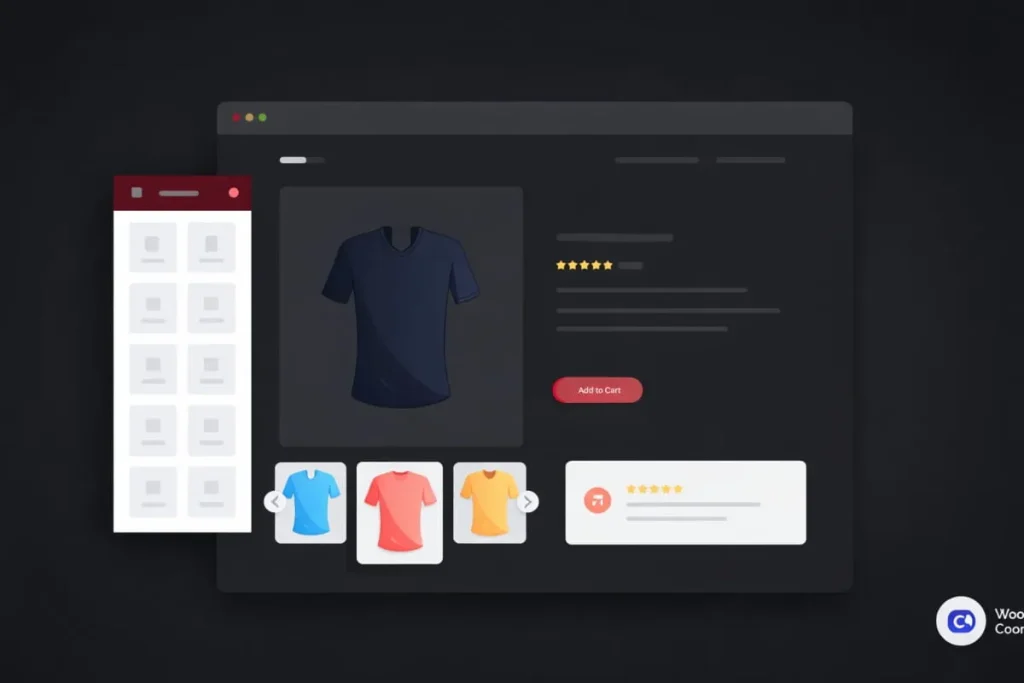
Elementor vs Elementor Pro for WooCommerce
Elementor’s free version offers basic design capabilities, but it has limited functionality for WooCommerce product pages. Elementor Pro unlocks essential features required for serious eCommerce customization.
Elementor (Free)
- Basic widgets and layout controls
- Limited WooCommerce integration
- No custom product templates
Elementor Pro
- Dedicated WooCommerce widgets (price, rating, add to cart, product data)
- Ability to create custom single product templates
- Dynamic content and conditional display options
For businesses focused on growth, Elementor Pro is typically required. A WooCommerce website development agency in the USA can help configure Elementor Pro efficiently, without introducing unnecessary performance overhead.
Creating a Custom Single Product Template
A custom single product template allows full control over how all WooCommerce product pages are displayed.
The process typically includes:
- Creating a new Single Product template in Elementor Theme Builder
- Structuring product elements in a conversion-focused layout
- Assigning display conditions to apply the template globally or by category
Styling Product Pages in Elementor
Elementor provides granular styling controls that allow brands to maintain visual consistency across their WooCommerce store.
Styling options include:
- Typography and color customization aligned with brand guidelines
- Button and CTA styling for improved visibility and interaction
- Spacing, alignment, and layout refinements for better readability
When managed by a professional WooCommerce website design team in New York, Elementor styling enhances aesthetics without sacrificing usability or performance.
Common Elementor WooCommerce Issues
While Elementor is powerful, improper implementation can lead to technical and performance challenges.
Common issues include:
- Slow load times due to excessive widgets or scripts
- Layout inconsistencies across devices
- Conflicts with themes or third-party plugins
- Limited scalability for complex product logic
Elementor can be an effective tool for WooCommerce product page customization, but only when used strategically. Combining Elementor’s visual flexibility with expert development ensures your product pages are built to convert, scale, and compete in demanding markets.
Divi WooCommerce Product Page Customization Guide
Divi is a powerful WordPress theme and visual builder that offers built-in support for WooCommerce. For businesses using Divi, customizing WooCommerce product pages can significantly improve design consistency, user experience, and conversions. However, to achieve scalable, high-performing results, Divi customization should be approached strategically, often with guidance from a professional WooCommerce web development agency.
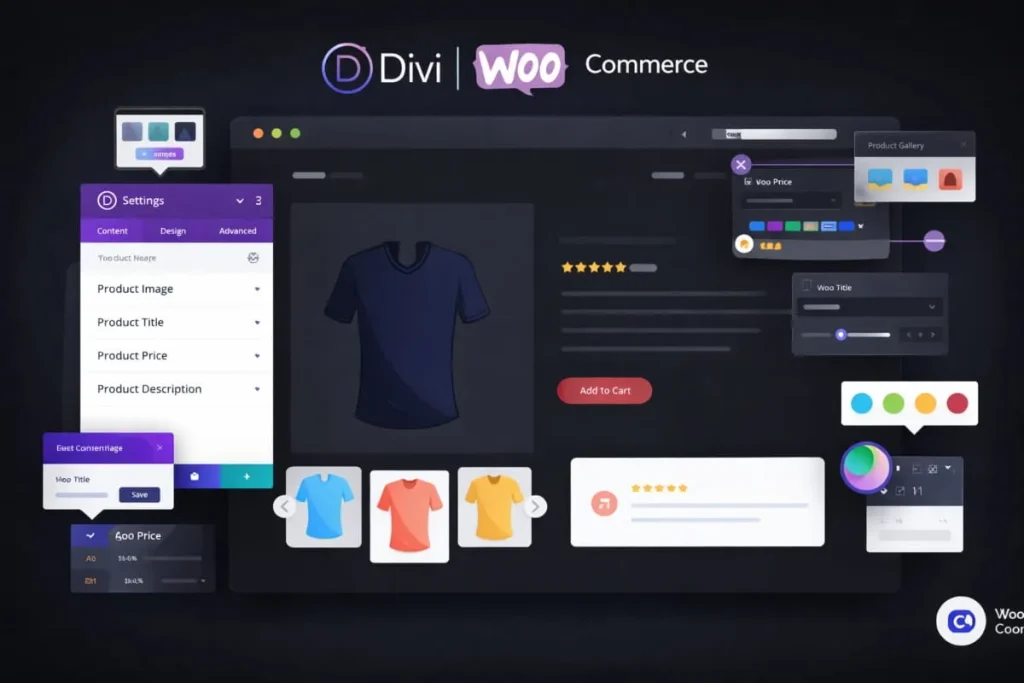
Using Divi Builder for WooCommerce Product Pages
Divi Builder provides visual editing tools that allow businesses to customize WooCommerce product pages without extensive coding. It includes native WooCommerce modules designed specifically for product data.
With Divi Builder, you can:
- Visually design WooCommerce single product pages
- Use built-in modules for product title, price, rating, and add-to-cart
- Apply global styles for consistent branding across product pages.
Custom Layouts for Single Product Pages
Creating custom layouts for WooCommerce single product pages allows full control over how product information is presented. Divi supports template-based customization through the Theme Builder.
Custom layout capabilities include:
- Reordering product elements for better conversion flow
- Creating dedicated sections for benefits, FAQs, or trust signals
- Designing mobile-optimized layouts that improve usability
When implemented by a WooCommerce development company in the USA, Divi-based layouts can be aligned with conversion psychology and modern UX standards.
Divi Theme Limitations & Fixes
While Divi is a robust visual builder, it does have limitations that can impact scalability and performance if not addressed properly.
Common Divi limitations include:
- Performance issues caused by heavy scripts and animations
- Limited flexibility for complex product logic
- Challenges with advanced SEO or structured data customization
Professional WooCommerce developers address these limitations through:
- Performance optimization and asset cleanup
- Custom WooCommerce hooks and lightweight code enhancements
- SEO-first template structuring and schema integration
By working with an experienced WooCommerce web development agency, businesses can leverage Divi’s design flexibility while overcoming its technical constraints, ensuring product pages remain fast, scalable, and conversion-focused.
Advanced WooCommerce Product Page Features (Fields, Tabs & Media)
Advanced WooCommerce product page features allow businesses to go beyond standard product listings and deliver personalized, interactive, and conversion-focused shopping experiences. When implemented by a professional WooCommerce web development agency, these enhancements improve usability, support complex purchasing workflows, and increase average order value.
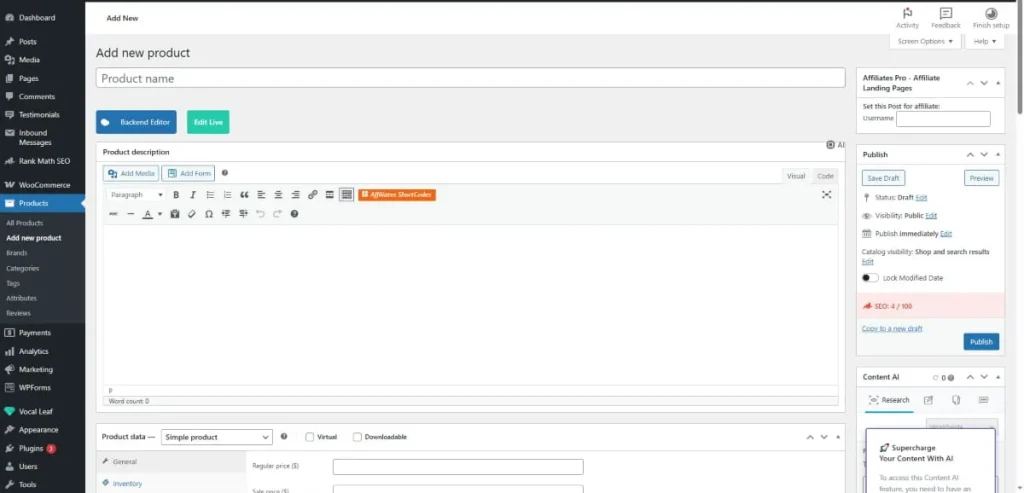
Adding Custom Fields to Product Pages
Custom fields enable businesses to collect additional information from customers or offer personalized product options directly on the product page.
Common use cases include:
- Product personalization (engraving, custom text, sizing options)
- Service-specific inputs for consultations or bookings
- B2B requirements, such as bulk details or specifications
A skilled WooCommerce development company in the USA implements custom fields using clean, scalable code, ensuring performance, security, and compatibility with future updates.
Adding Tabs & Custom Content
Custom tabs allow businesses to organize product information more effectively, improving readability and user engagement.
Custom tabs can be used for:
- Detailed specifications and technical documentation
- Shipping, returns, and warranty information
- FAQs, usage guides, or comparison data
By working with a WooCommerce website development agency in the USA, businesses can design custom tabs that align with SEO best practices and enhance on-page structure without cluttering the interface.
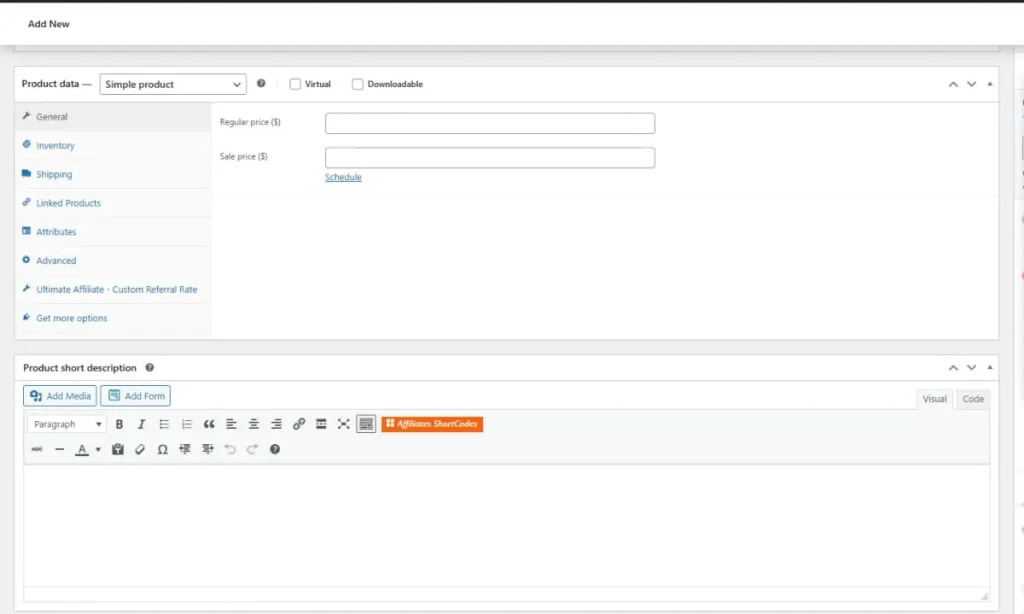
Upload Files & Images on the Product Page
File upload functionality is essential for businesses offering customized or made-to-order products.
Common applications include:
- Uploading artwork, logos, or reference images
- Submitting documents for print or design services
- Sharing requirements for customized manufacturing
An experienced WooCommerce web development agency ensures upload features are secure, user-friendly, and seamlessly integrated into the checkout workflow.
Checkout & AJAX Add to Cart on Product Pages
Reducing friction in the buying process is critical to improving conversions. Advanced WooCommerce customization enables checkout-focused enhancements directly on the product page.
Key features include:
- AJAX Add to Cart functionality for faster interactions without page reloads
- Checkout on the product page for streamlined purchasing
- Sticky or dynamic CTAs to keep actions visible throughout the page
A professional WooCommerce website development agency in the USA ensures these features are implemented without compromising site speed, stability, or scalability.
Advanced WooCommerce product page features transform standard product pages into powerful conversion tools. With expert development and a strategic approach, businesses can deliver richer experiences that support growth, personalization, and long-term success.
UX & Design Trends in WooCommerce Product Pages
Modern WooCommerce product pages must do more than display product information; they must deliver seamless user experiences that drive engagement and conversions. Leading brands partner with a professional WooCommerce web development agency to implement UX and design trends that align with evolving customer expectations and competitive market demands.
Mobile-First Design
With over 60% of eCommerce traffic originating from mobile devices, mobile-first design is no longer optional; it’s essential. WooCommerce product pages must be optimized to perform flawlessly on smaller screens without compromising usability or speed.
Effective mobile-first product pages focus on:
- Fast mobile load times to reduce bounce rates
- Thumb-friendly call-to-action buttons that encourage easy interaction
- Clear, concise product information is displayed upfront to capture attention quickly
A skilled WooCommerce website development agency in the USA ensures mobile UX is prioritized from the ground up, delivering consistent performance across all devices.
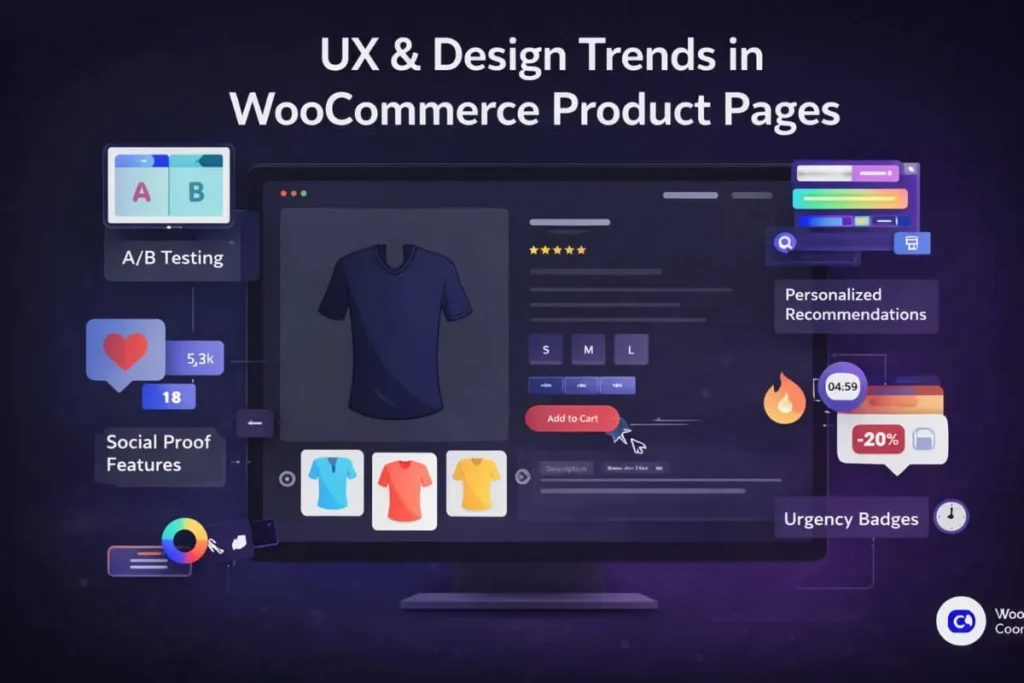
Visual Storytelling
Visual storytelling has become a core driver of engagement and trust in e-commerce. High-performing WooCommerce product pages leverage compelling visuals to communicate value, reduce uncertainty, and strengthen brand perception.
Key visual elements include:
- Lifestyle imagery that shows products in real-world use
- High-quality product videos that demonstrate features and benefits
- Interactive image galleries that enhance product exploration
This approach is particularly effective for brands investing in WooCommerce website design in New York, where premium presentation and strong visual identity are critical to standing out in competitive markets.
By combining mobile-first UX with immersive visual storytelling, businesses can create WooCommerce product pages that not only look exceptional but also convert consistently.
How to Hide or Remove Elements From WooCommerce Product Pages
Not every WooCommerce product page needs to display the same elements. In many cases, hiding or removing specific components can improve clarity, reduce distractions, and support better conversion outcomes. Strategic element control is especially important for service-based products, B2B stores, and high-ticket offerings.
Working with a professional WooCommerce web development agency ensures these changes are implemented cleanly, without breaking layouts, performance, or future updates.
Hide SKU, Categories & Tags
SKUs, categories, and tags are useful for internal management, but they can confuse or distract customers, particularly on consumer-facing or service-based product pages.
Common use cases for hiding these elements include:
- Simplifying the product interface for non-technical buyers
- Creating a cleaner, more brand-focused layout
- Reducing duplicate or low-value content for SEO
A skilled WooCommerce development company in the USA can hide these elements using lightweight code or theme-level customization rather than plugin-heavy solutions.
Remove Sidebar & Breadcrumbs
Sidebars and breadcrumbs can sometimes detract from the primary goal of the product page: conversion.
Removing these elements is beneficial when:
- Using full-width, conversion-focused layouts
- Designing premium or landing-page-style product pages
- Reducing visual clutter on mobile devices
A WooCommerce website development agency in the USA ensures these layout adjustments are responsive, SEO-safe, and consistent across devices.
Turn off the Add to Cart Button
There are scenarios where turning off the “Add to Cart” button is strategically necessary.
Common examples include:
- Products that require consultation or approval
- Service-based offerings with custom pricing
- Out-of-stock or inquiry-only products
A professional WooCommerce web development agency can conditionally turn off purchase actions while replacing them with custom CTAs such as “Request a Quote” or “Contact Sales.”
Conditional Visibility by Product or User
Advanced WooCommerce customization allows businesses to control element visibility based on conditions such as product type, user role, or customer behavior.
Conditional visibility can include:
- Showing pricing only to logged-in or wholesale users
- Hiding purchase options for specific products or categories
- Displaying custom content based on user location or role
A trusted WooCommerce development agency in New York, implements conditional logic using clean, scalable code, ensuring flexibility without sacrificing performance.
Strategic control over WooCommerce product page elements helps businesses create focused, conversion-driven experiences. With expert customization, product pages can be tailored precisely to audience needs, improving clarity, engagement, and overall store performance.
WooCommerce Product Page SEO: Optimization Checklist
WooCommerce product page SEO is critical for driving qualified organic traffic and competing in high-intent search results. Well-optimized product pages not only rank higher but also convert better by aligning content with user intent. A professional WooCommerce web development agency ensures SEO is integrated into both page structure and functionality, not treated as an afterthought.
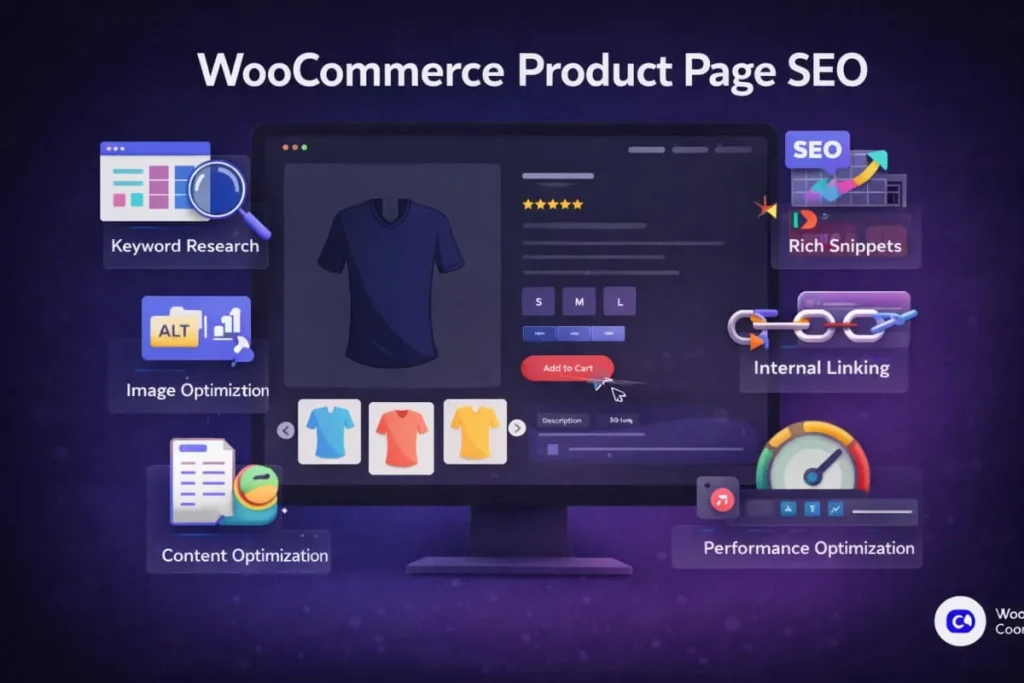
SEO Best Practices for WooCommerce Product Pages
Search engine optimization plays a critical role in the success of WooCommerce product pages. Custom development allows businesses to optimize product pages at a granular level, improving visibility, driving qualified traffic, and increasing conversions. Partnering with a professional WooCommerce web development agency ensures SEO is embedded directly into the site architecture, not treated as a post-launch add-on.
Essential SEO Elements for WooCommerce Product Pages
To maximize organic performance, customized WooCommerce product pages should include:
- Keyword-optimized H1 and H2 headings that align with search intent and product relevance
- SEO-friendly URLs and meta descriptions designed to improve click-through rates
- Structured data (schema markup) for products, pricing, availability, and reviews
- Strategic internal linking to related category pages and core service pages
These elements help search engines better understand and rank product pages while enhancing the user experience.
On-Page SEO for WooCommerce Product Pages
Strong on-page SEO forms the foundation of high-performing WooCommerce product pages. Each product page should be optimized as an individual landing page with clear relevance and search intent alignment.
Key on-page SEO best practices include:
- Keyword-optimized H1 and H2 headings that reflect product intent
- Unique, compelling product descriptions written for both users and search engines
- Optimized meta titles and meta descriptions to improve click-through rates
- Clean, readable URLs with logical keyword placement
- Strategic internal linking to related products, categories, and service pages
A skilled WooCommerce development company in the USA ensures these elements are implemented consistently across the store without duplicate content or technical conflicts.
Schema & Structured Data
Structured data helps search engines understand your products and enhances visibility through rich results such as star ratings, pricing, and availability.
Essential schema elements for WooCommerce product pages include:
- Product schema (name, price, availability)
- Review and rating schema
- Offer and aggregate rating markup
A professional WooCommerce website development agency in the USA integrates structured data cleanly, either programmatically or through optimized tools, ensuring compatibility with Google’s latest requirements.
Category Page SEO Tips
WooCommerce category pages play a major role in capturing mid-funnel and high-volume search traffic. Optimizing these pages strengthens overall site authority and supports product page rankings.
Effective category page SEO strategies include:
- Writing unique, keyword-focused category descriptions
- Optimizing category page titles and meta descriptions
- Using internal links to guide users toward high-priority products
- Avoiding thin or duplicate content across categories
Using Yoast SEO, Rank Math & AISEO With WooCommerce
SEO plugins simplify on-page optimization, but they must be configured correctly to avoid conflicts and missed opportunities.
Popular SEO tools for WooCommerce include:
- Yoast SEO for foundational on-page optimization
- Rank Math for advanced schema control and automation
- AISEO for AI-assisted optimization and content enhancement
A professional WooCommerce web development agency ensures these tools are integrated strategically, balancing automation with custom SEO logic and performance optimization.
SEO Tips for WooCommerce Product Pages
WooCommerce product pages are often the most valuable entry points for high-intent organic traffic. Optimizing them correctly can significantly improve search visibility, click-through rates, and conversions. A professional WooCommerce web development agency approaches product page SEO as a combination of technical precision, content strategy, and user experience, not just keyword placement.
Below are proven SEO tips to help WooCommerce product pages perform at a higher level.
Optimize Product Page Content for Search Intent
Each WooCommerce product page should function as a standalone landing page. This means aligning content with what users are actively searching for.
Best practices include:
- Writing unique, keyword-focused product descriptions
- Using clear H1 and H2 headings that match search intent
- Avoiding duplicate content across similar product pages
Improve Page Speed and Performance
Page speed is a confirmed ranking factor and a critical conversion driver. Slow product pages lead to higher bounce rates and lower engagement.
Key performance optimizations include:
- Compressing and lazy-loading images
- Minimizing scripts and unused assets
- Leveraging caching and server-level optimizations
Optimize URLs, Meta Titles, and Descriptions
Technical on-page elements have a direct impact on visibility and click-through rates.
SEO-focused optimization includes:
- Clean, readable URLs with logical keyword placement
- Compelling meta titles that encourage clicks
- Descriptive meta descriptions aligned with user intent
Strengthen Internal Linking
Internal links help distribute authority and guide both users and search engines through your store.
Effective internal linking strategies include:
- Linking related products and categories
- Connecting product pages to core service pages
- Using descriptive anchor text to improve relevance
Optimize for Mobile Experience
With most eCommerce traffic coming from mobile devices, mobile optimization is essential for SEO success.
Mobile SEO best practices include:
- Responsive product page layouts
- Mobile-first content hierarchy
- Touch-friendly CTAs and navigation
How Apso Tech Approaches WooCommerce Product Page Customization
At Apso Tech, WooCommerce product page customization goes far beyond visual design. Our focus is on building high-performing, scalable product pages that drive measurable ROI. Every customization decision is guided by data, user behavior, and long-term business objectives, ensuring our clients achieve sustainable growth, not just short-term improvements.
As a trusted WooCommerce website development agency in the USA, we combine technical expertise with strategic insight to create product pages that convert visitors into loyal customers.
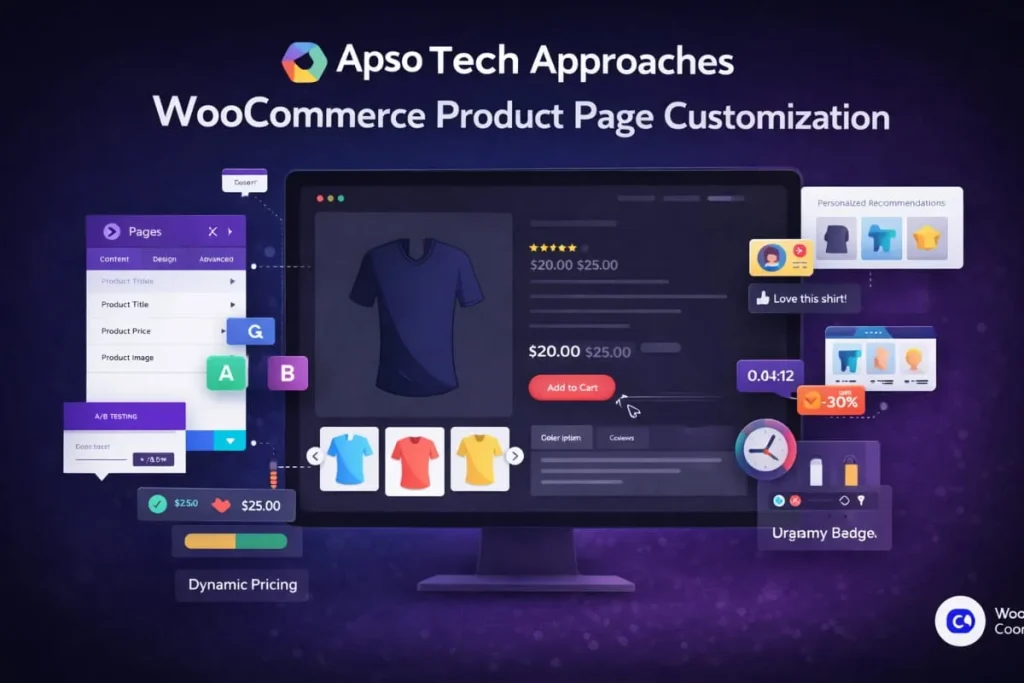
Our Strategic Customization Process
Our approach to WooCommerce product page customization includes:
- UX research and conversion analysis to understand user intent, friction points, and opportunities for improvement
- Custom WooCommerce template development tailored to brand identity, product complexity, and conversion goals
- SEO-first architecture and content structure, ensuring product pages are optimized for visibility from day one
- Speed and performance optimization to reduce load times, improve user experience, and support search rankings
Whether you’re scaling an existing store or planning a full redesign, Apso Tech delivers WooCommerce solutions engineered for long-term success. As an experienced WooCommerce web development agency in the USA, we ensure your product pages are flexible, maintainable, and ready to grow alongside your business.
WooCommerce Product Page Not Working? Fix Common Issues
When a WooCommerce product page stops working correctly, it can directly impact sales, user experience, and search performance. Issues such as missing product data, broken layouts, or malfunctioning buttons often stem from theme conflicts, plugin updates, or improper customization. A professional WooCommerce web development agency approaches these problems methodically to restore functionality without compromising performance or SEO.
Below are the most common WooCommerce product page issues and how they can be resolved safely.
Product Page Not Displaying
If a WooCommerce product page fails to load or returns a blank screen, the issue is often related to template overrides or compatibility conflicts.
Common causes include:
- Theme-level template overrides that are outdated
- Plugin conflicts affecting single product templates
- Incorrect product visibility or catalog settings
A skilled WooCommerce development company in the USA will review template files, product settings, and error logs to identify the root cause and restore proper display without disrupting live traffic.
Price or Add to Cart Missing
Missing pricing or “Add to Cart” buttons can prevent customers from completing purchases and often indicate configuration or code-level issues.
Typical reasons include:
- Product marked as out of stock or set to external/affiliate type
- Incorrect visibility or user-role-based restrictions
- Custom code or plugins overriding WooCommerce hooks
A professional WooCommerce website development agency in the USA ensures that pricing logic and purchase actions are restored correctly, while maintaining custom rules or conditional logic where required.
Layout Broken After Theme or Plugin Update
Updates are essential for security and performance, but they can sometimes break layouts or remove custom styling.
Common update-related issues include:
- Incompatible theme or plugin versions
- Deprecated WooCommerce hooks or functions
- Conflicts with page builders like Elementor or Divi
Debugging & Safe Fixes
Troubleshooting WooCommerce product page issues requires a structured approach to avoid further damage or downtime.
Best practices include:
- Enabling debugging in a staging environment
- Checking WooCommerce system status and logs
- Isolating plugin and theme conflicts safely
- Applying fixes using hooks and child themes rather than core edits
When to Seek Professional Help
If product page issues persist or occur frequently, it’s often a sign that the store has outgrown ad-hoc fixes. Partnering with an experienced WooCommerce website development agency in the USA provides long-term stability, proactive maintenance, and expert troubleshooting, so your store remains reliable and revenue-ready. Well-maintained WooCommerce product pages protect conversions, customer trust, and business growth.
When Should You Invest in Custom WooCommerce Product Pages?
Custom WooCommerce product page development is a strategic decision that typically aligns with business growth, increased competition, and evolving customer expectations. While default WooCommerce setups may work for early-stage stores, they often become a limitation as businesses scale.
You should consider professional WooCommerce product page customization if:
- Your conversion rate is below industry benchmarks, indicating UX or layout inefficiencies.
- You rely on multiple plugins for basic functionality, which can impact performance and long-term stability.
- Your brand lacks visual differentiation, making it difficult to stand out in competitive markets.
- You’re targeting highly competitive keywords or regions, where SEO and UX quality directly influence rankings and conversions.
In these scenarios, partnering with an experienced WooCommerce development company in the USA allows businesses to move beyond generic templates and build conversion-focused product pages..
WooCommerce Product Page Design Best Practices
An effective WooCommerce product page design plays a critical role in converting visitors into customers. A well-designed product page balances aesthetics, usability, and performance while clearly communicating value. Businesses that work with a professional WooCommerce web development agency gain a strategic advantage by designing product pages that are not only visually appealing but also optimized for conversions and scalability.
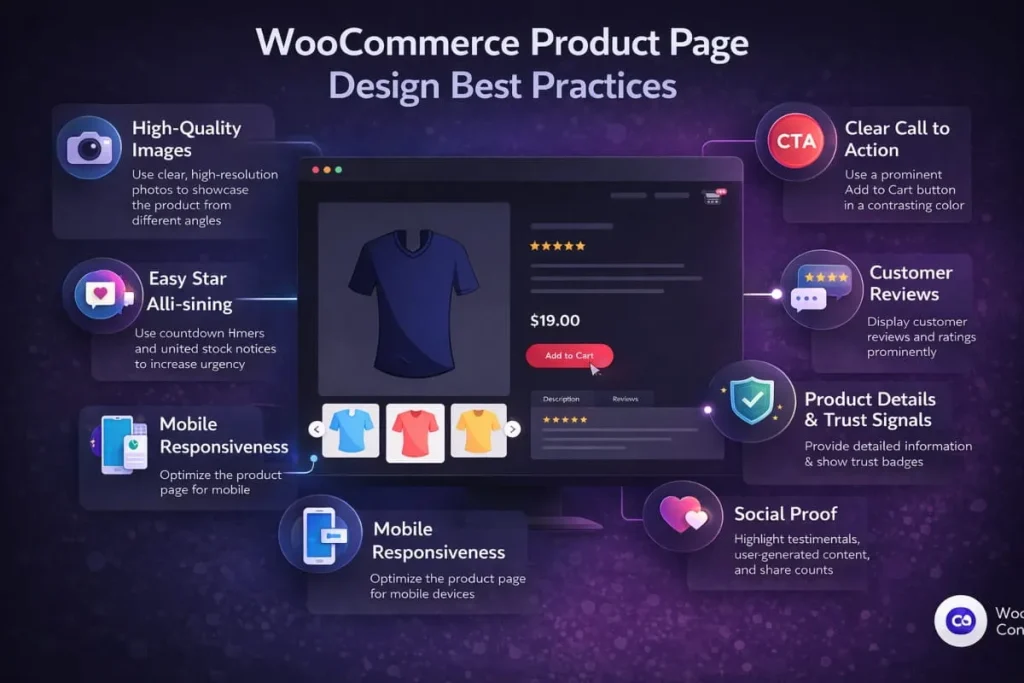
Below are proven WooCommerce product page design best practices used by high-performing eCommerce brands.
Prioritize Clear Visual Hierarchy
- Prominent titles and pricing make key product details instantly scannable.
- Separate information and actions so users know what to read and click.
- Guide users from images to benefits, then CTAs in a logical flow.
Use High-Quality Visuals and Media
- High-resolution images with zoom improve confidence in product quality.
- Lifestyle imagery shows real-world use and strengthens purchase intent.
- Product videos highlight key features, benefits, and differentiators quickly.
Design Mobile-First Product Pages
- Fast, responsive layouts reduce friction and improve mobile conversion rates.
- Thumb-friendly CTAs and navigation make purchasing easier on small screens.
- Condensed content surfaces value points without overwhelming mobile users.
Keep the Layout Clean and Focused
- Remove distractions to keep attention on the product and purchase path.
- Use white space to improve readability and reduce cognitive load.
- Highlight essential information above the fold for faster decision-making.
Build Trust With Social Proof
- Reviews and ratings validate quality and reduce buyer uncertainty quickly.
- Testimonials and case highlights provide context and credibility for prospects.
- Clear shipping, returns, and warranty policies remove purchase hesitation.
Optimize Performance and Load Speed
- Optimize images and assets to reduce load time and improve engagement.
- Limit heavy plugins to prevent slowdowns and compatibility issues.
- Maintain a clean code structure for faster rendering and better stability.
Align Design With SEO Strategy
- Use keyword-optimized headings to support rankings and page relevance.
- Structure content clearly so search engines understand product offerings.
- Add internal links to categories and services to strengthen site authority.
Final Thoughts
WooCommerce product page customization is no longer optional; it is a competitive necessity for businesses that want to scale, convert, and differentiate in today’s eCommerce landscape. From user experience and SEO to performance and long-term scalability, custom WooCommerce development gives businesses complete control over their online revenue engine.
Partnering with an experienced a trusted WooCommerce website development agency in the USA ensures your store is built for sustained growth, not just a successful launch. With the right development strategy, product pages become powerful sales assets that support higher conversions, stronger search visibility, and improved customer engagement.
If you’re ready to elevate your WooCommerce store with conversion-focused design, SEO-driven architecture, and expert development, explore Apso Tech’s tailored WooCommerce solutions and take the next step toward scalable eCommerce growth.


)