
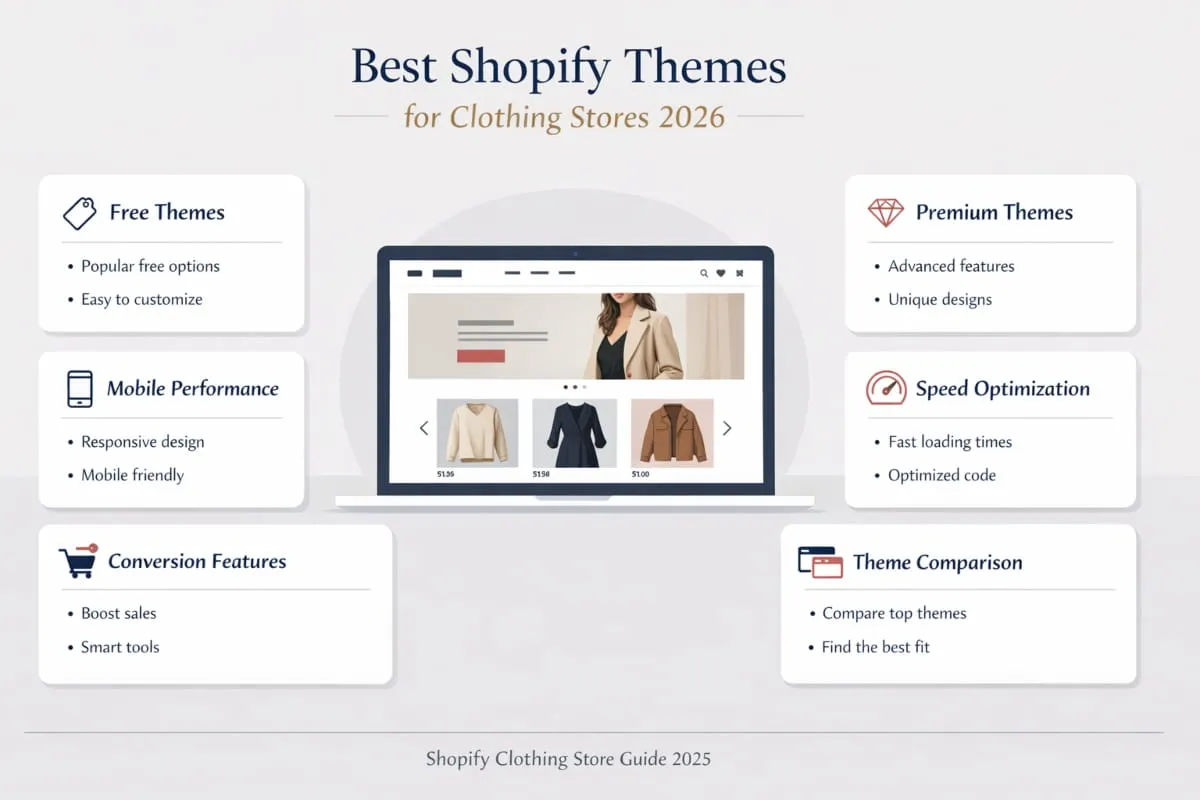
Starting a clothing store on Shopify is one of the smartest moves you can make in 2026. The platform powers over 4 million stores worldwide, and fashion is consistently one of its strongest-performing categories. But here’s where most new store owners get stuck: they spend hours scrolling through themes, downloading random apps, and copying stores that look good without understanding why they work.
That guesswork is expensive. A slow theme kills conversions. The wrong app stack bloats your store. And launching without a clear direction means you’re competing blind in one of the most crowded niches on the platform.
This guide cuts through all of it.
Whether you’re building your first clothing store or relaunching an existing one, you’ll find everything you need right here: the best Shopify themes for clothing stores that actually convert, the apps worth installing, and real examples of stores doing it right. Every recommendation is based on what works in the real world, not just what looks impressive in a demo.
By the end, you won’t just know what to pick. You’ll know why it matters specifically to your store.
Let’s get into it.
What Makes a Great Shopify Clothing Store in 2026?
The clothing industry online has matured. Shoppers are no longer impressed by a store that simply exists; they expect an experience. And in 2026, the gap between a store that browsers trust enough to buy from and one they bounce off in seconds comes down to a handful of decisions made before a single product goes live. Your theme, your app stack, your page speed, your presentation, all of it sends a signal to the customer before they even read your product description.
Understanding what separates great Shopify clothing stores from forgettable ones is the foundation for everything else.
Key Features Shoppers Expect From Fashion Stores
Today’s online clothing shopper has been trained by the best. They’ve bought from ASOS, Zara, and dozens of independent brands that have quietly raised the bar. By the time they land on your store, they already have expectations, and they’re not forgiving when those expectations aren’t met.
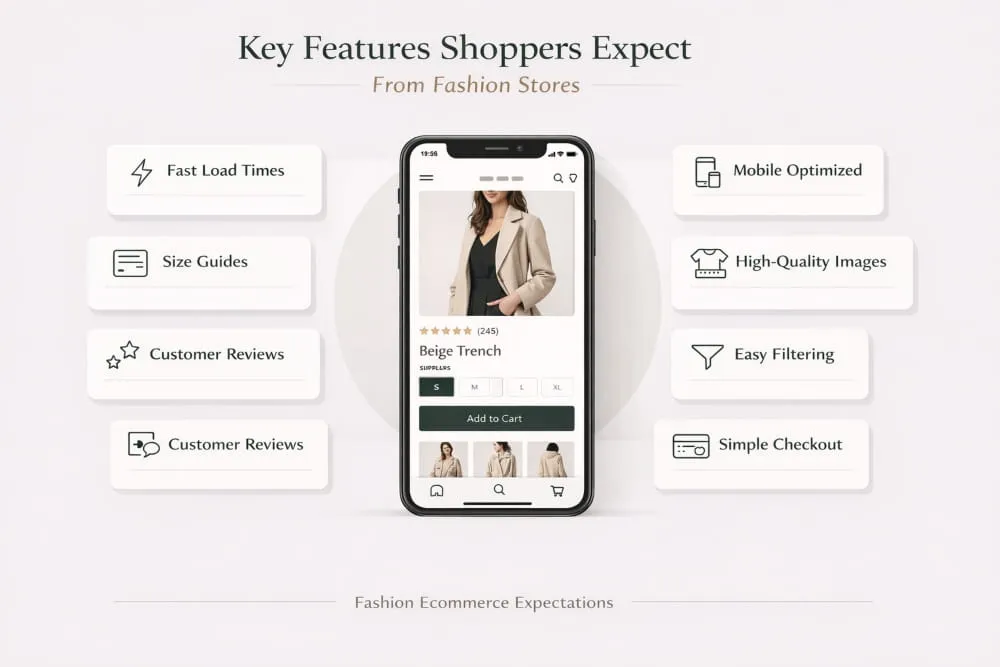
At a minimum, shoppers expect fast load times, clean and intuitive navigation, and high-quality product imagery that lets them visualize the item on a real person. They want size guides that are actually useful, not generic charts copied from a manufacturer’s website. They expect to see reviews from real customers, easy filtering by size, color, and style, and a checkout process that doesn’t make them think twice.
Mobile experience is non-negotiable. Over 70% of fashion ecommerce traffic now comes from mobile devices, which means if your store isn’t flawless on a phone screen, you’re losing sales every single day, regardless of how good your desktop design looks.
These aren’t premium features anymore. They’re the baseline.
How Theme and App Choices Directly Impact Conversions
Your theme is not just a design decision; it’s a conversion decision. The best Shopify theme for a clothing store isn’t necessarily the most beautiful one in the Shopify Theme Store. It’s the one that loads fast, presents products clearly, and guides a visitor toward checkout with as little friction as possible.
A poorly chosen theme can undermine even the best products. Slow rendering, cluttered layouts, and weak mobile optimization push visitors away before they’ve given your clothing a fair chance. On the other hand, a well-built theme creates an environment where your products do the selling, with clean typography, generous whitespace, and smart product page layouts that answer customer questions before they’re even asked.
Apps play a supporting role, but they matter more than most store owners realize. The right apps, a smart size-guide tool, a review platform, and a well-placed upsell quietly lift your average order value and reduce return rates. The wrong ones slow your store down and create a fragmented experience that erodes trust. Every app you install should earn its place by either improving the customer experience or improving your bottom line, ideally both.
Ready to Build a Shopify Clothing Store That Actually Sells?
Get a professionally designed store built around your brand, your products, and your customers.
Start My Shopify Store →
What Separates Average Stores From Top Performers
The best Shopify clothing stores share a quality that’s harder to define, but immediately felt when you land on one, they feel intentional. Nothing is there by accident. The photography is consistent. The copy speaks directly to a specific customer. The theme enhances the brand instead of competing with it.
Average stores make the mistake of treating their Shopify store like a digital warehouse, uploading products, setting prices, and leaving the store open. Top performers treat it like a flagship retail location. Every detail, from the homepage hero image to the font choice on the product page, is considered through the customer’s lens.
They also invest in the right Shopify apps for their clothing store early rather than bolting them on as an afterthought. Their review system is set up before launch. Their email capture is live from day one. Their size and fit experience is seamless because it was planned, not patched.
The good news is that none of this requires a massive budget or a development team. It requires the right theme, a focused app stack, and a clear picture of who your customer is. The rest of this guide will help you build exactly that.
Best Shopify Themes for Clothing Stores (Free & Paid)
Your theme is the foundation on which everything else is built. It shapes how your products are perceived, how fast your pages load, and whether a first-time visitor stays long enough to become a customer. For clothing stores specifically, this decision carries even more weight. Fashion is a visual category, and the wrong theme can make even great products feel cheap. The right one makes your entire store feel like a brand worth buying from.
Here’s a breakdown of the best Shopify themes for clothing stores in 2026, whether you’re starting lean or ready to invest in a premium option.
Best Free Shopify Themes for Clothing Stores
Free themes on Shopify have improved dramatically over the years. They won’t give you every bell and whistle, but the best ones are genuinely capable of powering a professional clothing store without spending a dollar on design.
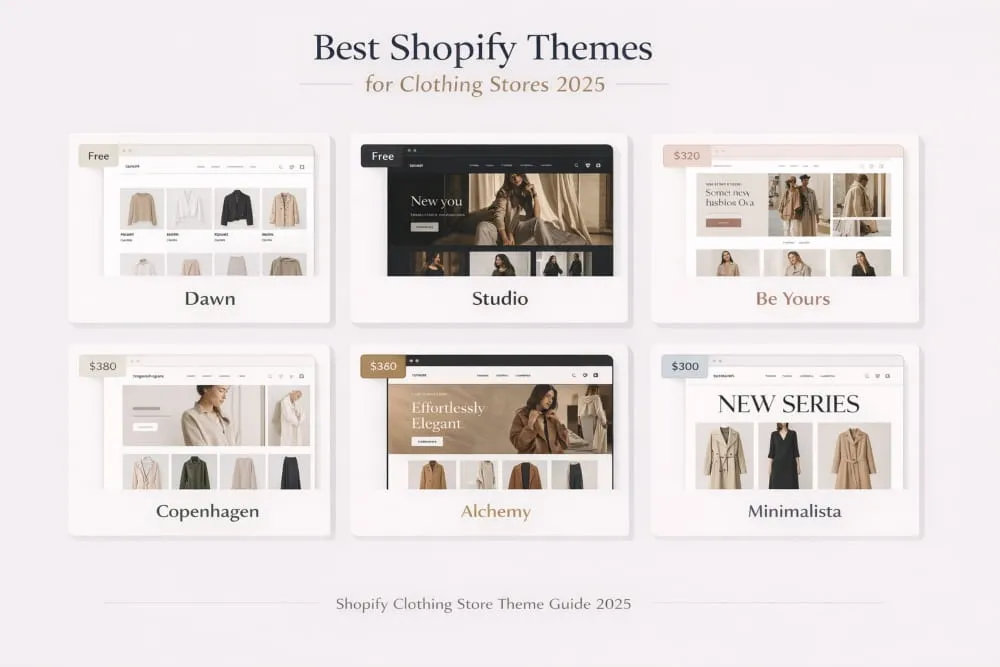
Dawn is the most widely used free Shopify theme for good reason. Its minimalist structure keeps the focus on your products, and it’s built with speed and mobile performance baked in from the ground up. For clothing stores that rely on strong product photography, Dawn’s clean whitespace and generous image sections let your pieces breathe. It includes recommended products, lookbook support, enhanced search, and a cross-selling section, everything a fashion store needs at launch.
Studio is the stronger pick if your clothing brand leans toward editorial or visual-heavy content. It supports high-resolution images with rollover options, product videos, lookbooks, and a robust mega menu, making it ideal for stores with multiple categories such as tops, bottoms, outerwear, and accessories. The size chart feature is a welcome built-in for fashion stores, where fit questions are the number one reason for abandoned carts.
Both themes are genuinely solid starting points. If budget is a constraint, either will serve you well, but don’t expect them to keep up as your catalog and traffic scale significantly.
Not Sure Which Theme Is Right for Your Brand?
Our Shopify experts will match you with the perfect theme and set it up exactly the way you need it. Get a Free Theme Consultation →
Best Premium Shopify Themes for Fashion Brands
When you’re ready to invest, premium themes offer greater design control, conversion optimisation, and visual storytelling. For clothing brands competing in a crowded market, this investment often pays for itself quickly.
Be Yours ($320) is one of the most clothing-forward premium themes available. It was built with fashion in mind, offering color swatches, lookbooks, infinite scroll, a “recently viewed” section, and more than 30 customizable sections across four preset styles. The user experience is fluid and intentional, which matters enormously in fashion, where browsing behavior is as important as the purchase decision.
Copenhagen ($320) brings Scandinavian minimalism to your store, with a feel that’s inherently premium. Five customizable presets, mega menus, sticky headers, infinite scroll, and countdown timers make it both beautiful and commercially sharp. If your clothing brand sits in the elevated basics or contemporary fashion space, Copenhagen matches that aesthetic effortlessly.
Alchemy ($300) is the pick for brands that want visual storytelling at the center of their store experience. Animation options, color swatches, product videos, image galleries, and press coverage sections give it a high-end editorial feel. It loads quickly despite its visual richness, which is exactly what you need when your customers are scrolling through dozens of product images on mobile.
Minimalista ($380) lives up to its name but adds commercial muscle underneath the clean exterior. Countdown timers, promo banners, before/after sliders, and lookbooks sit alongside a scalable architecture that handles high transaction volumes without breaking a sweat. For growing clothing brands preparing to scale, this is one of the most future-proof options available.
How to Choose the Right Theme for Your Clothing Niche
Not every clothing store has the same needs, and the best theme for a streetwear brand looks very different from that of a sustainable slow-fashion label. Before you commit to any theme, ask yourself three questions.
First, what does your customer expect the experience to feel like? A luxury brand needs white space, restraint, and editorial photography sections. A high-volume fashion retailer needs fast filtering, mega menus, and a frictionless cart experience. Match the theme’s personality to your brand’s positioning.
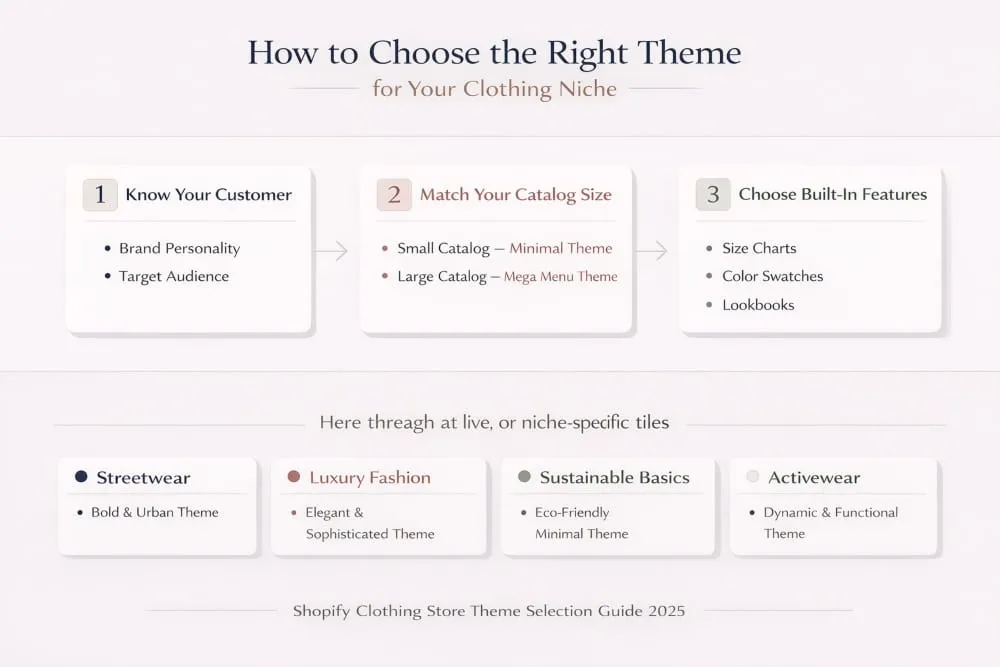
Second, how large is your catalog? Stores with dozens of SKUs have very different navigation requirements than stores with hundreds. Themes like Canopy and Studio include advanced filtering and mega menu options that become essential as your inventory grows.
Third, what built-in features do you actually need at launch? Size charts, colour swatches, lookbooks, and video support are features clothing stores rely on, and some themes include them natively, while others require paid apps to replicate the same functionality. Choosing a theme that handles these out of the box keeps your tech stack lean and your page speed healthy.
Theme Comparison, Speed, Design, Mobile Performance
Across all the themes covered here, a few patterns are worth understanding before you make your final call.
Speed varies more than most people expect between free and premium themes. Dawn and Studio, as Shopify’s own free themes, are built to Shopify’s latest performance standards and typically score well on Core Web Vitals. Premium themes like Alchemy and Be Yours are also optimised for speed, but adding too many apps or high-resolution images without compression can quickly erode those gains, regardless of which theme you choose.
On the design front, the premium themes offer a level of polish and customization depth that free themes simply can’t match. More presets, more section variety, more control over animations and typography, all of it adds up to a store that looks considered rather than templated.
Mobile performance is non-negotiable across the board. Every theme listed here is mobile-responsive, but there’s a meaningful difference between responsive and optimized. Themes like Be Yours and Copenhagen are specifically built with features like infinite scroll and sticky navigation that dramatically improve the mobile browsing experience, the kind of detail that directly impacts conversion rates when the majority of your traffic is coming from phones.
The bottom line: if you’re just starting, Dawn or Studio will get you live with a professional result. If you’re serious about competing at a higher level in the clothing space, a premium theme like Be Yours, Copenhagen, or Alchemy is one of the best investments you’ll make in your store.
Best Free Shopify Apps for Clothing Stores
Not every essential tool comes with a price tag. Several of the most impactful apps available to Shopify clothing stores are either free or offer genuinely useful free tiers that are more than sufficient for stores in their early stages.
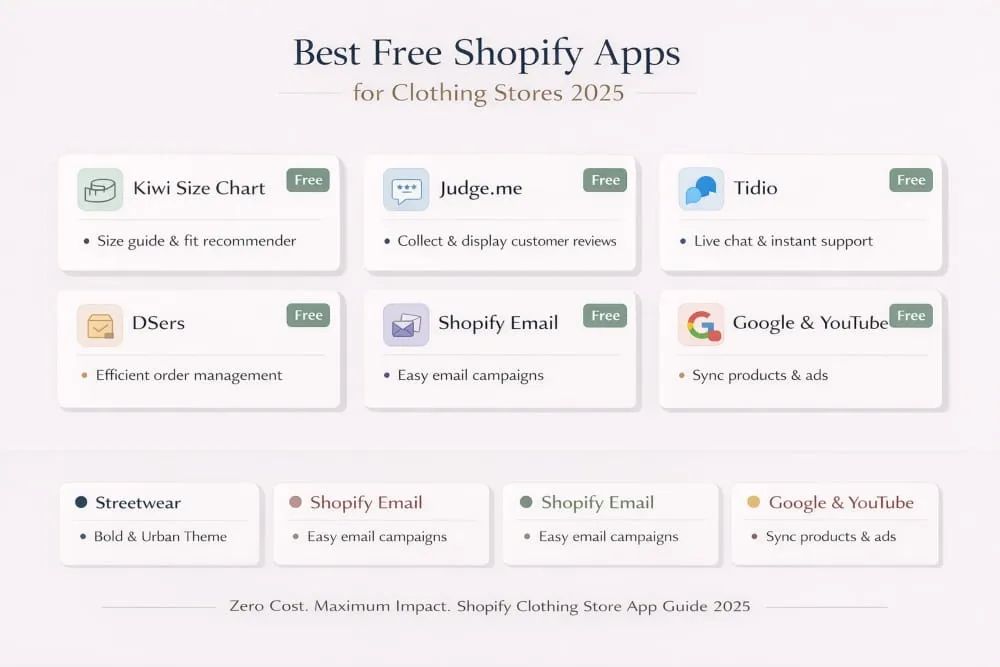
DSers is the go-to free app for clothing stores running a dropshipping model, handling supplier management and order fulfillment without the manual overhead. Tidio offers a free live chat tier that lets you answer fit and sizing questions in real time, the kind of instant support that converts hesitant shoppers into confident buyers. Shopify Email is built directly into the platform. It is free up to a generous monthly send limit, making it the logical starting point for email marketing before you need a more advanced solution.
Google & YouTube by Shopify is another free app worth installing early. It syncs your product catalog with Google Shopping and makes your clothing visible to shoppers actively searching for what you sell, often before they’ve even heard of your brand.
The broader point is this: you don’t need to spend heavily on apps to build a competitive clothing store. Start with free tools that solve real problems, and only upgrade when the limitations of the free tier are genuinely holding you back.
Best Shopify Clothing Stores to Learn From (Real Examples)
There is no better education in e-commerce than studying stores that are already winning. Reading about conversion optimisation and good UX design is useful, but seeing exactly how the best Shopify clothing stores implement these principles in a real-world setting is something else entirely. It shows you what’s possible, what good actually looks like, and gives you a concrete reference point when you’re making decisions about your own store.
The stores below aren’t just visually impressive; they’re also functional. They’re commercially sharp. Every design decision, every app in their stack, every line of copy on their product pages is working toward the same goal, turning a visitor into a customer and a customer into a loyal one.
Top Independent Fashion Brands Built on Shopify
The most instructive stores to study aren’t the massive global retailers with nine-figure budgets. They’re the independent fashion brands that have built genuinely competitive businesses on Shopify, brands that started where you’re starting and figured out how to win.
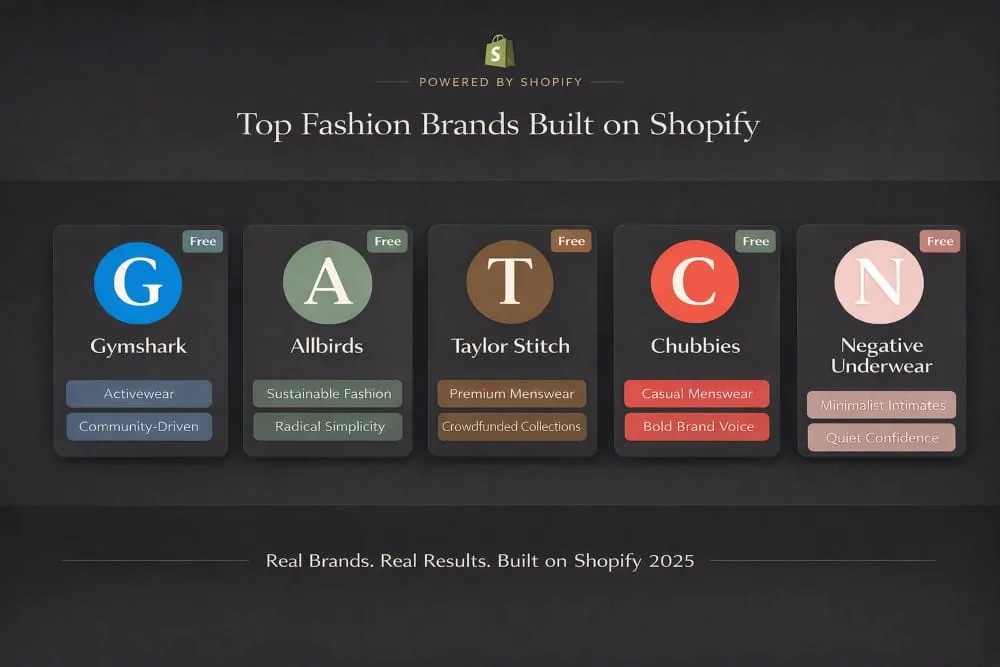
Gymshark is perhaps the most cited example of a Shopify clothing store done right at scale. Built entirely on Shopify and grown from a garage operation into a global activewear brand valued at over a billion dollars, Gymshark’s store is a masterclass in community-driven fashion ecommerce. The product pages are rich with photography showing real athletes, the size guides are detailed and trustworthy, and the entire experience is engineered around the fitness community they serve.
Allbirds built its Shopify store around a single idea, radical simplicity, and executed it with extraordinary consistency. Every element of the store reinforces the brand’s sustainability positioning. The copy is warm and specific, the product pages answer every question a cautious buyer might have, and the checkout experience removes every possible friction point. It’s a store that converts well precisely because it trusts its products and lets them speak for themselves.
Taylor Stitch is one of the best examples of a mid-market menswear brand using Shopify to build a premium experience without a premium budget. Their crowdfunding model, where customers pre-order upcoming pieces at a discount, is built directly into their Shopify store and creates a sense of community ownership that drives remarkable loyalty. The store itself is clean, editorial, and deeply confident in its aesthetic.
Chubbies took the opposite approach: loud, irreverent, and aggressively fun. Their Shopify clothing store is a reminder that brand voice is a conversion tool. The product descriptions make people laugh, the photography is playful and genuine, and the entire store feels like it was built by people who actually wear the clothes. It’s a completely different aesthetic from Taylor Stitch, and equally effective for their specific audience.
Negative Underwear rounds out this list as one of the cleanest examples of minimalist fashion ecommerce on Shopify. The store is restrained to the point of confidence, very little copy, very large imagery, and a navigation structure so simple it almost disappears. For a brand selling intimate apparel where comfort and aesthetics are everything, this approach communicates quality before a single Word is read.
What These Stores Do Differently (Design, UX, Conversion)
Spending time on these stores, a few consistent patterns emerge that separate them from the average Shopify clothing store. None of these are secrets, but most stores fail to execute them consistently enough to make them effective.
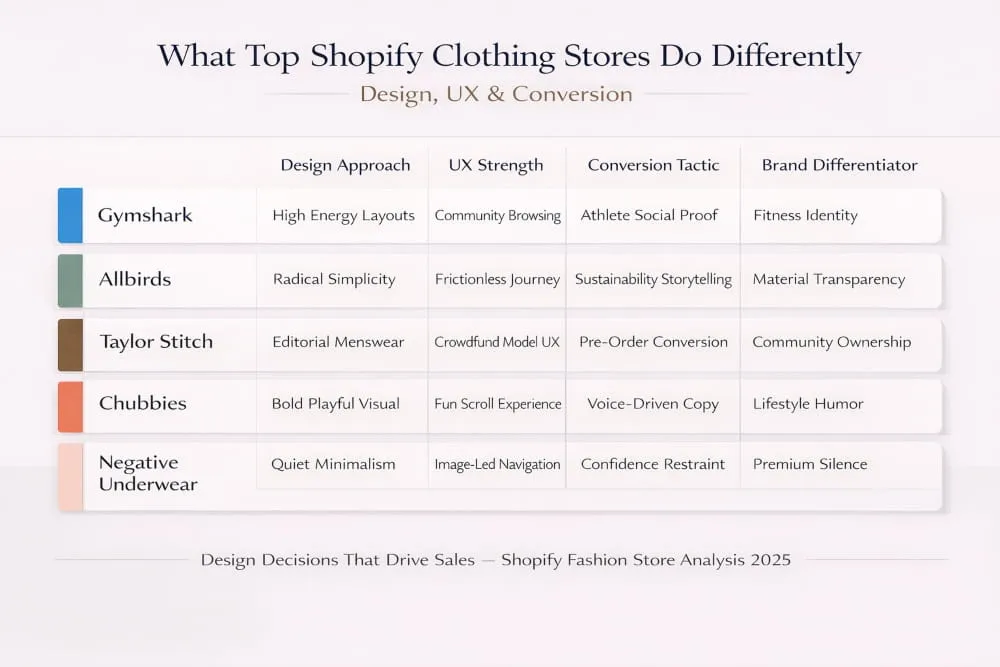
They design for their customer, not for themselves. Every store on this list has a clear picture of its customers, and every design decision reflects that understanding. Gymshark’s high-energy layouts speak directly to fitness enthusiasts. Negative Underwear’s quiet confidence speaks to customers who value quality over noise. The aesthetic isn’t just a style choice; it’s a positioning statement.
Their product pages do the heavy lifting. The best Shopify stores for clothing treat the product page as the most important real estate on the site. Multiple high-quality images from different angles, video when relevant, detailed size and fit information, prominent, well-curated reviews, and copy that speaks to how the product feels and fits, not just how it looks. They answer the customer’s questions before the customer thinks to ask them.
They make the path to purchase frictionless. Sticky add-to-cart buttons, clean navigation, fast load times, simple checkout flows, and the best clothing Shopify stores eliminate every unnecessary click between browsing and buying. They understand that friction kills conversion, and they’ve methodically removed every source of it.
They use storytelling as a conversion tool. Taylor Stitch tells the story of how each garment is made. Allbirds tells the story of why sustainable materials make better shoes. Chubbies tells the story of weekends and freedom. The product is always connected to something larger than itself, and that connection is what makes a customer choose one brand over another when the products themselves are comparable.
They build trust before they ask for the sale. Reviews are prominent and genuine. Photography shows real people, not just mannequins. Return policies are clearly and confidently stated. The cumulative effect is a store where customers feel safe spending money, and that sense of safety is what converts hesitant browsers into buyers.
How to Model Your Store After Successful Examples
Studying these stores is only useful if it translates into concrete improvements to your own. The goal isn’t imitation, it’s extraction. You’re looking for the underlying principles that make these stores work, then applying those principles to your specific brand, product, and customer.
Start by spending time on two or three stores that are closest to your own positioning. If you’re building a premium menswear brand, study Taylor Stitch in detail. If you’re in activewear, Gymshark is your reference point. Spend time on their product pages, go through their checkout process, sign up for their email list, and watch what they send you. You’re not looking at the surface, you’re looking at the system underneath it.
Pay particular attention to how they handle the moments of hesitation. Where do they put their size guides? How do they present reviews? What does their returns policy say and where is it placed? These are the moments when customers decide whether to trust you enough to buy, and the best stores have carefully thought through each one.
Then audit your own store against what you find. Not to copy their aesthetic, but to identify the gaps. If their product pages answer five questions, yours don’t; those are five reasons your customers might be leaving without buying. If their navigation takes three clicks to reach a product, and yours takes six, that’s friction you can eliminate today.
The best Shopify clothing stores are generous teachers if you’re willing to pay attention. They’ve already done the testing, absorbed the lessons, and built the systems that work. Your job is to understand why they work, and then build something that’s authentically yours, informed by everything they’ve already figured out.
Your Competitors Are Already on Shopify. Are You?
Every day without a high-converting store is revenue you’re leaving on the table. Let’s fix that. Launch My Clothing Store Today →
How to Set Up Your Shopify Clothing Store for Maximum Sales
Most clothing stores don’t fail because of bad products. They fail because the store itself gets in the way. Slow pages, confusing navigation, missing information, and underwhelming photography are the silent conversion killers that cost sales every single day, yet never appear in an analytics dashboard as obvious problems.
Setting up your Shopify clothing store correctly from the beginning isn’t about perfection. It’s about removing every reasonable excuse a customer might have to leave without buying. The stores that do this well don’t just look better, they sell more, return less, and retain customers longer. Here’s how to build yours the right way.
Step-by-Step Theme Setup for Clothing Stores
The first decision is choosing your theme, and if you’ve read this far, you already have a shortlist. Once you’ve selected it, resist the temptation to launch immediately. The setup phase is where the foundation gets laid, and rushing it creates problems that compound over time.
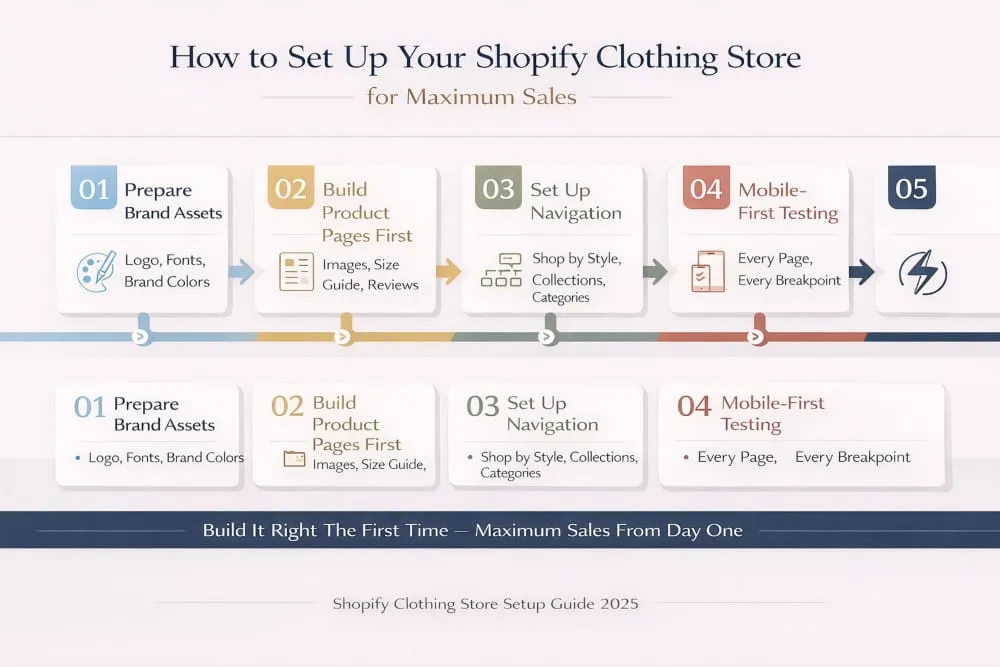
Start with your brand assets before touching the theme editor. Have your logo in multiple formats, your brand color codes, and your primary and secondary fonts decided before you open Shopify’s theme customizer. Going in without these means making visual decisions in a vacuum, and the result almost always looks inconsistent.
Once inside the theme editor, build your homepage last, not first. It’s the instinct of almost every new store owner to start with the homepage because it feels like the front door, but your product pages are where purchasing decisions actually get made. Set up your product page template first. Get the image layout right, position your size guide, place your reviews section, and make sure your add-to-cart button is prominent and visible without scrolling on mobile. Then build the rest of the store around what you’ve created there.
Configure your navigation with your customer’s browsing behavior in mind, not your internal category logic. Group products the way a shopper thinks about them, by occasion, by style, by collection, rather than by how your inventory is organized. If your store carries tops, bottoms, outerwear, and accessories, make those distinctions clear and accessible from any page on the site.
Test every page on mobile before testing on desktop. Given that the majority of fashion ecommerce traffic comes from phones, your mobile experience is your primary one. If something looks slightly off on mobile, it’s not a minor issue; it’s your main problem.
Finally, set your page speed as a non-negotiable standard. Compress images before uploading, limit the number of apps running on your storefront, and use Shopify’s built-in speed report to identify anything that’s dragging your load time down. A one-second improvement in load time has a measurable impact on conversion rate, especially on mobile, where patience is shortest.
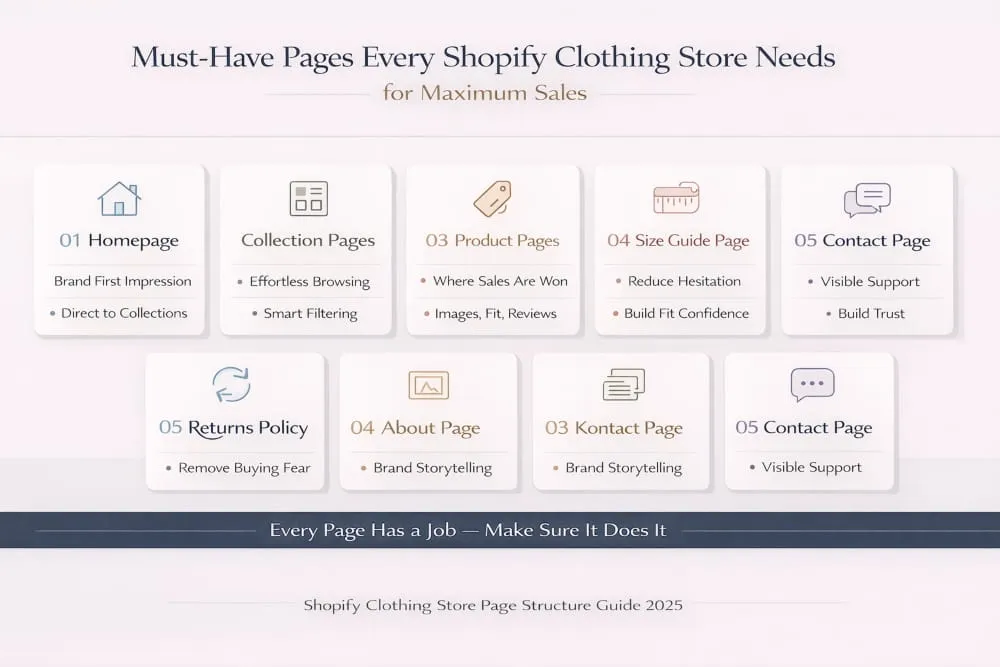
Must-Have Pages Every Clothing Store Needs
A well-built Shopify clothing store is more than a product catalog with a checkout attached. The pages surrounding your products do important work; they build trust, answer questions, reduce hesitation, and create the kind of store environment where customers feel confident spending money.
Your homepage should function as a confident introduction, not an overwhelming catalog dump. A strong hero image or video, a clear value proposition, your best-selling collections, and a handful of curated social proof elements are all it needs. Keep it focused. Every element should either communicate your brand’s values or move the visitor toward a product.
Your collection pages are where browsing happens, and they need to make that browsing effortless. Clean product grid layouts, intuitive filtering by size, color, and style, and consistent product photography across all listings are the baseline. Inconsistent imagery on a collection page, different backgrounds, different lighting, and different crop ratios make even a strong product range look cheap.
Your product pages are where the sale is won or lost. Each one needs multiple high-quality images, a video if possible, a detailed and honest description that addresses fit and fabric, a clearly accessible size guide, prominent reviews, a visible and reassuring returns policy, and a cross-sell section showing complementary pieces. Anything less and you’re leaving money on the table.
Beyond the core shopping experience, three supporting pages are essential and frequently neglected. A clear and confident returns and exchange policy page removes one of the biggest psychological barriers to buying clothing online, the fear of being stuck with something that doesn’t fit. A detailed size guide page that goes beyond a generic chart and actually helps customers identify their size builds trust in a way nothing else can. And an About page that tells your brand’s story with specificity and sincerity creates the emotional connection that turns first-time buyers into loyal customers.
A contact page with real, accessible support options, email, chat, or both, signals that there’s a real business behind the store. In a world full of faceless dropshippers and anonymous storefronts, visible and responsive customer service is a genuine competitive advantage.
Photography and Product Presentation Best Practices
In fashion ecommerce, photography isn’t a marketing expense; it’s a sales tool. The customer cannot touch your fabric, try on your fit, or hold your product up to the light. Your images have to do all of that work for them. Stores that invest seriously in product photography consistently outperform those that don’t, regardless of how good their theme or app stack is.
Every product needs at least four types of shots: a clean, front-facing shot on a white or neutral background for clarity; an on-model shot that shows scale and fit; a detail shot that highlights texture, stitching, or material quality; and a lifestyle shot that shows the piece in context. That context shot is more important than most new store owners realize; it helps the customer visualize themselves wearing the piece, which is one of the most powerful triggers for a purchase decision.
Consistency across your catalog is as important as quality within individual shots. Matching backgrounds, consistent lighting temperature, similar model poses, and crop ratios create a visual coherence that makes your store feel professional and intentional at a glance. A collection page where every image looks slightly different in tone or framing signals a lack of attention to detail, and customers notice even when they can’t articulate why.
On-model photography deserves particular emphasis for clothing stores. Showing your pieces on real people, ideally people who reflect the diversity of your customer base in terms of body type, size, and background, does more for conversion than any other single investment you can make in your presentation. It answers the fit question visually, reduces size-related hesitation, and makes the product feel attainable rather than aspirational in a distant, unattainable way.
Video is no longer optional for stores that are serious about competing. A short clip of a model moving in the garment, showing how the fabric drapes, how the fit holds through movement, and how the piece actually looks in real life rather than under studio lights, addresses the single biggest anxiety in clothing ecommerce: the fear that what arrives won’t match what was shown. Even a simple fifteen-second clip shot on a modern smartphone, properly lit and cleanly edited, can meaningfully lift conversion on a product page.
Write your product descriptions to complement your photography, not to repeat it. The image shows what the piece looks like; the description should tell the customer how it feels, how it fits, what it’s made for, and who it’s made for. Specific, honest, and confident copy that speaks directly to your customer builds trust in a way that generic manufacturer descriptions never will. The best Shopify clothing stores treat every product description as an opportunity to reinforce their brand voice and remove one more reason not to buy.
Final Thoughts
Building a successful Shopify clothing store in 2026 comes down to three things done consistently well: the right theme, a focused app stack, and a shopping experience that earns customer trust at every step.
The best Shopify themes for clothing stores give your products the visual environment they deserve. The right apps remove the hesitations that stand between browsing and buying. And studying what successful clothing stores are already doing gives you a proven roadmap rather than a blank page.
None of this requires a large budget or a development team. It requires clear thinking, deliberate decisions, and a genuine understanding of what your customer needs to feel confident buying from you.
Start with the foundations covered in this guide, execute them with consistency, and build from there. The stores that win in fashion ecommerce aren’t the ones with the biggest budgets; they’re the ones that get the basics right and never stop refining them.
Frequently Asked Questions (FAQ’s)
What is the best free Shopify theme for a clothing store?
Dawn and Studio are the two strongest free Shopify themes for clothing stores. Dawn wins on speed and minimalist product presentation, while Studio is better suited for visual-heavy brands that need lookbooks, mega menus, and product video support. Both are mobile-optimized and ready to use without any coding.
Which Shopify apps do clothing stores actually need?
At minimum, a clothing store needs a size guide app, a reviews app, and an email marketing tool. Kiwi Size Chart handles fit confidence, Judge.me or Loox covers social proof, and Klaviyo manages customer retention. Everything beyond that should solve a specific problem in your store, not just fill space in your app dashboard.
How much does it cost to build a Shopify clothing store?
A functional Shopify clothing store can be launched for as little as $39 per month on Shopify’s Basic plan, plus a one-time theme cost of $0 to $390 if you choose a premium theme. Factoring in essential apps, photography, and your initial inventory, most clothing store owners should budget between $500 and $2,000 to launch professionally without cutting corners on the elements that directly impact sales.
Can I run a clothing store on Shopify without coding?
Yes, Shopify is specifically built for non-technical store owners. The theme editor is fully visual, apps handle most advanced functionality without touching code, and Shopify’s support documentation covers nearly every setup scenario. The only time coding is necessary is when you want highly customised functionality that goes beyond what themes and apps provide out of the box.


