
Running a Shopify store as a small business owner is equal parts exciting and exhausting. You’re the marketer, the customer support rep, the analyst, and the designer, often all before lunch.
The good news? The Shopify app ecosystem exists precisely for this reason. The right tools don’t just save you time, they quietly compound your revenue, tighten your customer relationships, and give your store a professional edge that customers notice before they even place an order.
But here’s the problem nobody talks about: the Shopify App Store has over 8,000 apps. And most roundups online either recommend tools they’re paid to promote, or dump a list of 50 apps on you with zero context about which ones actually matter for a small business operating on a real budget with real constraints.
This guide is different.
We’ve cut through the noise and identified the best Shopify app store tools for small businesses in 2026, organized by category, ranked by real-world value, and selected with one filter in mind: will this actually move the needle for a store that’s still growing?
Whether you’re looking to connect with customers on WhatsApp, recover lost sales through SMS, build your email list, or finally understand what your analytics are telling you, this guide covers every tool worth knowing about, and nothing that isn’t.
Why the Right Shopify Tools Make or Break Your Store
Most small business owners treat Shopify apps as optional add-ons, something to explore once the store is “more established.” That’s a costly mistake. The tools you install (and the ones you skip) directly shape how your store grows, how customers experience your brand, and how much revenue you leave on the table every single Month.
The difference between a store doing $5,000/Month and one doing $50,000/Month is rarely the product. More often, it’s the systems running quietly behind the scenes.
How Shopify Apps Impact Revenue, Retention, and Growth
Every serious Shopify store is built on three engines: acquiring customers, converting them, and keeping them coming back. Apps touch all three.
An SMS marketing tool sends a perfectly timed abandoned cart reminder that recovers a sale you would have never seen again. A WhatsApp commerce tool lets a customer ask a quick question and buy in the same conversation, removing the friction that kills conversions. An email list growth tool turns a one-time visitor into a subscriber you can market to for free, indefinitely.
None of these are “nice to haves.” For a small business without a big ad budget, these tools are your growth infrastructure. They automate what enterprise brands pay entire teams to do, at a fraction of the cost.
The stores that grow consistently in 2026 aren’t the ones with the best products alone. They’re the ones with the smartest tool stacks.
What to Look for Before Installing Any Shopify Tool
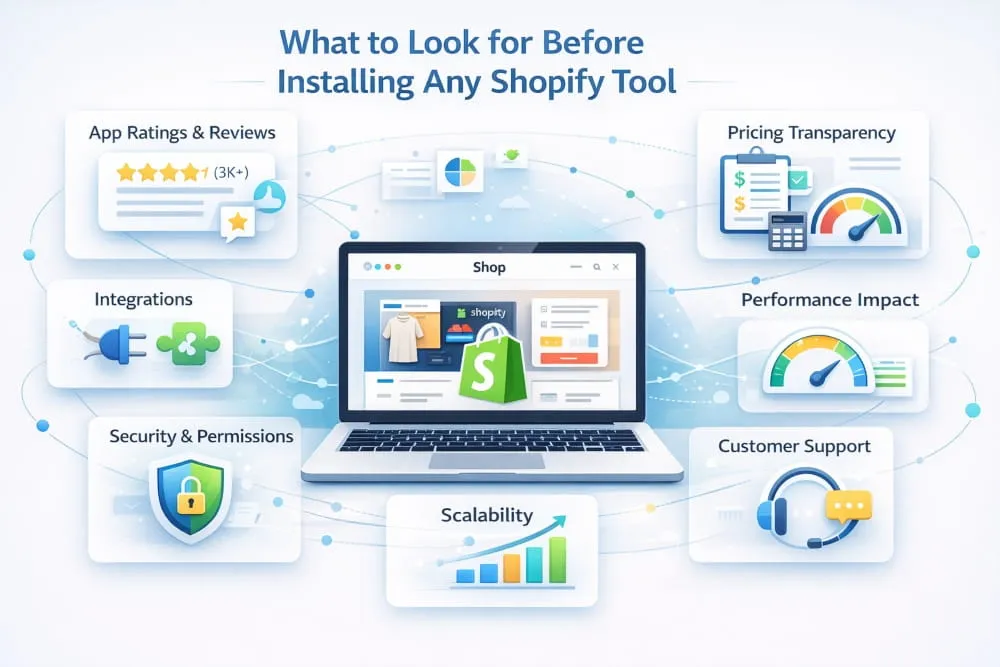
Not every highly-rated app belongs in your store. Before you install anything, run it through three quick filters.
Does it solve a real problem you have right now? It sounds obvious, but app overload is a genuine issue. Every tool you add introduces load time, a monthly cost, and a learning curve. Install with intention, not curiosity.
Does it integrate cleanly with your existing stack? A WhatsApp commerce tool that doesn’t sync with your order management system creates more work than it saves. Always check integration compatibility, especially with your email platform, CRM, and analytics setup.
What does the support look like? For small business owners, responsive support isn’t a bonus feature; it’s a necessity. Check recent reviews specifically for how the company handles problems, not just how good the product is when everything works.
Free vs. Paid Tools: What’s Worth It in 2026
The Shopify App Store is generous with free plans, and for early-stage stores, that’s genuinely useful. But free plans almost always come with a ceiling, a contact limit, a message cap, or a feature wall that appears exactly when you need it most.
The smarter approach is to think in tiers. Start free to validate that a tool fits your workflow. Once it’s generating measurable results, more recovered carts, a growing email list, and faster customer response times, upgrade without hesitation. A $29/month SMS marketing tool that recovers three $100 orders a month isn’t a cost. It’s a return.
Where free tools genuinely earn their place is in low-frequency, high-utility tasks, basic design work, simple analytics views, or lightweight customer support for stores with low ticket volumes. But for your core growth channels, WhatsApp commerce, SMS marketing, and email list building, investing in a capable paid tool early almost always pays for itself.
The best Shopify tools for small businesses in 2026 aren’t the cheapest ones. They’re the ones with the clearest ROI.
Best Shopify Tools by Category, 2026 Summary Table
You’ve made it through the full guide. If you’re the kind of person who reads every section before making a decision, you now have everything you need to build a tool stack that genuinely moves the needle for your store. If you jumped straight here, no judgment. Here’s the complete picture in one place.
Quick-Reference Comparison Table
| Category | Top Pick | Runner-Up | Best Free Option | Starting Price |
|---|---|---|---|---|
| Email Marketing | Klaviyo | Omnisend | Klaviyo (free tier) | Free / $20mo |
| SMS Marketing | Postscript | SMSBump (Yotpo) | SMSBump (free tier) | Free / $25mo |
| WhatsApp Commerce | Interakt | Zoko | SuperLemon | $15/mo |
| Customer Support | Gorgias | Tidio | Tidio (free tier) | Free / $10/mo |
| Analytics & Reporting | Triplewhale | Glew.io | Google Analytics 4 | Free / $129/mo |
| Behavioral Analytics | Lucky Orange | Microsoft Clarity | Microsoft Clarity | Free / $19/mo |
| Page & Store Design | PageFly | Shogun | PageFly (free tier) | Free / $24/mo |
| Visual Assets | Canva | Adobe Express | Canva (free tier) | Free / $15/mo |
| Email List Capture | Privy | OptiMonk | Privy (free tier) | Free / $30/mo |
| LTV & Profitability | Lifetimely | Glew.io | N/A | $59/mo |
*Pricing indicative as of 2026. Always verify current plans directly with each provider.
Our Top Pick Per Category and Why
Email Marketing: Klaviyo. No other platform matches the depth of its Shopify integration, the sophistication of its segmentation, or the quality of its automation logic. It grows with your store from your first 100 subscribers to your first 100,000 without ever feeling like you’ve outgrown it.
SMS Marketing: Postscript. Purpose-built for Shopify, transparent per-message pricing, and compliance tooling that protects small business owners who don’t have a legal team watching their campaigns. It does one thing and does it better than almost anyone else.
WhatsApp Commerce: Interakt. The right entry point for most small Shopify businesses, capable enough to run a serious WhatsApp commerce operation, accessible enough to set up without a technical background, and priced fairly for stores that are still scaling.
Customer Support: Gorgias. Built exclusively for e-commerce, its Shopify integration pulls full order context into every support ticket so your team, or you, working solo, can resolve issues faster and turn support interactions into retention opportunities.
Analytics: Triplewhale. For any store running paid advertising across multiple channels, Triplewhale’s attribution clarity is the single most valuable data investment you can make. Knowing your true ROAS by channel changes every subsequent marketing decision for the better.
Behavioral Analytics: Lucky Orange. Session recordings and heatmaps reveal what transactional data can’t: exactly why visitors aren’t converting. One afternoon with Lucky Orange will surface more actionable optimization insights than months of dashboard watching.
Page Design: PageFly. The design flexibility it adds beyond Shopify’s native editor is significant, and the learning curve for non-designers is genuinely manageable. For stores that want a custom-feeling storefront without the costs of custom development, PageFly is the answer.
Visual Assets: Canva. It has become the design layer for an entire generation of small business owners, and for good reason. Fast, consistent, on-brand creative production without a designer, that’s what Canva delivers, reliably, every time.
Email List Capture: Privy. Straightforward to set up, smart enough to optimize, and proven across thousands of Shopify stores. For the specific job of turning traffic into subscribers, Privy remains one of the most dependable tools in the ecosystem.
LTV & Profitability: Lifetimely. If you want to stop making decisions based on revenue and start making them based on profit and customer quality, Lifetimely’s cohort analysis and LTV reporting give you a view of your business that most Shopify store owners never get to see, and that view changes everything.
Best WhatsApp Commerce Tools for Shopify Stores (2026)
If you’re still treating WhatsApp as just a messaging app, you’re sitting on one of the most underutilized sales channels available to Shopify store owners today. WhatsApp has over 2 billion active users globally, and in markets across South Asia, the Middle East, Latin America, and, increasingly, Europe, it’s where purchasing decisions are made. For small businesses, especially, it’s a direct line to customers that no algorithm controls, with no ad budget required to maintain.
What Is WhatsApp Commerce and Why Shopify Stores Need It
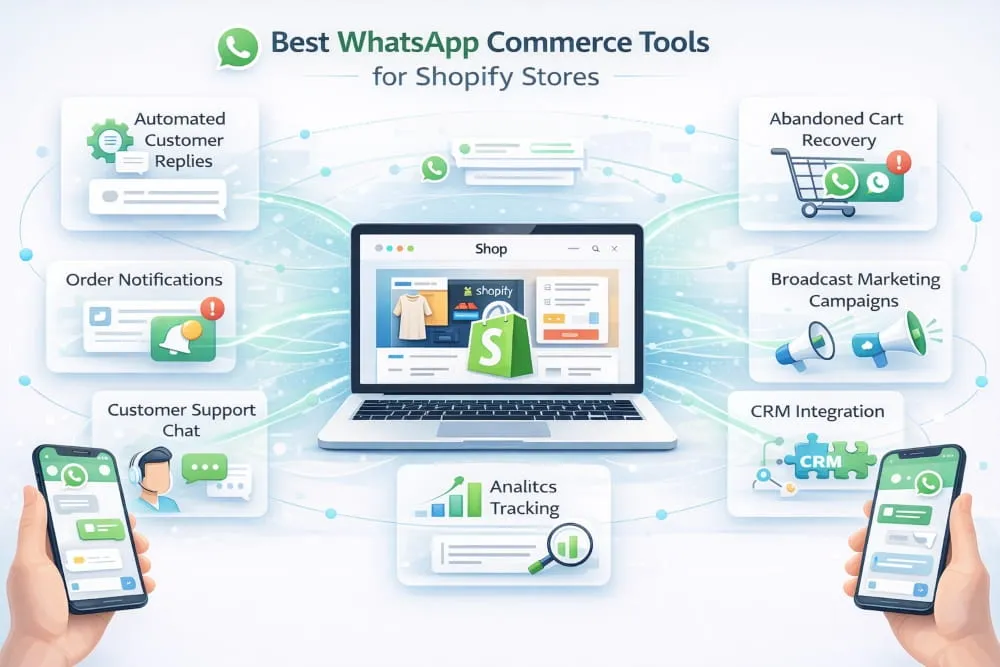
WhatsApp commerce is exactly what it sounds like: using WhatsApp as an active sales and customer engagement channel, not just a support inbox. That means sending order confirmations, sharing product catalogs, recovering abandoned carts, running promotional broadcasts, and closing sales, all within a conversation thread your customer already checks dozens of times a day.
For Shopify store owners, the case is straightforward. Email open rates hover around 20–25% on a good day. WhatsApp messages routinely see open rates above 90%. That gap alone should tell you everything you need to know about where customer attention actually lives in 2026.
Beyond the numbers, WhatsApp commerce creates something that most digital channels struggle to replicate: a genuine sense of personal connection. When a customer gets a WhatsApp message from your store that addresses them by name, references their last order, and offers them something relevant, that’s not marketing, that’s relationship building at scale. For a small Shopify business competing against larger brands, that kind of intimacy is a serious competitive advantage.
Top WhatsApp Tools Compared: Features, Pricing, Ease of Use
Several strong options exist for connecting WhatsApp to your Shopify store, each with strengths that vary depending on where you are in your growth journey.
Interakt is one of the most popular choices among small Shopify businesses, and for good reason. It offers a clean WhatsApp Business API integration with automated cart recovery, order notifications, and broadcast messaging, all manageable from a single dashboard. Pricing starts at around $15/month, making it accessible for stores just getting started with WhatsApp commerce.
Zoko positions itself as a full WhatsApp commerce platform rather than just a messaging tool. It supports multi-agent teams in inboxes, product catalog sharing directly within WhatsApp chats, and COD confirmation flows that are particularly valuable for stores in cash-heavy markets. It’s a step up in both capability and price, but for stores where WhatsApp is a primary sales channel, it quickly earns its cost.
Wati is another well-regarded option, especially for stores that want robust automation without a heavy technical setup. Its Shopify integration handles abandoned cart reminders, shipping updates, and customer support workflows cleanly. The interface is approachable for non-technical users, which matters when you’re running the whole operation yourself.
SuperLemon (now rebranded as Helplama in some markets) takes a simpler approach, focused on adding WhatsApp chat buttons, automated order messages, and basic broadcast campaigns. It’s a solid entry point for stores that want a WhatsApp presence without committing to a full commerce platform.
The right choice depends on your volume, your market, and how central you want WhatsApp to be in your customer journey. If you’re testing the channel, start with Interakt or SuperLemon. If WhatsApp is already where your customers prefer to buy, Zoko or Wati will give you the infrastructure to scale it properly.
How to Set Up WhatsApp Selling on Your Shopify Store
Getting started with WhatsApp commerce on Shopify is more straightforward than most store owners expect. The foundation is a verified WhatsApp Business account, ideally connected through the official WhatsApp Business API rather than the free WhatsApp Business app, which has significant limitations on broadcast volume and automation.
Once your WhatsApp Business API account is active, connecting it to Shopify via any of the tools above typically takes less than an hour. You’ll map your key Shopify events, orders placed, shipments dispatched, and carts abandoned to automated WhatsApp message triggers. From there, the tool handles the sending, and you focus on the conversations that need a human response.
A few things worth setting up from day one: a product catalog synced to your WhatsApp Business profile, a clear opt-in flow so customers actively choose to receive WhatsApp messages from you, and at least one abandoned cart sequence that fires within 30–60 minutes of a dropped session. That last one alone, for most Shopify stores, recovers enough revenue in the first Month to justify the entire tool cost.
WhatsApp commerce isn’t the future of Shopify selling; for many small businesses, it’s already the present. The stores setting it up now are the ones building customer relationships; their competitors won’t be able to replicate it easily later.
Best SMS Marketing Tools for Shopify Store Owners (2026)
Email built the first generation of e-commerce marketing. SMS is quietly dominating the next one. For Shopify store owners who haven’t yet built SMS into their marketing stack, 2026 is the year the gap between those who have and those who haven’t becomes impossible to ignore. The numbers are stark, the setup is simple, and the ROI, when done right, is among the highest of any channel available to a small business.
Why SMS Outperforms Email for Shopify Conversions
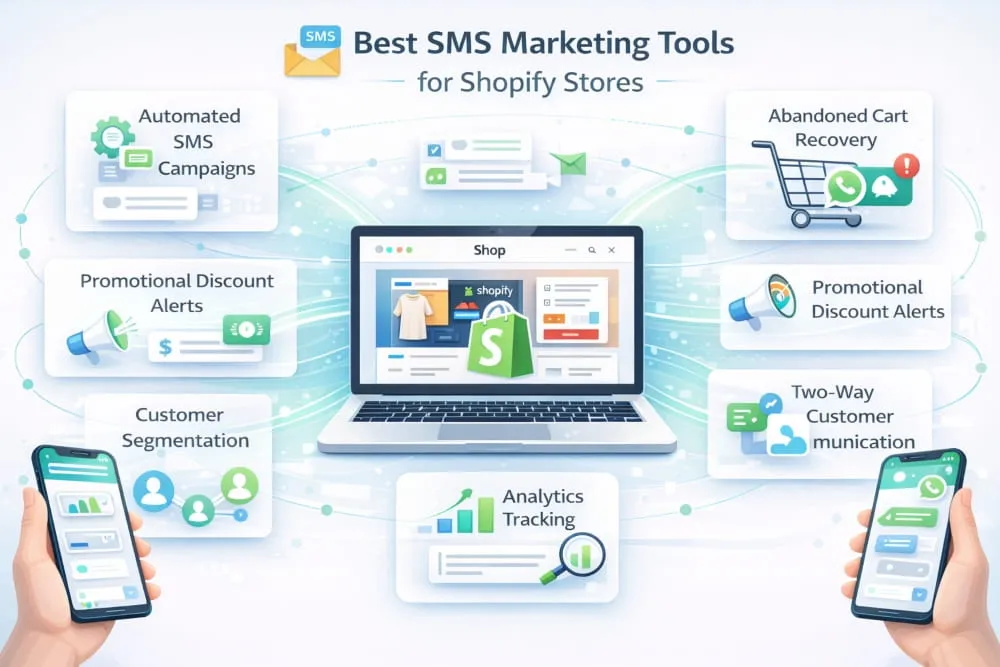
It’s not that email is dead. It’s that SMS operates on a fundamentally different level of immediacy. The average email sits unread for 90 minutes. The average SMS is read within 3 minutes of delivery. For time-sensitive moments in the Shopify customer journey, an abandoned cart, a flash sale, a back-in-stock alert, that difference isn’t marginal. It’s the difference between catching a customer while they still want to buy and reaching them after they’ve already bought elsewhere.
Conversion rates tell the same story. SMS campaigns for Shopify stores consistently convert at 2–3x the rate of equivalent email campaigns. Abandoned cart SMS sequences, in particular, routinely recover 10–15% of dropped sessions, a number that compounds quickly when you’re processing hundreds of sessions a month.
What makes SMS especially powerful for small Shopify businesses is its intimacy. A text message lands in the same place as messages from friends and family. When your brand shows up there with something genuinely useful, a relevant offer, a shipping update, a low-stock warning on something a customer viewed, it doesn’t feel like marketing. It feels like good service. That perception builds loyalty in a way that a promotional email buried in a crowded inbox simply cannot.
Top SMS Apps for Shopify, Side-by-Side Breakdown
The Shopify App Store has no shortage of SMS tools, but a handful consistently stand out for small business owners who need reliability, smart automation, and transparent pricing.
Klaviyo is the name most Shopify store owners encounter first, and for good reason. While it’s primarily known as an email platform, its SMS capabilities are deeply integrated and share the same segmentation and automation logic as its email flows. For stores already using Klaviyo for email, adding SMS is a natural extension, same audience data, same triggers, unified reporting. It’s not the cheapest option, but for stores that want email and SMS managed in one place, it’s hard to beat.
Postscript is purpose-built for Shopify SMS marketing and has earned a strong reputation among store owners who want SMS to be a primary channel rather than an afterthought. Its Shopify integration is seamless, its automation builder is intuitive, and its compliance tooling is among the best in the category. Postscript charges per message rather than a flat monthly fee, making it genuinely cost-effective for stores with variable send volumes.
SMSBump (now part of Yotpo) is another strong contender, particularly for stores that are already in the Yotpo ecosystem using reviews or loyalty tools. Cross-platform data sharing enables smarter segmentation; you can target SMS campaigns based on review behavior, loyalty points, or purchase history in ways that standalone SMS tools can’t replicate.
Attentive sits at the more premium end of the market and is typically better suited to stores with higher order volumes. Its two-tap mobile opt-in technology is genuinely best-in-class for list building, and its AI-driven send-time optimization consistently improves campaign performance. For fast-growing Shopify stores ready to invest seriously in SMS, Attentive delivers.
For most small Shopify businesses, Postscript offers the best balance of capabilities, Shopify-native integration, and cost control. Klaviyo makes more sense if you want a unified email and SMS platform from day one.
SMS Compliance Tips for Small Business Owners
SMS marketing is powerful precisely because it’s personal, and that’s exactly why it’s regulated. Ignoring compliance isn’t just a legal risk; it’s a brand risk. A single unwanted text to the wrong customer can do more damage to your store’s reputation than a month of great marketing can repair.
The foundation of SMS compliance is express written consent. Every subscriber on your SMS list must have explicitly opted in to receive marketing messages from your store. Pre-checked boxes, assumed consent from a purchase, or imported contact lists do not meet the standard. Your opt-in language must clearly state that the customer agrees to receive marketing texts, include your store name, disclose message frequency, and note that message and data rates may apply.
Honoring opt-outs is non-negotiable. Every SMS you send must include a simple way to unsubscribe, typically the Word STOP, and that request must be processed immediately. All reputable SMS tools handle this automatically, but it’s worth confirming your setup works correctly before your first campaign goes out.
Sending hours matter too. In most markets, SMS marketing outside of reasonable business hours , generally 8am to 9pm in the recipient’s local time zone , creates both a compliance exposure and a customer experience problem. Schedule with awareness, not just convenience.
Finally, keep records. Document your opt-in sources, consent timestamps, and unsubscribe confirmations. If a compliance question ever arises, that paper trail is your protection. The best SMS marketing tools for Shopify store owners handle most of this automatically, but understanding the rules yourself ensures you’re never caught off guard by a platform change or a regulatory update.
Done right, SMS isn’t just a marketing channel. It’s one of the most direct, respectful, and effective ways a small Shopify business can communicate with the customers who matter most.
Best Email List Growth Tools for Shopify Stores (2026)
Every Shopify store owner eventually learns the same hard lesson: you don’t own your social media following, your ad audience, or your search rankings. An algorithm change, a platform update, or a sudden spike in ad costs can cut your traffic overnight. Your email list is the one asset you actually own, and in 2026, building it deliberately and fast isn’t optional. It’s the most important long-term investment a small Shopify business can make.
The stores with large, engaged email lists don’t panic when Meta changes its targeting rules or when Google reshuffles its rankings. They have a direct line to their customers that no platform can take away. The question isn’t whether to build your list. Which tools will help you do it most effectively?
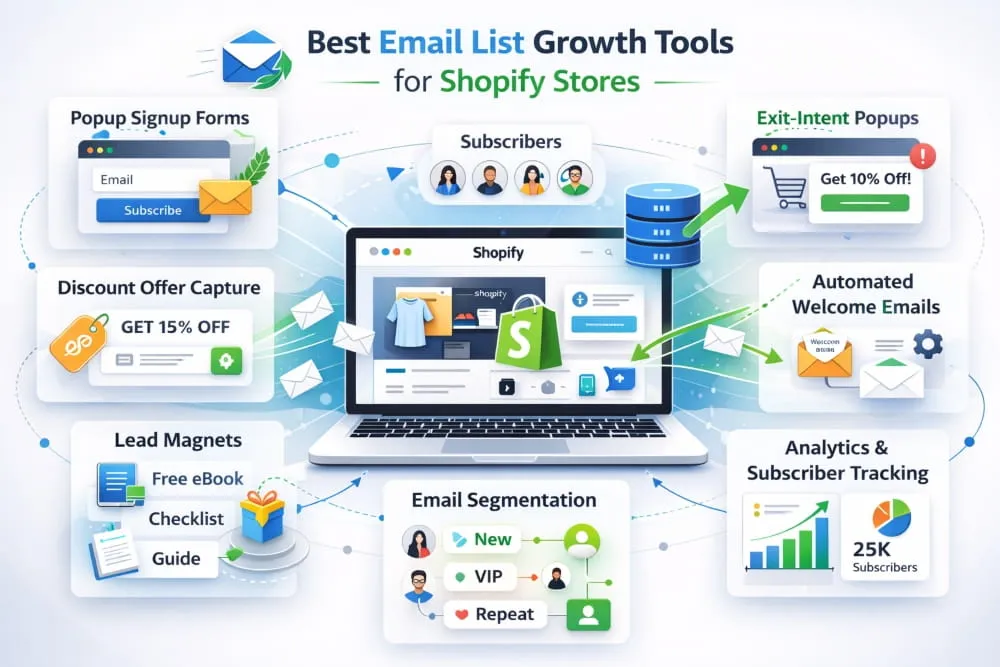
Popups, Forms, and Lead Magnets That Actually Convert
List building lives or dies on one thing: the offer. A popup that says “Subscribe to our newsletter” converts at roughly 1–2%. A popup that says “Get 15% off your first order” converts at 5–8% or higher. That difference, compounded over months of traffic, is the gap between a list of 500 contacts and a list of 5,000.
The mechanics matter too. Popups remain the highest-converting list-growth format available to Shopify stores, but only when deployed with restraint. A popup that fires the moment someone lands on your homepage is an interruption. A popup that appears after 30 seconds, or when a visitor shows exit intent, is a well-timed offer. The distinction sounds small, but the conversion difference is significant.
Beyond discount offers, lead magnets that perform well for Shopify stores include early access to new products, free shipping on a first order, exclusive content relevant to your niche, and loyalty program enrollment. The best lead magnet is always the one that feels genuinely valuable to your specific customer, not just a generic incentive bolted onto a generic form.
Embedded forms in footers, product pages, and checkout flows capture a different segment of visitors, the ones who are already engaged enough to scroll or complete a purchase. These convert at lower rates than popups but add meaningfully to your list over time with zero additional effort once set up.
Best Shopify Apps for Building Your Email List Fast
The right tool makes list building largely automatic. Once your forms, triggers, and incentives are configured, your list grows in the background while you focus on everything else.
Klaviyo earns its place at the top of this category not just as an email platform but also as a list-growth engine. Its signup forms are highly customizable, its targeting logic is sophisticated, you can show different popups to first-time visitors, returning customers, or people browsing specific product categories, and its native Shopify integration means subscriber data flows directly into your segments without any manual work. For stores serious about email as a growth channel, Klaviyo is the default choice.
Privy built its reputation almost entirely on list growth and remains one of the best Shopify apps for building your email list fast. Its popup builder is beginner-friendly, its targeting options are robust, and it includes A/B testing to optimize your offers over time. Privy also handles SMS opt-ins alongside email, making it efficient for stores building both channels simultaneously.
OptiMonk is worth serious consideration for stores that want more sophisticated personalization in their list-building strategy. It goes beyond standard popups to offer embedded campaigns, gamified opt-in experiences such as spin-to-win wheels, and dynamic content that adapts to visitor behavior. Gamified opt-ins, when matched to the right brand personality, consistently outperform static discount popups, sometimes by a factor of 2 or 3.
Gist and Omnisend round out the category for stores that want email list growth tools tightly bundled with their broader email marketing capabilities. Both offer solid native form builders with enough targeting intelligence to drive meaningful list growth without requiring a separate dedicated tool.
For most small Shopify businesses, the combination of Klaviyo for infrastructure and Privy or OptiMonk for front-end capture covers everything needed to build a high-quality list at high speed.
Integrating Email Tools With Your Existing Shopify Setup
The best email list growth tools for Shopify stores in 2026 are only as valuable as how well they connect to the rest of your stack. A subscriber who is captured by a popup, never receives a welcome email, is never segmented by purchase behavior, and never enters an automation flow is a missed opportunity, regardless of how good the capture tool is.
Integration starts at the data level. Your email tool should sync with Shopify in real time, pulling in purchase history, browsing behavior, and customer tags so that every new subscriber is immediately enriched with context. Klaviyo does this natively. For other platforms, Shopify’s native app integrations or a connector like Zapier bridge the gap cleanly.
The second layer is automation. The moment someone joins your list, something should happen: a welcome sequence, a discount delivery, a product recommendation based on what they were browsing when they opted in. This first touchpoint sets the tone for the entire customer relationship. Stores that automate it thoughtfully see dramatically higher engagement rates from new subscribers than stores that send a single generic welcome email and move on.
Finally, consider how your list growth tool connects to your SMS platform if you’re running both channels. The strongest Shopify marketing stacks in 2026 treat email and SMS as complementary rather than competing, using email for longer-form storytelling and relationship building, and SMS for high-urgency, high-conversion moments. Tools like Klaviyo and Omnisend support this natively, simplifying your stack and giving you a unified view of how each subscriber engages across channels.
Your email list is your store’s most durable asset. The tools you use to build it, and the systems you connect them to, determine how valuable that asset becomes over time.
Best Analytics Tools for Shopify Stores (2026)
Most Shopify store owners check their dashboard daily. Revenue, orders, sessions, the numbers that feel good to watch when they’re moving in the right direction. But surface-level metrics are not analytics. They tell you what happened. They don’t tell you why, where the leaks are, or what to do next.
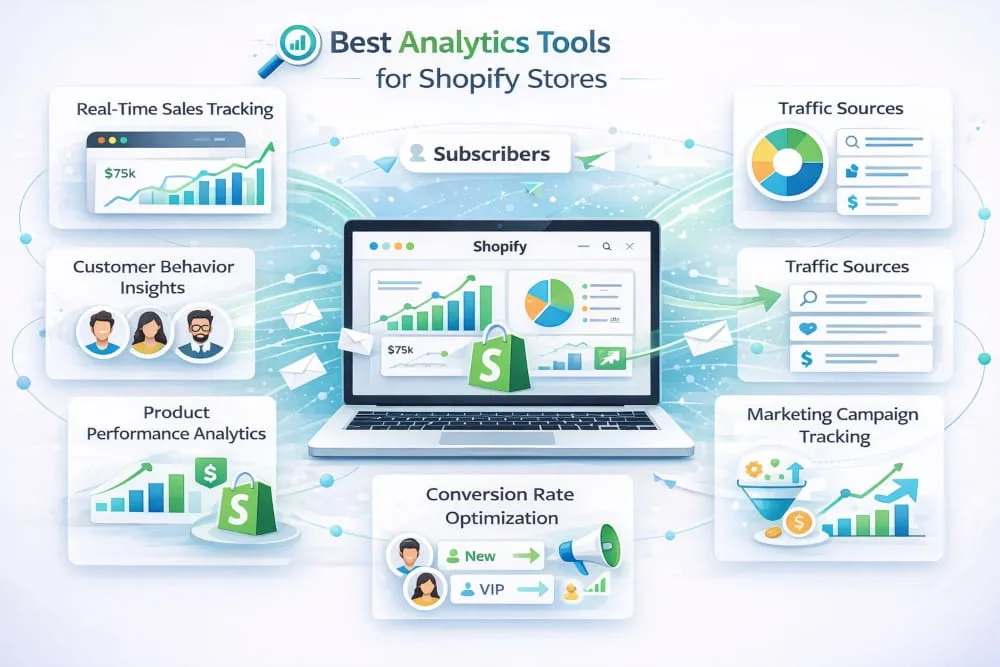
The small businesses that scale consistently in 2026 aren’t the ones working harder; they’re the ones making better decisions faster. And better decisions come from better data. Knowing which product page is silently killing conversions, which traffic source is bringing buyers versus browsers, and which customer segment spends three times more than average, that’s the kind of intelligence that compounds into a real competitive advantage. The right analytics tools for your Shopify store make that intelligence accessible, even without a data team.
What Data Every Shopify Store Owner Should Be Tracking
The native Shopify dashboard gives you a starting point. Still, there are specific metrics that most small business owners undertrack, and those gaps are often where the biggest growth opportunities hide.
Conversion rate by traffic source is one of the most important numbers your store produces. Not your overall conversion rate, but your conversion rate broken down by source. Organic search visitors often convert differently from paid social visitors, who convert differently from email traffic. Understanding this breakdown tells you where to invest more and where to pull back.
Customer lifetime value deserves far more attention than it typically gets. Knowing that your average customer spends $120 over their lifetime with your store changes how you think about acquisition costs entirely. Acquiring a customer for $30 with a $120 LTV is a very different business decision than acquiring one for $30 with a $45 LTV.
Cart abandonment rate, average order value, repeat purchase rate, and time between purchases round out the metrics that matter most for a growing Shopify store. Track them consistently, watch them trend over time, and you’ll see your store’s story far more clearly than any daily revenue check will show you.
Best Shopify Analytics Apps, Beyond the Native Dashboard
Shopify’s built-in analytics has improved meaningfully over the years. However, it still has real limitations, particularly around custom reporting, multi-channel attribution, and the kind of granular behavioral data that informs serious marketing decisions. These tools fill those gaps.
Google Analytics 4 remains the baseline for any Shopify store that wants to understand traffic behavior in depth. The learning curve is steeper than it used to be, but once properly configured with Shopify event tracking, GA4 provides audience insights and channel attribution that no native dashboard can match. It’s free, which makes it a non-negotiable starting point regardless of what else you add.
Triplewhale has become one of the most talked-about analytics tools among Shopify store owners for good reason. It solves one of the most persistent problems in ecommerce measurement and attribution by giving you a unified view of where your revenue is actually coming from across Meta, Google, TikTok, and email. For stores running paid advertising across multiple channels, Triplewhale’s clarity on true ROAS is worth the investment many times over.
Glew.io is built specifically for e-commerce analytics and goes deep on the metrics that matter most for Shopify businesses, customer cohort analysis, product performance, channel profitability, and LTV segmentation. It’s particularly strong for stores that have moved beyond basic reporting and want to start making genuinely data-driven decisions about inventory, marketing spend, and customer retention.
Lucky Orange approaches analytics from a different angle, behavioral intelligence rather than transactional data. Heatmaps, session recordings, and funnel analysis show you exactly how visitors move through your store, where they hesitate, and where they leave. The combination of Lucky Orange’s behavioral data with a platform like Triplewhale’s attribution data gives you both the what and the why, which is where real optimization begins.
Lifetimely focuses specifically on customer lifetime value and profitability analytics, making it one of the best Shopify analytics apps for store owners who want to understand their business at the customer level rather than just the order level. If you’re serious about building a retention-focused business, Lifetimely’s cohort reports and LTV projections are genuinely valuable.
How to Use Analytics to Cut Ad Spend and Increase ROI
Data without action is just noise. The real value of strong analytics tools for your Shopify store is what they tell you to stop doing as much as what they tell you to do more of.
Start with your paid channels. Most Shopify stores running ads are unknowingly overspending on at least one channel or audience segment that looks productive at the surface level but underperforms when you look at true attributed revenue and customer quality. TripleWhale or a similar multi-touch attribution tool will quickly surface these discrepancies. When you find a channel bringing high click volume but low conversion rates or poor LTV customers, that’s the budget you can reallocate immediately.
Next, use behavioral analytics to fix conversion leaks before you spend another dollar on traffic. There is no point driving more visitors to a product page that 80% of people leave within 10 seconds. Lucky Orange’s session recordings will show you exactly why that’s happening: a confusing layout, a missing size guide, a slow-loading image, and a wrong price. Fix the leak first. Then scale the traffic.
Customer segmentation is where analytics exerts its greatest power over time. Once you can identify your highest-LTV customer cohorts, the ones who buy repeatedly, refer friends, and respond to email, you can reverse-engineer where they came from, what they bought first, and what brought them back. That intelligence shapes every subsequent marketing decision, from which products to promote to which audiences to target in paid campaigns.
The stores that grow most efficiently in 2026 aren’t spending more. They’re spending smarter, and the best analytics tools for Shopify are what make the difference between guessing and knowing.
Best Design Tools for Shopify Stores (2026)
Your store’s design is doing sales work whether you’re paying attention to it or not. Every font choice, every product image, every button color, and every page layout either builds trust with a visitor or quietly erodes it. In a marketplace where customers make split-second judgments about whether a store feels credible, design isn’t decoration, it’s conversion infrastructure.
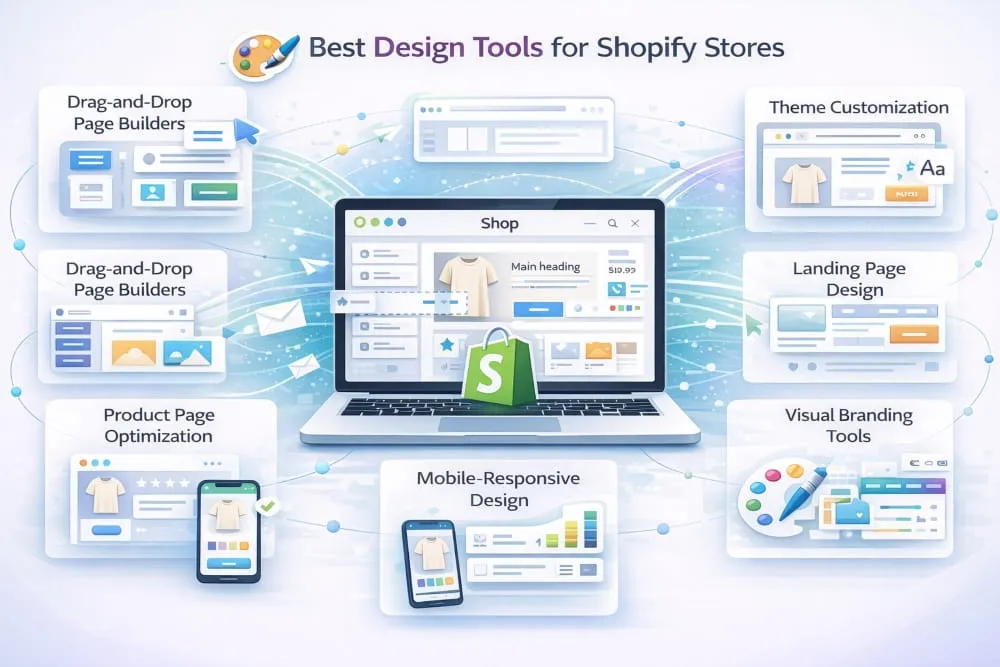
The good news for small Shopify business owners is that 2026’s design tooling has largely closed the gap between what a solo operator can produce and what a professional agency would charge thousands to deliver. You don’t need a design degree or a creative team. You need the right tools and a clear understanding of where design actually moves the needle in your store.
Store Design Tools vs. Product Image Tools: Knowing the Difference
This distinction matters more than most store owners realize, and conflating the two leads to misallocated effort and budget.
Store design tools shape the overall visual experience of your Shopify store, including the theme, layout, typography, color palette, homepage flow, and navigation that guides a visitor toward a purchase. These tools determine how your brand feels at a structural level. Getting this layer right lays the foundation for everything else.
Product image tools, on the other hand, operate at the asset level. They help you create, edit, and enhance the individual photos, graphics, and visuals that populate your store, product shots, lifestyle images, promotional banners, and social content. A store can have a beautifully structured theme and still lose conversions because its product images look amateurish. Equally, stunning product photography displayed on a cluttered, confusing store layout rarely converts as well as it should.
The strongest Shopify stores invest thoughtfully in both layers. But if you’re prioritizing, get your store design foundation right first. A clean, trustworthy layout with average product images will almost always outperform a chaotic layout with beautiful ones.
Best Shopify Design Apps for Non-Designers
The barrier to great Shopify store design has never been lower. These tools are built specifically for business owners who want professional results without professional design skills.
Canva has become the default design tool for Shopify store owners who need to create visual assets quickly and consistently. Its Shopify-adjacent use case is primarily at the product image and marketing asset level, banners, promotional graphics, social content, and email headers. Still, its templates and brand kit features make it remarkably easy to maintain visual consistency across everything your store produces. For non-designers, Canva’s learning curve is essentially flat.
PageFly is one of the most powerful page builder apps available for Shopify, and it’s particularly valuable for store owners who want more design control than Shopify’s native theme editor provides. Its drag-and-drop interface lets you build custom landing pages, product pages, and homepages with a level of layout flexibility that most themes can’t offer out of the box. The results look custom-built without requiring any code knowledge.
Shogun operates in a similar territory to PageFly and is worth comparing directly if you’re serious about custom page design. Where Shogun often edges ahead is in its A/B testing capabilities, which let you test different page layouts and designs against each other and let conversion data decide what stays. For a design decision that directly impacts revenue, that kind of evidence-based iteration is invaluable.
Hextom: Banner Slider & Popup handles the often-overlooked promotional design layer, the banners, announcements, and featured content that keep your store’s homepage feeling current and relevant without requiring a theme edit every time you run a sale or launch a product. Small but consistently useful.
Smartly.io and Adobe Express (formerly Adobe Spark) are worth considering for stores that need higher-volume visual content production, particularly if you’re running regular paid social campaigns alongside your Shopify store. Both offer templating systems that let you produce on-brand creative at scale without starting from scratch each time.
How Good Design Increases Trust and Conversion Rate
Design’s relationship with conversion is well-documented and consistently underestimated. Research from Stanford’s Web Credibility Project found that 75% of consumers judge a business’s credibility solely from its website design. In e-commerce, where a customer can’t touch the product or meet the seller, visual credibility is often the only credibility available.
Trust signals are largely visual. A clean, uncluttered layout communicates confidence. Consistent typography and color usage signal that a real brand exists behind the store. High-quality product images answer the questions a customer would ask if they could hold the product in their hands. Conversely, mismatched fonts, low-resolution images, and a cluttered homepage trigger subconscious doubt, and doubt kills conversions before a customer ever reaches the cart.
The design details that most directly impact conversion rate for Shopify stores are often the smallest ones. Clear, high-contrast call-to-action buttons. Product images that show scale and context, not just the item on a white background. A mobile layout that loads fast and navigates intuitively, because in 2026, the majority of Shopify traffic arrives on a phone. A checkout flow that feels secure and frictionless.
None of these requires a designer. They require intention and the right tools to execute that intention consistently. The best design tools for Shopify stores in 2026 put that execution within reach of any store owner willing to invest a few hours getting the fundamentals right, and the return on that investment shows up directly in your conversion rate, your average order value, and the rate at which first-time visitors become repeat customers.
Good design isn’t about making your store look pretty. It’s about making it easy to trust, navigate, and buy from. Everything else follows from that.
The Complete Shopify App Stack for Small Businesses, Budget, Order, and Integration Guide
Most Shopify advice stops at the tool recommendation. You get a list of apps, a set of glowing descriptions, and no guidance whatsoever on how they fit together, what order to install them, or what a realistic monthly investment looks like at different stages of your business. That gap costs small business owners real money, in redundant subscriptions, conflicting apps, and bloated stacks that slow stores down instead of speeding growth up.
This section fixes that. What follows is a practical, stage-by-stage guide to building a Shopify app stack that works as a system, not just a collection of individual tools.
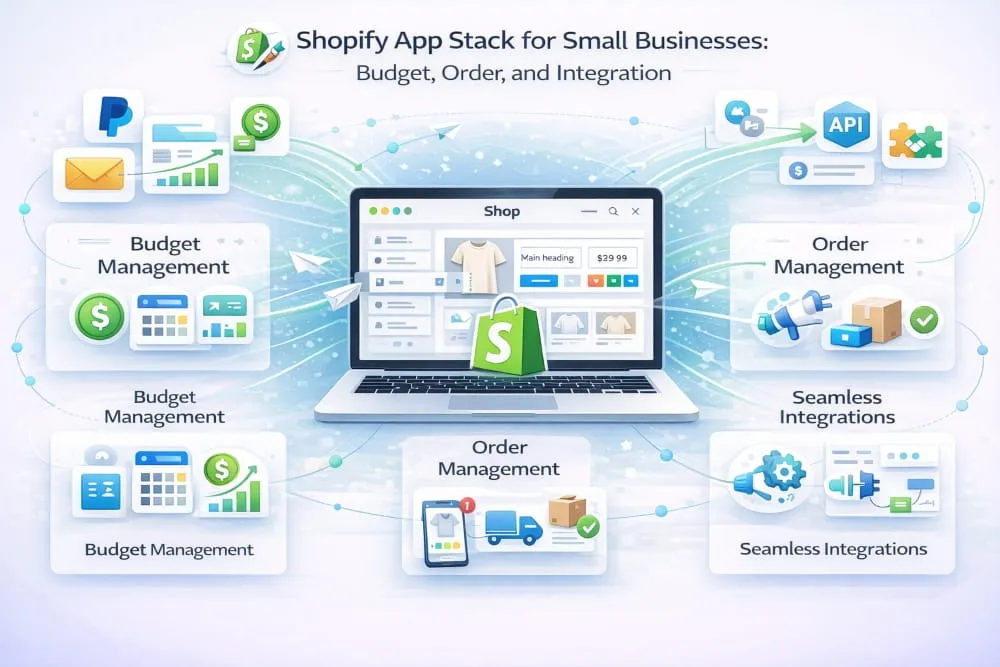
Starter Stack, Under $50/Month
At the early stage, your only job is to validate that your store can convert traffic and retain customers well enough to grow. You don’t need ten apps. You need the four or five that protect revenue, capture leads, and tell you what’s working.
The starter stack looks like this:
Klaviyo, on its free tier, handles both email marketing and list capture for stores with fewer than 250 contacts, giving you abandoned cart flows, welcome sequences, and popup forms without spending a dollar until your list justifies it. Google Analytics 4 is free and provides traffic intelligence that Shopify’s native dashboard simply can’t match. Tidio’s free plan covers basic live chat and a simple chatbot that handles the customer support volume most new stores generate, without requiring a paid helpdesk. Postscript’s entry tier adds SMS abandoned cart recovery, the single highest-ROI automation available to a new Shopify store, for around $25/Month. Canva’s free plan handles every visual asset a starter store needs.
Total monthly cost at this stage: $0–$30, scaling to around $50 as your contact list and SMS volume grow. Every tool in this stack has a clear, measurable job. Nothing is installed speculatively.
The discipline at this stage is restraint. The Shopify App Store is designed to make installation feel low-friction, and it is, until you’re paying for eight apps you barely use and wondering why your store loads slowly. Install only what solves a problem you have right now, not a problem you might have in six months.
Growth Stack, $50–$150/Month
Once your store is generating consistent revenue, typically somewhere between $5,000 and $30,000 per Month, the stack evolves from survival infrastructure to optimization infrastructure. You’re no longer just trying to convert traffic. You’re trying to understand it, retain the customers it produces, and systematically increase the value of every relationship your store builds.
At this stage, Klaviyo moves to a paid plan as your list grows, unlocking advanced segmentation, A/B testing, and deeper automation logic that the free tier doesn’t support. Postscript scales with your SMS volume. Gorgias replaces Tidio as your customer support layer. Its Shopify-native integration, which pulls full order history into every support ticket, becomes genuinely valuable once your support volume outgrows what a basic chatbot can handle. Lucky Orange joins the stack at around $19/month, giving you session recordings and heatmaps that reveal exactly why visitors aren’t converting on your key pages. Privy or OptiMonk strengthens your list capture with more sophisticated targeting and A/B testing than Klaviyo’s native forms provide.
If WhatsApp is a meaningful channel for your customer base, and for stores selling into South Asia, the Middle East, or Latin America, it almost certainly is. Interakt enters the stack here, typically paying for itself within the first two to three weeks through recovered carts and direct sales conversations.
Total monthly cost at this stage: $80–$150, depending on contact volume and SMS usage. Every tool added at this tier should have a clear expected return. If you can’t articulate how a new app pays for itself, it doesn’t belong in the stack yet.
How to Install Shopify Apps in the Right Order Without Conflicts
App installation order matters more than most store owners realize. The sequence in which you add tools to your Shopify store determines how cleanly they integrate, how accurately they track data, and whether they create conflicts that are difficult to diagnose later.
Start with analytics before anything else. Google Analytics 4 should be the very first thing installed on any new Shopify store. Every tool you add afterward will influence your traffic behavior, popup timings, chat widgets, and page builders, and you want a clean baseline in place before any of that interference begins. Installing analytics retroactively always means missing early data you can never recover.
Install your theme and page builder before marketing tools. If you’re using PageFly or Shogun to customize your store’s layout, get that in place before adding email-capture popups, chat widgets, or SMS opt-in forms. Page builders interact with your theme at a structural level, and installing them after other apps have already injected code into your storefront increases the risk of display conflicts and layout breakage.
Add email before SMS. Your email platform, Klaviyo or whichever you choose, should be integrated and generating its first automations before you layer in SMS. The reason is practical: your email tool’s Shopify data sync forms the foundation for your SMS tool’s segmentation and triggers. Getting email right first means SMS inherits clean, well-structured customer data from day one, rather than starting from a fragmented point.
Connect WhatsApp and customer support tools last among your core stack. These tools need your order data, your product catalog, and your customer history to function properly, all of which are more complete and reliable once your analytics and marketing infrastructure is already in place and tracking accurately.
Before installing any new app, do three things: check its reviews for potential conflicts with apps you already have installed, test it on a development theme before pushing to your live store if it touches your storefront code, and set a 30-day review reminder to evaluate whether it’s delivering measurable value. If it isn’t, remove it without sentiment.
The right Shopify app stack isn’t the biggest or the most sophisticated. It’s the one where every tool has a clear role, every integration is clean, and every monthly cost is justified by a return you can actually measure. Build it in the right order, keep it lean, and it becomes one of the most powerful growth assets your store has.
How Too Many Shopify Apps Silently Kill Your Conversion Rate
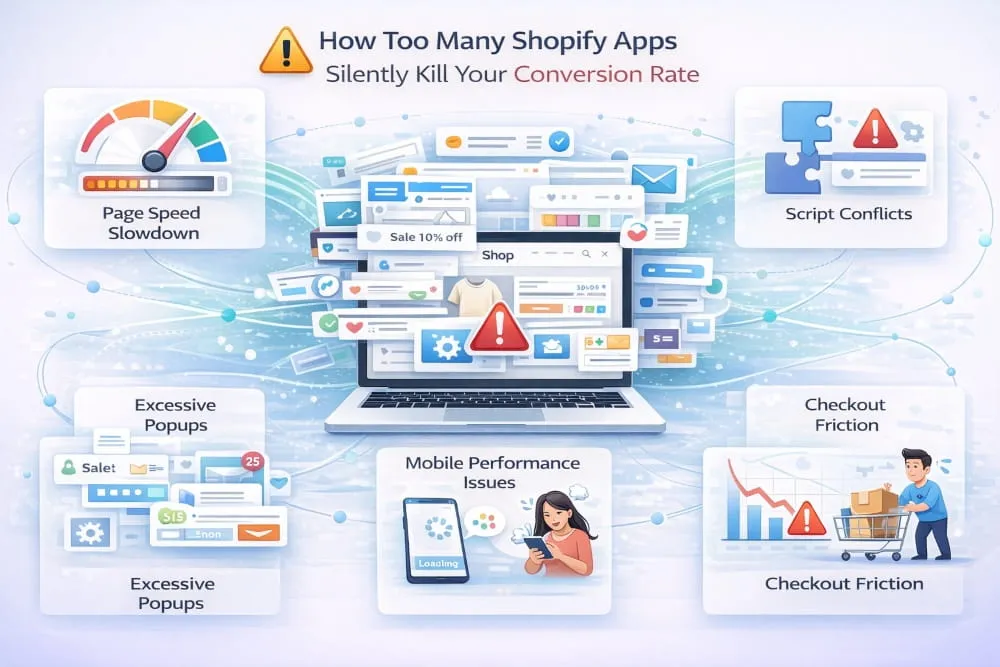
There’s a problem hiding in plain sight across thousands of Shopify stores, and it’s entirely self-inflicted. Store owners spend months optimizing product pages, refining ad targeting, and perfecting email sequences, then wonder why their conversion rate refuses to move. The answer, more often than anyone in the app ecosystem wants to admit, is sitting right there in the Apps section of their Shopify admin.
App overload is one of the most common and least discussed conversion killers in e-commerce. And what makes it particularly damaging is that it worsens gradually, one reasonable-sounding installation at a time, until the cumulative weight of a bloated stack quietly sabotages the store you’ve worked hard to build.
The Hidden Cost of Every App You Install
Every Shopify app you install adds something to your storefront that your visitors’ browsers have to load before your page fully renders. JavaScript files, CSS stylesheets, tracking pixels, chat widgets, and popup scripts each add a small amount of additional load time. Individually, the impact is negligible. Collectively, across ten, fifteen, or twenty apps, the effect compounds into something your analytics will eventually make impossible to ignore.
Google’s own research found that as page load time increases from 1 second to 3 seconds, the probability of a mobile visitor bouncing increases by 32%. Push that load time to 5 seconds, and the bounce rate jumps by 90%. For a Shopify store where the majority of traffic arrives on mobile, and in 2026, that’s most stores, every unnecessary app quietly loaded in the background is a friction tax on every single visitor who hits your storefront.
The relationship between page speed and conversion rate is direct and well-documented. A one-second improvement in load time has been shown to increase ecommerce conversions by up to 7%. That number sounds modest until you apply it to your actual monthly revenue. A store doing $20,000 per Month, recovering 7% from a speed improvement, isn’t hypothetical; it’s the kind of result that shows up regularly in real Shopify store audits.
How to Diagnose Whether Your App Stack Is Hurting You
The first tool to reach for is Google PageSpeed Insights. Run your homepage, your most important product page, and your collection pages through it and look specifically at the mobile score, not desktop. A score below 50 on mobile is a serious problem. A score between 50 and 70 has room for meaningful improvement. Above 80 is where you want to be.
Shopify’s native speed report, available in your Online Store dashboard, provides a theme benchmark score that factors in app impact. If your score has been declining over time and you’ve been adding apps, the correlation is almost certainly causal.
The more precise diagnostic is a waterfall analysis using a tool like GTmetrix or WebPageTest. These show you exactly which scripts are loading, in what order, and how long each one takes. When you see a chat widget, a popup script, a review app, an SMS opt-in tool, a loyalty program widget, and three tracking pixels all loading simultaneously on your homepage, each one legitimate in isolation, the cumulative picture becomes clear very quickly.
Beyond speed, app conflicts create a subtler category of conversion damage that’s harder to measure but equally real. Two apps editing the same section of your theme’s code can break your add-to-cart button. A popup tool and a page builder fighting for z-index priority can create display glitches that visitors experience as unprofessional. A loyalty widget and a review app both injecting code into your product page can cause layout shifts that interrupt the reading flow right when a customer is deciding whether to buy. None of these show up obviously in your analytics; they just quietly suppress conversion rates that should be higher.
The Audit Every Shopify Store Owner Should Run
Set aside an hour each quarter for a deliberate app audit. Go through every installed app, including ones you’ve forgotten about, and ask two questions for each one: is this app actively generating measurable value right now, and is there an app already in my stack that covers this functionality adequately?
Any app that can’t answer ‘yes’ to the first question is removed. Any app that duplicates functionality already covered elsewhere gets removed. Inactive apps that you installed to test and never properly evaluated get removed. Uninstalling an app from your Shopify admin doesn’t always remove all of its code from your theme. After removing any app that touched your storefront, check your theme code for leftover script tags and stylesheet references that need to be cleaned out manually.
The goal is not minimalism for its own sake. Some stores genuinely need twelve well-integrated apps to run their operation properly. The goal is intentionality: a stack where every app earns its place each month, and nothing is installed out of curiosity, habit, or the vague feeling that more tools mean more capability.
What a Lean Stack Actually Looks Like in Practice
The stores with the strongest conversion rates are rarely the ones with the most sophisticated app stacks. They’re the ones where a small number of high-quality, well-integrated tools run cleanly, are tracked carefully, and are evaluated honestly against the revenue they generate.
Six to eight apps covering your core categories, analytics, email, SMS, WhatsApp, customer support, and design, is a complete growth infrastructure for most small Shopify businesses. Beyond that ceiling, each addition should clear a higher bar: not just “this looks useful” but “this has a clear, measurable ROI and doesn’t duplicate anything already in my stack.”
Your conversion rate is one of the most sensitive indicators of store health. When it stagnates or declines despite traffic holding steady, the instinct is to look outward, at your ads, your offers, your product pages. Sometimes the answer is there. But often, the quietest and most fixable drag on your conversion rate is already installed in your Shopify admin, loading scripts your visitors never asked for and your store never needed.
A leaner stack isn’t a compromise. For most Shopify stores, it’s a conversion rate improvement waiting to happen.
How to Check If Shopify Apps Are Compatible Before You Install
Installing a new Shopify app should feel like adding a precision component to a well-built machine. Too often, it feels more like guesswork: you install, you hope nothing breaks, and you discover the problem three days later when a customer emails to say your add-to-cart button has disappeared or your checkout page looks wrong on mobile.
App compatibility issues are one of the most frustrating and time-consuming problems a Shopify store owner faces. They’re rarely catastrophic in the dramatic sense. Still, they’re consistently damaging in the quiet sense: broken layouts, suppressed conversion rates, tracking gaps, and customer experience glitches that erode trust before you even know they exist.
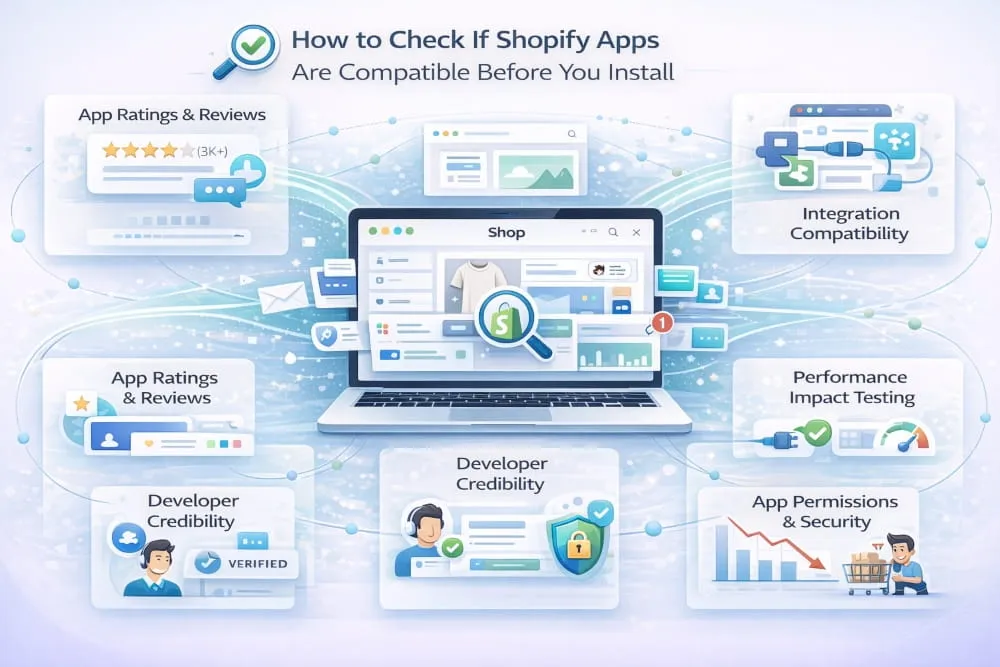
The good news is that most compatibility problems are preventable, not with luck, but with a deliberate pre-installation process that takes less time than fixing the problems it avoids.
Understand What Compatibility Actually Means for Shopify Apps
Before running any checks, it helps to understand the three layers where Shopify app conflicts most commonly occur.
The first is theme-level conflict. Apps that modify your storefront, page builders, popup tools, review widgets, cart modifiers, and chat buttons do so by injecting code directly into your theme files. When two apps attempt to modify the same section of the same template file, the result can range from minor visual glitches to complete functional breakdowns. This is the most common category of conflict and the most visible to customers.
The second is script-level conflict. Many apps load JavaScript onto your storefront to power their functionality. When two scripts attempt to control the same element, a product page button, a form field, or a checkout flow, they can interfere with each other in ways that are difficult to diagnose without developer-level investigation. Script conflicts are particularly insidious because they often only surface under specific conditions: a particular browser, a specific device type, or a customer completing a precise sequence of actions.
The third is data conflict. Apps that read from or write to the same Shopify data objects, customer records, order tags, and product metafields can create data integrity problems that don’t break your storefront visually but corrupt the information your marketing tools depend on. A loyalty app and a customer support tool both writing to the same customer tag field, for example, can produce segmentation errors in your email platform that take weeks to identify.
Knowing which layer a new app operates on tells you immediately where to focus your compatibility checks.
Check the App Listing Carefully Before Installing
The Shopify App Store listing for any app contains more compatibility intelligence than most store owners extract from it. Read it as a diagnostic document, not a marketing brochure.
Look specifically at the “Works with” section, which lists integrations the developer has explicitly tested and supports. If your most critical existing apps, your email platform, your page builder, your checkout tool, aren’t listed there, that absence is meaningful. It doesn’t guarantee a conflict, but it tells you the developer hasn’t prioritized testing against those tools.
Read the reviews with a specific filter: search for the names of your existing apps in the review text. Store owners who experienced conflicts almost always mention which apps were involved. A single detailed review describing a conflict between the app you’re evaluating and Klaviyo, PageFly, or Gorgias tells you more than fifty-five-star reviews from stores running a completely different stack.
Pay attention to how the developer responds to negative reviews, especially those that describe technical conflicts. A developer who responds promptly, takes ownership, and provides resolution is one whose app is safer to install than a developer who deflects, disputes, or goes silent. Support quality during problems is as important as product quality when everything works.
Finally, check the app’s last update date. An app that hasn’t been updated in 12 months or more carries a significant compatibility risk on a platform that Shopify updates continuously. Outdated apps are the most common source of theme conflicts following Shopify platform updates.
Use a Development Theme to Test Before Going Live
This single habit will save you more time and stress than any other compatibility practice available to you. Before installing any app that touches your storefront, and most do, duplicate your live theme and install the app on the duplicate first.
Shopify makes this straightforward. In your Online Store theme section, select your current live theme, choose “Duplicate,” and you have an identical copy to test against without any risk to your live store. Install the new app, point it at your development theme, and spend twenty minutes clicking through your store the way a customer would, homepage, collection pages, product pages, cart, checkout. Test on both desktop and mobile. Look for layout shifts, broken buttons, overlapping elements, and anything that looks different from your live theme.
If something breaks in the development environment, you’ve caught it before a single customer sees it. If everything looks clean, you can push to your live theme with genuine confidence rather than crossed fingers.
For apps that don’t have a visible storefront component, analytics tools, backend automation apps, or data sync tools, the development theme test is less critical. However, it’s still worth running a 48-hour observation period after installation, watching your key metrics for any unexpected changes in behavior that might indicate a data conflict with an existing tool.
Contact the Developer Directly for High-Stakes Installs
If you’re considering an app that will touch a critical part of your store, your checkout flow, your product page template, or your cart functionality, it is worth sending the developer a direct message before installing. This takes five minutes and can prevent days of troubleshooting.
A simple message works: tell them which apps you currently have installed that interact with the same area of your store, and ask directly whether they’re aware of any known conflicts. A developer with a well-maintained app will either confirm clean compatibility or flag a known issue with a workaround. Either answer is valuable. A developer who doesn’t respond, or responds vaguely, is giving you important information about the support experience you’d have if something did go wrong.
This step is particularly worth taking for page builders, checkout customization apps, and any tool that claims to modify your theme’s liquid files directly. These categories carry the highest conflict risk and the most difficult-to-diagnose problems when conflicts do occur.
Build a Simple App Inventory Before Every New Installation
One of the most practical compatibility habits a Shopify store owner can build is maintaining a simple record of every app currently installed, what area of the store it touches, and what data it reads or writes. A basic spreadsheet with five columns, app name, function, theme areas affected, data objects used, and last reviewed date, takes twenty minutes to build and makes every future compatibility assessment dramatically faster.
When evaluating a new app, you can cross-reference its technical footprint against your inventory in minutes. Two apps modifying the same theme section are a yellow flag worth investigating. Two apps writing to the same customer data field is a red flag that should be escalated to the developer before proceeding.
This inventory also makes your quarterly app audit, the practice of regularly removing tools that aren’t earning their place, far more efficient. Instead of trying to reconstruct what each app does from memory, you have a clear record that makes removal decisions straightforward and ensures that when you do uninstall something, you know exactly which theme sections to check for leftover code.
Compatibility isn’t a technical problem that only developers can solve. It’s a process problem that any store owner can manage with the right habits in place. The stores that never experience serious app conflicts aren’t lucky, they’re deliberate. And deliberate, consistent compatibility management is one of the quietest competitive advantages a small Shopify business can build.
Conclusion
There is no universal perfect stack. The right Shopify tools for your store depend on your revenue stage, customer base, channels, and your ability to implement and manage new software. But the categories above represent the infrastructure that every serious small Shopify business needs to compete effectively in 2026.
Start with the tools that address your biggest current constraint, whether that’s list growth, cart recovery, attribution, or design. Get each one working properly before adding the next. A lean stack of six well-integrated tools will outperform a bloated stack of twenty every time.
Your store deserves tools that work as hard as you do. Now you know exactly which ones those are.
Frequently Asked Questions
What Are the Most Essential Shopify Tools for Beginners?
For a new Shopify store, the priority is building the systems that drive revenue before optimizing anything else. The most essential tools to install first are an email marketing and list growth platform, an SMS marketing tool for abandoned cart recovery, a WhatsApp commerce integration if your customers are active on the channel, and a basic analytics setup beyond Shopify’s native dashboard.
In practical terms, that means starting with Klaviyo for email, Postscript or SMSBump for SMS, Interakt or Wati for WhatsApp, and Google Analytics 4 for traffic intelligence. These four categories cover your core customer acquisition, conversion, and retention infrastructure. Everything else, advanced design tools, loyalty programs, upsell apps, comes after these foundations are in place and generating measurable results.
Are Free Shopify Apps Good Enough for Small Businesses?
Free Shopify apps are a legitimate starting point, but they are rarely a long-term solution for the channels that matter most. Most free plans come with hard limits, contact caps, message volume restrictions, or feature walls that appear precisely when your store starts growing and needs those features most.
The more useful question is whether a paid tool generates more revenue than it costs. A $30/month SMS marketing app that recovers five abandoned carts per Month at an average order value of $80 is not an expense; it’s a positive return from day one. For low-frequency, supporting tasks like basic design work or simple page edits, free tools comfortably earn their place. For your core growth channels, investing in capable paid tools early almost always pays for itself faster than most store owners expect.
How Many Shopify Apps Should I Install?
As few as possible to do the job well, every app you add to your Shopify store introduces additional page load weight, a recurring cost, and a potential point of conflict with other installed apps. App overload is a genuine and common problem; stores with 20+ apps often run slower, convert worse, and cost significantly more to operate than leaner stacks delivering better results.
A well-optimized small-business Shopify stack typically needs between 6 and 10 apps covering email, SMS, WhatsApp, analytics, customer support, and design. Before installing anything new, ask two questions: Does this solve a real problem I have right now? And is there an app already in my stack that does this well enough? If the answer to the second question is yes, don’t install it. Simplicity in your app stack is a competitive advantage, not a limitation.
What’s the Best WhatsApp Tool for a New Shopify Store?
For a new Shopify store getting started with WhatsApp commerce, Interakt is the most practical first choice. It offers a clean WhatsApp Business API integration, automated order notifications, abandoned cart recovery, and broadcast messaging, all at a price point accessible to stores in their early stages. The setup is straightforward enough for non-technical users, and the core features cover everything a new store needs to start converting and retaining customers through WhatsApp.
As your store grows and WhatsApp becomes a more central sales channel, Zoko or Wati offer the additional depth, multi-agent inboxes, advanced automation, and product catalog integration that higher-volume stores need. But for day one, Interakt gives you a professional WhatsApp commerce presence without overcomplicating your stack before you’ve validated the channel.
How Do I Choose Between SMS and Email Marketing for Shopify?
The honest answer is that you shouldn’t have to choose; the two channels serve different purposes and work best together. Email is built for depth: welcome sequences, brand storytelling, product education, post-purchase nurturing, and longer-form content that builds a customer relationship over time. SMS is built for urgency: abandoned cart reminders, flash sale alerts, back-in-stock notifications, and time-sensitive moments where a 90%+ open rate and a 3-minute read time genuinely change the outcome.
If budget forces a choice for an early-stage store, start with email. The list you build is more portable, the cost per send is lower at scale, and the content flexibility gives you more room to build brand trust with new customers. Add SMS as soon as your store is generating consistent traffic, the abandoned cart recovery alone typically justifies the cost within the first Month. The best Shopify marketing stacks in 2026 treat email and SMS not as competitors for the same budget, but as complementary tools solving different problems in the same customer journey.


